
Livraison le jour même ou le lendemain

Qualité garantie

Débloquez vos offres de bienvenue: Livraison GRATUITE | Jusqu'à -80 % | 30 jours d'essai gratuits à JoyPlus
Téléchargez l'application
A PC water-cooling system can reduce your processor’s temperature and free up space around the socket. However, not every kit is suitable for every case or use case. Whether you’re a gamer, content creator or overclocking enthusiast, it’s best to be wary of broad claims and check several technical specifications before buying.
A 360 mm water-cooling radiator is generally between 394 and 397 mm long, excluding the space required for screws, tubes and fans. Simply seeing « 360 mm compatible » in a case’s specifications is therefore not enough: check the intended mounting position, the total available thickness and whether the RAM or motherboard heatsinks could get in the way.
A 240 mm water-cooling system is often easier to install, particularly in a mid-tower case. It has two 120 mm fans, compared with three on a 360 mm model, but this format can sometimes be better suited to a compact build.
Noise depends on fan speed, the pump, ambient temperature and the PWM setting in the BIOS. Figures can therefore only be compared when the measurement conditions are similar. For example, the be quiet! Pure Loop 3 240mm specifies a range of 17,6 to 37,2 dB, while the MSI MPG Coreliquid P13 360 lists 28,7 dBA for the fans and 20 dBA for the pump, according to its product information.
For a PC installed in a living area, choose PWM control, fans with durable bearings and a customisable quiet profile. A larger radiator does not, on its own, guarantee discreet operation.
An ARGB water-cooling system requires a compatible connector on the motherboard, while an LCD display may need an internal USB port and dedicated software. Before choosing a water-cooling system with an LCD display, check how many ports are available and whether the software is compatible with your system.
Lighting can enhance the look of a build, but it cannot replace neat installation or good airflow. Closed-loop AIO water-cooling kits are pre-filled and sealed: do not open or attempt to modify them.
A liquid CPU cooler must be compatible with the motherboard socket. The models featured here support, among others, Intel LGA 1700 and LGA 1851 sockets, as well as AMD AM4 and AM5. Some models also support Intel LGA 1200, 115X or other generations.
Check the exact model of your Intel or AMD processor, then consult the installation manual. Mechanical compatibility does not automatically mean that the system will be able to handle a high thermal load or prolonged overclocking.
Remember to check the total thickness as well. The MSI MPG Coreliquid P13 360 radiator measures 394 × 120 × 52 mm in the stated configuration, while some radiators alone are thinner. Tube orientation and radiator placement can also make installation more or less straightforward.
A PWM pump allows you to adjust its speed from the motherboard. Bearing type, airflow and static pressure are often more informative than RPM alone. When mounted on a radiator, fans must provide sufficient pressure to push air through the fins.
For ARGB, check for a 5 V addressable connector and make sure it is aligned correctly. Never connect it to a 12 V RGB header. For displays, you will generally need an internal USB 2.0 connector and the manufacturer’s software.
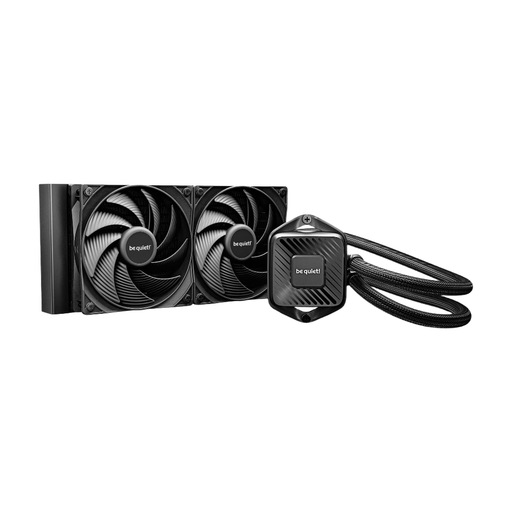
Why this choice suits this user profile : Its 240 mm format reduces installation constraints in a compatible case, while its two PWM fans make it easier to get started with PC liquid cooling.
The product information states compatibility with Intel LGA 1851 and 1700 sockets, as well as AMD AM5 and AM4 sockets. It also specifies daisy-chained fan connections, reducing the number of cables to manage.
240 mm radiator, PWM pump and two 120 mm Pure Wings 3 fans. The stated manufacturer’s warranty is 3 years.
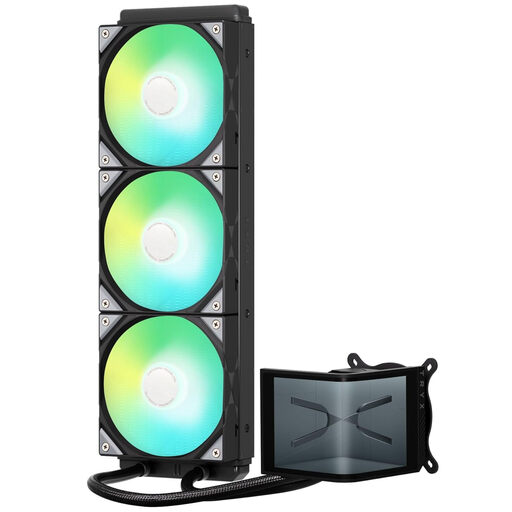
Why this choice suits this user profile : This model combines a large radiator, a curved display and ARGB lighting. It is designed for builds where appearance matters just as much as performance.
The product information details the SATA, PWM, USB 2.0 and ARGB connections. This lets you check the required connectors before buying, rather than discovering an incompatibility during installation.
16,9 cm (6,67-inch) curved AMOLED display, 360 mm radiator, three ARGB fans and compatibility with Intel LGA 1851, 1700, 1200 and 115X sockets, as well as AMD AM4 and AM5 sockets.
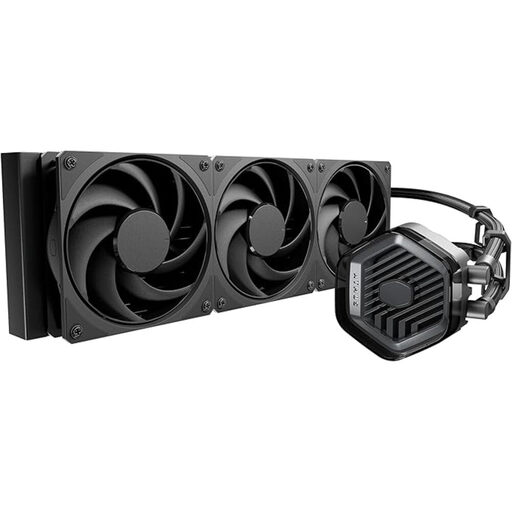
Why this choice suits this user profile : Its 360 mm radiator and three pre-installed fans are aimed at builds that regularly put the processor under heavy load, such as video rendering or long gaming sessions.
The radiator dimensions, 400 mm tube length and Intel and AMD mounting brackets are all detailed. This information makes it easier to check the available space before installation.
Pump specified at 3 400 RPM, maximum stated airflow of 75,2 CFM, pre-installed Mobius fans and a stated 5-year warranty.
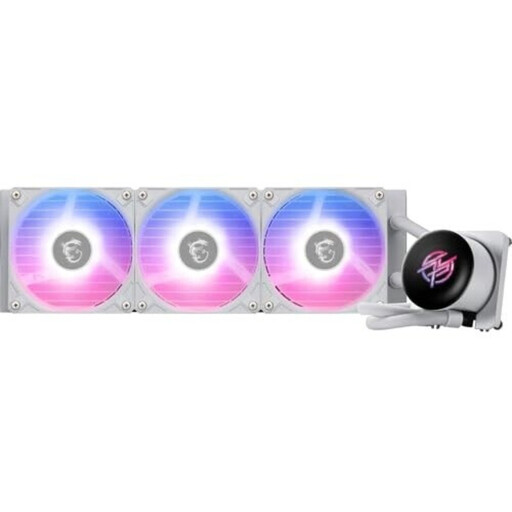
Why this choice suits this user profile : Its built-in LCD display can show system information, animations or customised content, provided you have the required software setup.
The product information specifies a resolution of 480 × 480, MSI Center software and the supported sockets. Full compatibility may nevertheless depend on the motherboard being used.
5,3 cm (2,1-inch) LCD display, pre-installed fans, pump rated at up to 3 400 RPM and cables integrated into the tubes, according to the manufacturer’s description.
We have put together a complete, real-time updated list of products that meet these demanding selection criteria and European safety standards.
Before carrying out any work, switch off the PC and unplug the mains cable, then discharge any static electricity. If necessary, clean the processor surface with a suitable product before fitting the block, applying even pressure. Observe the airflow direction: depending on the case, the radiator may be installed for intake or exhaust.
After the first start-up, check the pump and fan speeds in the BIOS. An abnormal temperature, unusual noise or pump warning should prompt you to switch off the system immediately. Inspect the tubes and fittings regularly. If you spot a leak, do not switch the computer back on and disconnect it from the mains.
Sealed kits must not be pierced or dismantled. At the end of its life, take the product to an electrical and electronic equipment recycling facility, in accordance with local regulations.
It can be suitable for many builds, but the result depends on the processor, its power limits, the case and the settings applied. For sustained loads, a 280 or 360 mm model may offer a larger dissipating surface, provided it is compatible with the chassis.
It depends on the pump, fans, usage and environment. Check the warranty period and look out for signs of wear: pump noise, an unstable fan or a rise in temperature without any changes to the build. A sealed AIO should not be opened by the user.
Its electricity consumption is generally limited to that of the pump and fans. The actual cost depends mainly on the power draw of these components and how long they run for. Maintenance mainly involves removing accumulated dust from the radiator and visually checking for leaks.