
Livraison le jour même ou le lendemain

Qualité garantie

Débloquez vos offres de bienvenue: Livraison GRATUITE | Jusqu'à -80 % | 30 jours d'essai gratuits à JoyPlus
Téléchargez l'application
Whether for remote work, gaming, or a simple musical break, sound is often the most overlooked element of our computer setups. It's true that the speakers built into our laptops and monitors are rarely convincing, sorely lacking in power and clarity. However, investing in a good pair of dedicated PC speakers can literally transform your digital life.
But with an overwhelming number of options on the market, how do you make the right choice? This guide is here to help. We've broken down the market to give you practical advice and clear benchmarks, so you can find the ideal desk speakers for your needs and space—all without any unnecessary marketing jargon.
Before diving into our selection, let's review the key points to ensure you make the right decision.
Connectivity is the first criterion to consider. It determines how simple your speakers will be to set up and how versatile they are.
Fortunately, many multimedia speaker models today combine these different connections, offering foolproof versatility.
Space on a desk is a precious commodity. The size of your future speakers is therefore a decisive factor. Rest assured, some very compact small PC speakers can now deliver stunning sound without taking over your workspace.
Aesthetics also play a part, especially for gamers. PC gamer speakers often feature customisable RGB lighting for a setup that perfectly matches the keyboard, mouse, and tower. For a more understated desk, you might prefer models with a minimalist and clean design.
Different uses call for different types of sound. Define your primary need:
We have selected a few gems for you that cater to different needs and budgets.
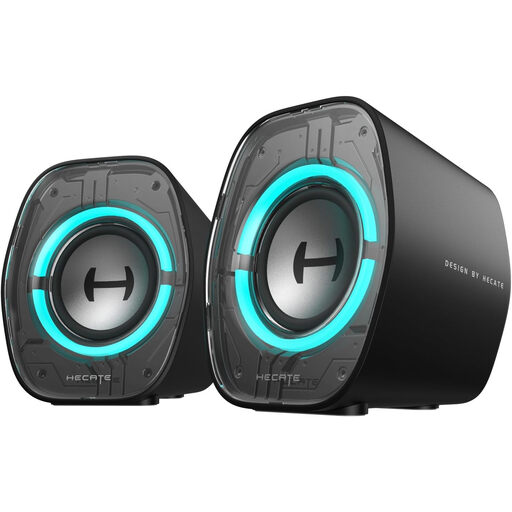
Why this model stands out
The EDIFIER G1000 II are tailor-made for desks where every square inch counts. With a width of just 9.25 cm, they fit in anywhere. They don't skimp on atmosphere either, with 9 dynamic RGB lighting modes to customise your setup. The three EQ modes (Music, Game, Movie) allow you to adjust the sound on the fly according to your activity.
Advantages
Who is it for?
For gamers and anyone who wants high-performance small PC speakers with a bold gaming look, without sacrificing desk space.
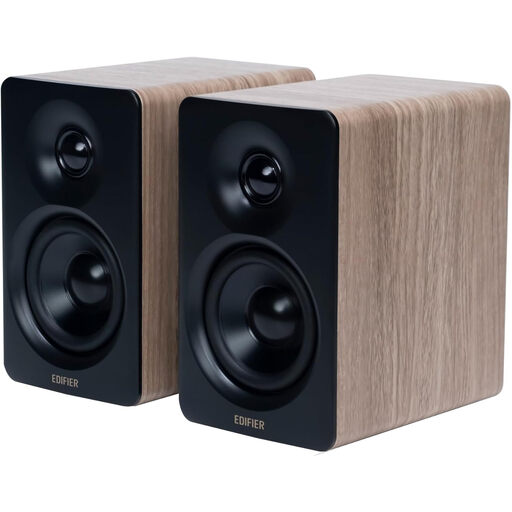
Why this model stands out
The Edifier M60 are aimed at purists who make no compromises on sound quality. Certified for both Hi-Res Audio and Hi-Res Wireless Audio, they are designed for a top-tier music listening experience. Support for the LDAC codec via Bluetooth ensures high-resolution wireless audio streaming. The included aluminium stands tilt the speakers at 15 degrees—an acoustic detail that makes all the difference, widening the soundstage and directing the sound straight to ear level.
Advantages
Who is it for?
The choice for music lovers, content creators, and anyone who demands precise and detailed listening, even in a compact format designed for the desk.
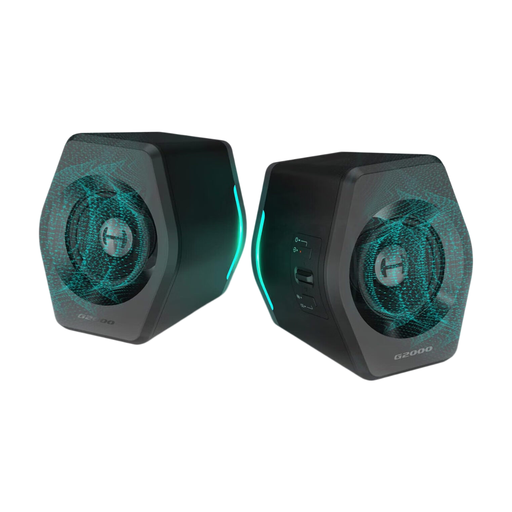
Why this model stands out
The EDIFIER G2000 are gaming speakers built for immersion. Thanks to an integrated DSP processing chip, they simulate 7.1 surround sound for formidable in-game spatial audio. With a peak power of 32W and two passive bass radiators, they deliver surprisingly powerful and punchy sound for their size.
Advantages
Who is it for?
For PC and console gamers who want powerful sound and effective spatial audio to gain an edge in-game.
Our selection is just a glimpse of what's possible. The audio peripheral market is full of solutions for every taste. To discover other models, including USB-powered speakers or accessories to optimise your desk, take a look at our complete category.
Discover our full range of USB Desk Accessories
PC speakers are designed for near-field listening, meaning just a few dozen centimetres from your ears, on a desk. They are also more compact, often self-powered (via USB), and include features specific to the PC world, like RGB lighting. Hi-Fi speakers, which are larger, require an external amplifier and are designed to fill an entire room with sound.
In the vast majority of cases, the sound card integrated into your motherboard is more than sufficient. In fact, many modern USB-C speakers include their own conversion chip (DAC), which takes over from your PC's sound card to ensure clean audio processing. A dedicated sound card is only really necessary for professional use (music production) or for the most discerning audiophiles.
It couldn't be simpler. Enable Bluetooth on your PC (via Windows or macOS settings). Put your speakers into pairing mode (often by long-pressing a dedicated button). Your computer will then detect them: all you have to do is select them from the list of available devices, and the magic happens. The ideal solution for a 100% wireless desk