
Livraison le jour même ou le lendemain

Qualité garantie

Débloquez vos offres de bienvenue: Livraison GRATUITE | Jusqu'à -80 % | 30 jours d'essai gratuits à JoyPlus
Téléchargez l'application
A PC power supply should not be chosen simply by looking at the figure displayed on the box. High wattage cannot make up for an unsuitable format, missing connectors or limited compatibility with a modern graphics card. Whether you are building a desktop PC, gaming rig or workstation, three mistakes are particularly common:
Here are the key points to check before buying, along with a selection of models suited to several types of user in France.
The required wattage depends on the processor, graphics card, drives, fans and any additional accessories. Allow some headroom to handle power spikes and leave room to upgrade your build in the future.
However, avoid choosing an oversized power supply without first calculating your requirements. You may simply end up paying more, increasing the amount of space it takes up and losing efficiency at low loads, without any real day-to-day benefit.
The ATX format is used by most desktop PC cases. For a compact PC, check instead whether it has an SFX power supply bay. A 750 W SFX power supply can deliver plenty of power in a small form factor, provided it is compatible with the case's mounting system.
Also measure the available depth. With cables, the heatsink and ventilation to consider, installation can quickly become difficult in a confined space. Never reuse modular cables from another power supply without the manufacturer's explicit approval: the pinout can vary from one model to another.
The ATX 3.0 and ATX 3.1 standards take account of the load variations associated with modern components. An ATX 3.1 power supply with a native 12V-2x6 connector can therefore make it easier to connect a compatible graphics card.
The 80 PLUS Bronze, 80 PLUS Gold and 80 PLUS Titanium certifications indicate a level of electrical efficiency measured according to a specific protocol. On their own, they do not tell you how quiet or stable a power supply is, how long its cables are or how effective its overload protection will be.
With a modular power supply, you only connect the cables you need. This makes installation neater, reduces clutter and simplifies maintenance. You should still check the number of PCIe, SATA and CPU connectors available.
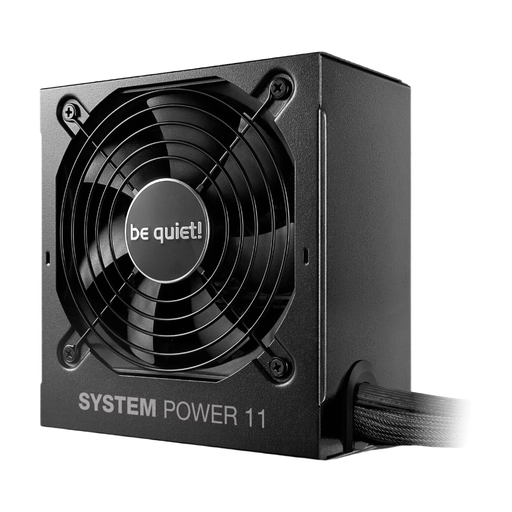
Why this choice suits this profile: Its ATX format and 550 W output are suitable for family and office computers, as well as some less power-hungry gaming builds.
There is no need to pay for 750 or 1000 W if your build does not require it. The product listing states that it has 80 PLUS Bronze certification.
550 W of power, an ATX format and thermally regulated cooling described as quiet in the product listing.
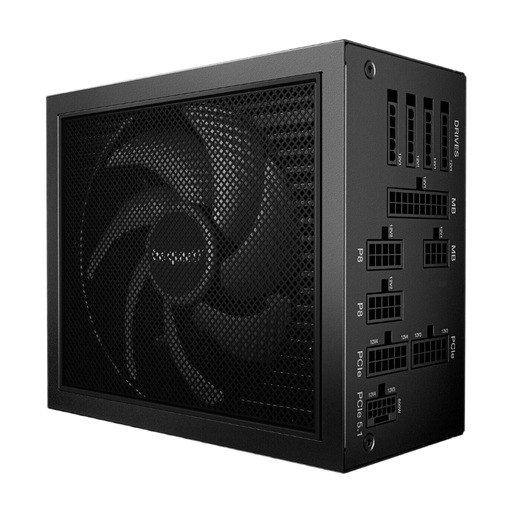
Why this choice suits this profile: It is designed for very powerful builds, workstations and systems that require substantial power headroom.
Its native 12V-2x6 connector and ATX 3.1 compliance mean that, with certain modern components, you can avoid using adapters. You must still check compatibility with your case and graphics card.
1000 W of power, 80 PLUS Titanium certification with up to 95.6 % efficiency stated, fully modular cables and several cooling modes.
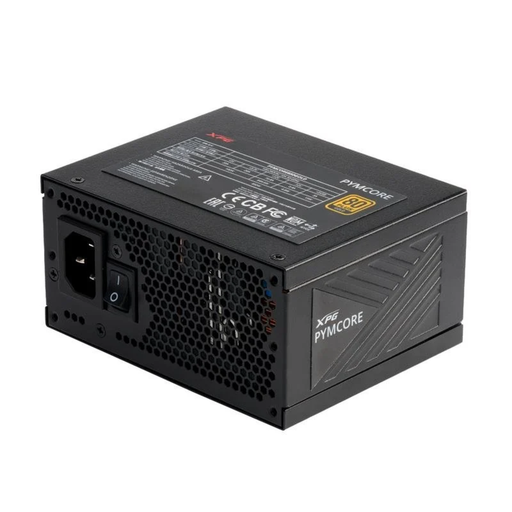
Why this choice suits this profile: Its SFX format is designed for compact cases and builds that need 750 W in a confined space.
It solves the space issue that is often overlooked when choosing a power supply for a small case. Even so, check that your case has an SFX bracket or supports a compatible adapter.
750 W, fully modular design, SFX format, ATX 3.1 compatibility and stated protection against overvoltage, overcurrent and short circuits.
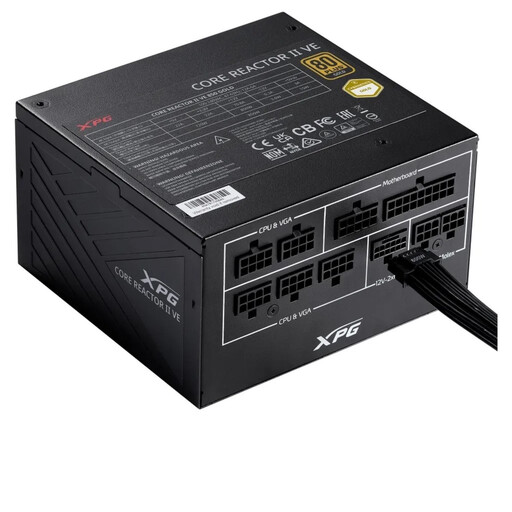
Why this choice suits this profile: This ATX gaming power supply is aimed at those who want to pair 750 W with modern components while keeping their build neat and tidy.
The product listing mentions a dedicated 12V-2x6 connector, ATX 3.1 compliance and a length of 140 mm. This makes it easier to check compatibility before installation.
80 PLUS Gold certification, fully modular cables, eight stated protection features and a 12V-2x6 connector.
A PC power supply cannot replace a USB-C charger or portable power station. For a phone, tablet or compatible laptop, a 45 W USB-C GaN charger is more practical and compact than a unit designed for a desktop computer.
The Baseus PicoGo 45W, 1xUSB-C pink has one USB-C port, a stated output of 45 W and a gallium nitride design. Check your device's technical specifications to confirm the required wattage and supported charging protocols.
For a desk where several devices need charging, the Baseus GaN3 Pro 4 Ports Desktop Charger 65W offers four ports and a stated total output of 65 W. Do not confuse it with a mains power supply intended for a household appliance: its USB ports are designed for compatible equipment.
Finally, a 1800W portable power station serves a different purpose: temporarily powering equipment, using it while travelling or having an occasional backup solution available. The AFERIY P180 Power Station 1800W 1024Wh LiFePO4 has a stated capacity of 1024 Wh and can be controlled through an app. Always check the continuous output, available ports and safety instructions before connecting a device.
We have selected a complete, real-time updated list of products that meet these demanding criteria, as well as European safety requirements.
Start by checking the graphics card manufacturer's recommended wattage, then add the requirements of the processor and other components. A 650 or 750 W PC power supply is suitable for many builds, but the right choice depends on the exact graphics card model and how much headroom you want to retain.
No, it is not essential. However, it means you only connect the cables you need, simplifying cable management inside the case. In a compact model, this can make a significant difference.
It depends on the quality of the model, temperature, dust build-up, load and intensity of use. Replace it if you experience shutdowns, unusual noises, a burning smell or damaged cables. Never open it: its internal components may remain electrically charged even after it has been unplugged.