
Livraison le jour même ou le lendemain

Qualité garantie

Débloquez vos offres de bienvenue: Livraison GRATUITE | Jusqu'à -80 % | 30 jours d'essai gratuits à JoyPlus
Téléchargez l'application
Choosing a PC power supply isn’t about picking the model with the highest wattage. An office PC, a gaming rig with a modern graphics card and a video editing workstation all have different power requirements and integration constraints.
Marketing claims can also muddy the waters. A high wattage doesn’t automatically mean a better choice, and an efficiency rating alone tells you nothing about the form factor, connectors, protections or noise levels. Here are the points to consider before you order, along with a selection of models suited to different uses.
A 1200 W PC power supply makes perfect sense in a build with several very power-hungry components. For a family computer or a standard gaming PC, however, it will often be vastly over-specced. Conversely, a unit that’s too weak can cause random restarts, shutdowns or a drop in performance when the CPU and graphics card are under heavy load.
To size your power supply correctly, take into account the consumption of the processor, graphics card, drives, fans and any peripherals. Allow a reasonable margin to handle power spikes and future upgrades, without paying for hundreds of unnecessary watts.
An 80 Plus Bronze power supply and an 80 Plus Gold power supply both have a certified level of electrical efficiency under certain conditions. A Gold model will generally waste less energy as heat than a Bronze model, but this certification doesn’t let you off checking the protections, connectors, form factor and warranty period.
The quoted figures need to be seen in context. The Cooler Master MWE Gold 750 V3, for example, delivers efficiency of 90% or more at typical load, while the MWE 750W V3 Bronze achieves over 88% under the conditions stated on its spec sheet.
Modern graphics cards may use a 12V-2x6 connector, typically associated with PCIe 5.1 and ATX 3.1 standards depending on the model. An unsuitable or poorly seated adapter can cause localised overheating. Also check the cable lengths, the available space inside your case and the power supply’s form factor.
With a modular power supply, you only connect the cables you actually need. A non-modular model can be simpler to choose and cheaper, provided your case has room for the extra cables.
These figures give you a rough idea, but they need to be matched to the components you’re actually installing:
The stated wattage refers to the unit’s continuous capacity. It shouldn’t be confused with the temporary power spikes that the ATX standard allows it to handle.
An ATX 3.1 PC power supply is designed to cope better with the rapid power fluctuations of modern components, especially certain graphics cards. Where compatible, a native 12V-2x6 connector saves you from having to use multiple cables or adapters.
Always check the spec sheet for both the power supply and your graphics card. The ATX 3.1 label doesn’t guarantee that cables and sockets will be identical from one model to another.
The ATX form factor fits most standard PC cases. An SFX power supply is designed for compact cases, but you must check the mounting compatibility and cable lengths before buying.
To keep noise to a minimum, look at the fan type, its speed curve and whether there’s a semi-passive mode or a zero-RPM mode at low loads. Labels like “silent” or “low noise” give you a general idea, but the actual result depends on temperature, case airflow and how hard the system is being pushed.
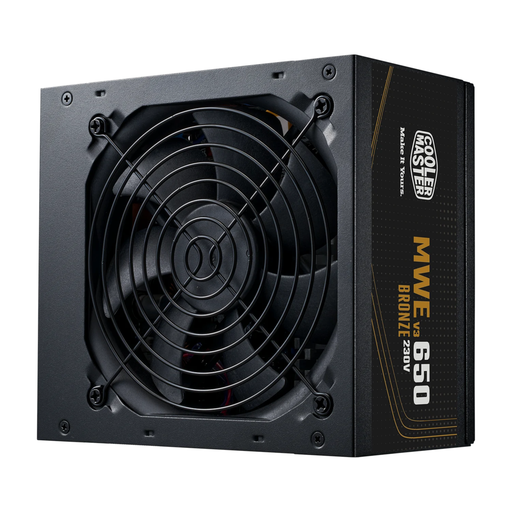
Why this choice suits this profile: With its 650 W, this model targets everyday builds. Its 80 PLUS Bronze EU 230V certification gives you a clear benchmark for efficiency.
It avoids overspending on wattage while offering ATX 3.1 compatibility and the UVP, OVP, OPP, OTP and SCP protections stated by the manufacturer.
ATX form factor, 120 mm HDB fan, four PCIe 6+2 connectors and a stated five-year warranty.
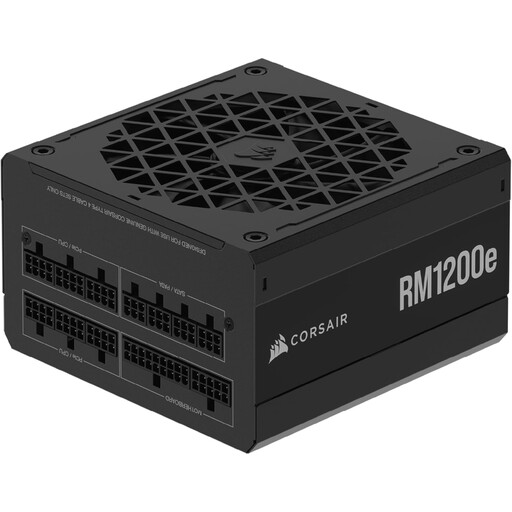
Why this choice suits this profile: Its 1200 W continuous output is aimed at very powerful builds that need plenty of headroom and several modern connections.
Its high wattage comes with fully modular cabling and a native 12V-2x6 connector, reducing the need for adapters.
ATX 3.1 and PCIe 5.1 compatibility, 80 PLUS Gold certification, capacitors rated at 105 °C and a 140 mm fan.
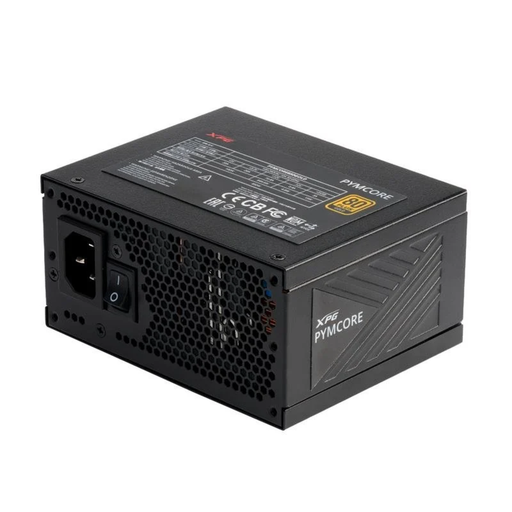
Why this choice suits this profile: Its SFX form factor meets the needs of compact cases that still need high power for gaming or content creation.
It doesn’t compromise on power despite its small footprint, and its fully modular design is practical in tight spaces.
SFX form factor, 850 W, ATX 3.1 compatibility, 80 PLUS Gold and Cybenetics Platinum certifications according to the product sheet.
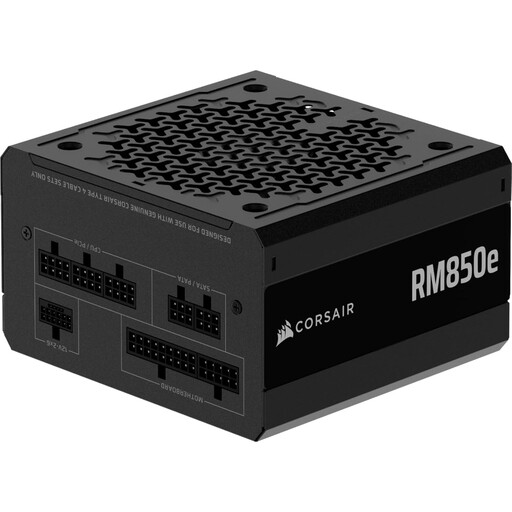
Why this choice suits this profile: Its 850 W is ideal for a demanding gaming or creative machine, without jumping to 1200 W, which is often overkill for this type of build.
The included 12V-2x6 cable and ATX 3.1/PCIe 5.1 compliance meet the needs of certain modern graphics cards.
Fully modular cabling, 80 PLUS Gold certification, dimensions of 140 × 150 × 86 mm and OVP, UVP, SCP, OTP and OPP protections.
We’ve put together a full, real-time selection of models that meet these exacting standards and European safety regulations.
A 750 W PC power supply is often a good starting point for a versatile gaming build, but the choice really depends on your CPU and graphics card. A 650 W model may be enough for a less power-hungry machine, while an 850 W or higher unit makes sense with high-end components.
No. It makes assembly easier and helps with cable management, but a non-modular model can work perfectly well if your case has enough room. In a compact case, pay particular attention to cable lengths and form factor compatibility, whether SFX or ATX.
The lifespan depends on build quality, temperature, dust build-up and load level. To protect your equipment, install the power supply in a well-ventilated case and don’t block its grille. Only use the cables supplied with the specific model.
Never open the power supply unit: some high-voltage components can remain charged even after it’s been unplugged.