
Livraison le jour même ou le lendemain

Qualité garantie

Débloquez vos offres de bienvenue: Livraison GRATUITE | Jusqu'à -80 % | 30 jours d'essai gratuits à JoyPlus
Téléchargez l'application
An undersized PC power supply can lead to unexpected restarts, noisy cooling or drops in performance when your graphics card reaches peak power consumption. On the other hand, choosing a unit with far more capacity than you need can increase the price, take up more space and raise standby power consumption, without offering any real benefit.
A 550 W power supply may be enough for an office PC. A gaming PC with a recent graphics card is more likely to need between 650 and 850 W. Intensive workstations and multi-GPU systems may need 1,000, 1,200 or even 1,600 W.
The wattage shown on the label isn’t enough to judge a power supply’s quality. You should also check the power available on the 12 V rail, the electrical protections and how well the unit handles rapid changes in graphics card power consumption.
A well-designed 750 W PC power supply may therefore be a better fit than a more powerful model on paper, if the latter’s connectors or protections aren’t right for your setup.
An 80 PLUS Gold or 80 PLUS Titanium certification mainly indicates electrical efficiency under certain load conditions. It doesn’t guarantee low noise, high-quality cables or compatibility with every graphics card.
Efficiency is still a practical consideration: at the same usable power output, a more efficient power supply generally produces less heat. Under the conditions specified by the certification, 80 PLUS Titanium models are more efficient than Gold models.
The latest graphics cards may use a 12V-2x6 connector, which is associated with PCIe 5.1 specifications. Check that the power supply includes a compatible native cable. Using multiple adaptors or bending cables in the wrong place can make installation more difficult and restrict airflow.
The ATX 3.1 standard also accounts for momentary power fluctuations in some components. It’s worth considering for a new system that you may upgrade in the future.
Here are a few useful guidelines. Adjust them to suit your processor, graphics card, number of drives and any overclocking:
Allow a reasonable amount of headroom, rather than automatically choosing the highest wattage available. It’s also a good idea to check the graphics card manufacturer’s recommendations.
A modular power supply lets you connect only the cables you need. This makes cable management easier and can improve airflow inside the case. A semi-modular power supply usually has essential cables, such as the 24-pin ATX connector, permanently attached, while the others can be removed.
A non-modular model can be a good choice for a simple setup and may cost less to buy. You’ll just need to tuck away any unused cables neatly.
When choosing a quiet power supply for a gaming PC, look at the fan type and size, as well as how its speed is controlled. Some units offer a semi-passive or Zero RPM mode, which switches the fan off when the load is low.
Also check for OVP over-voltage protection, UVP under-voltage protection, OCP over-current protection, OPP over-power protection, SCP short-circuit protection and OTP over-temperature protection.
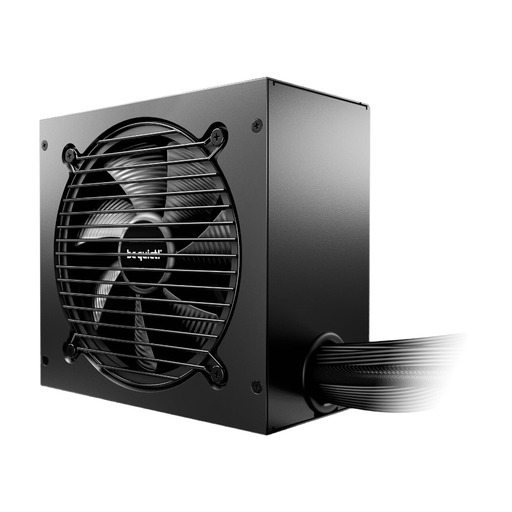
Why it suits this type of user: Its 550 W output is suitable for an everyday PC or an entry-level gaming setup. ATX 3.0 compatibility and cooling designed to keep noise down make it a sensible choice for getting started.
It prevents you from over-speccing the power supply for a modest setup, while offering a design suited to modern components.
550 W, ATX form factor and operation described as quiet.
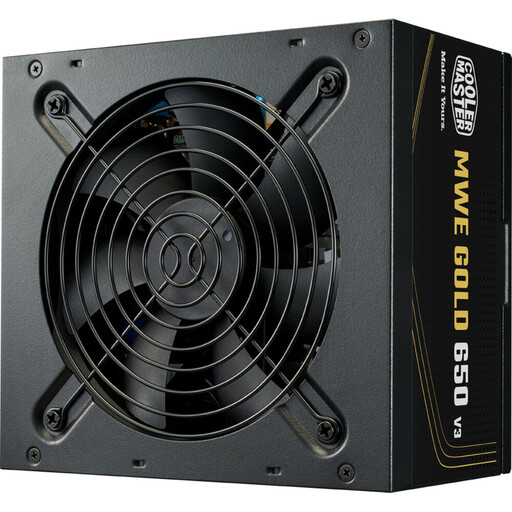
Why it suits this type of user: This 650 W ATX 3.1 power supply is made for versatile setups that need good 80 PLUS Gold efficiency and a stable power supply. It’s just as suited to everyday tasks as it is to gaming.
The ATX 3.1 standard and built-in protections are suited to components that experience fluctuations in load.
650 W, 80 PLUS Gold certification, 120 mm HDB fan and a stated five-year warranty.
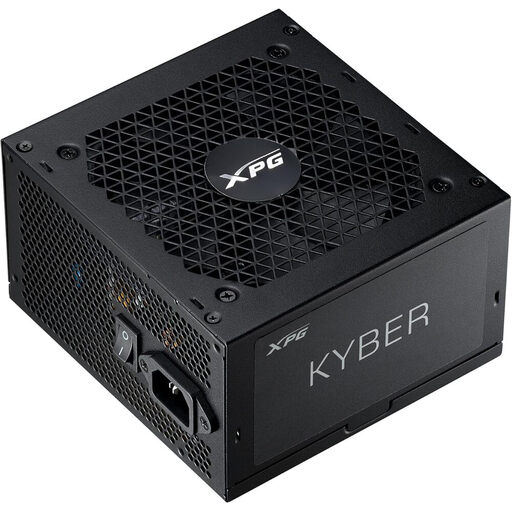
Why it suits this type of user: With 850 W, an ATX 3.1 design and a native 12V-2x6 connector, this unit is aimed at recent graphics cards and gaming PCs that need plenty of power headroom, without going overboard.
The native 12V-2x6 cable means you won’t need multiple adaptors with PCIe 5.1-compatible graphics cards.
850 W, stated efficiency of up to 90% under the specified conditions, a semi-modular design and a 135 mm FDB fan.
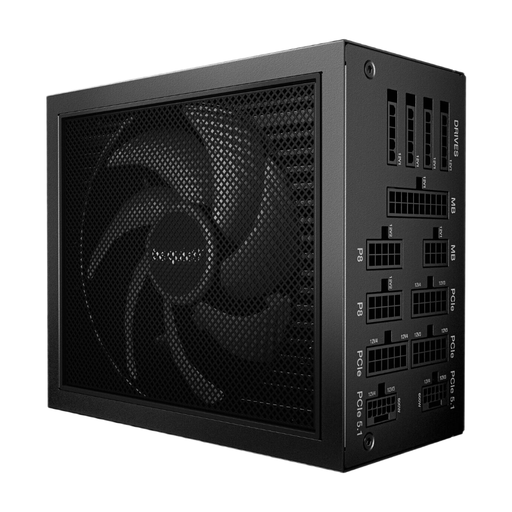
Why it suits this type of user: This 1,200 W ATX 3.1 power supply is designed for workstations, high-powered setups and users who overclock.
Alongside its high wattage, it offers a native 12V-2x6 connector, a fully modular design and several cooling modes.
80 PLUS Titanium certification, sleeved modular cables and a choice of multi-rail or single-rail operation.
Before installing the power supply:
A 650 W PC power supply may be suitable for a mid-range setup. With a recent graphics card or a power-hungry processor, a 750 or 850 W model will give you more headroom. Always check the GPU manufacturer’s recommendations and take the power consumption of the whole system into account.
Yes, especially in a compact case or if your setup has only a few peripherals. You only connect the cables you need, making installation and cable management easier. A non-modular power supply works perfectly well too, but you’ll need a little more time to organise the unused cables.
It depends on the quality of its components, operating temperature, dust build-up and load level. Watch out for unexpected restarts, unusual noises and strange smells. Replace a damaged unit immediately and check the manufacturer’s warranty terms.