
Livraison le jour même ou le lendemain

Qualité garantie

Débloquez vos offres de bienvenue: Livraison GRATUITE | Jusqu'à -80 % | 30 jours d'essai gratuits à JoyPlus
Téléchargez l'application
A PC power supply should not be chosen solely by looking at the wattage shown on the box. A system may appear to need just 650 W on paper, then become unstable if the unit is incorrectly sized, runs too hot or is incompatible with the case. Conversely, choosing a power rating far above your actual needs pushes up the cost without offering any practical benefit.
Whether you are building a gaming PC, a workstation or an all-round system, three common mistakes frequently arise:
For an office or multimedia system fitted with a modest graphics card, a 650 W gaming power supply can be a well-balanced choice. The be quiet! SYSTEM POWER 11 650W delivers a stated 650 W of power and uses the ATX form factor.
A 750 W gaming power supply provides more headroom for a system with a more demanding graphics card, multiple drives or a power-hungry processor. This does not mean that the PC will consume 750 W continuously, of course: actual consumption varies depending on the workload and the components in use.
For a high-end system, an 850 W PC power supply may be justified when the components have high power requirements or significant power spikes. Before buying, check the graphics card manufacturer’s recommendations and estimate the system’s total power consumption.
The 80 PLUS Bronze, 80 PLUS Gold and 80 PLUS Titanium certifications indicate the level of electrical efficiency measured under load conditions defined by the certification programme. A more efficient unit converts a greater proportion of the electricity into useful power for the components, with less energy lost as heat.
However, this certification alone is not enough to assess noise levels, lifespan or component quality. You should also check:
The be quiet! SYSTEM POWER 11 650W and 750W models are listed with 80 PLUS Bronze certification. The be quiet! DARK POWER 14 850W, meanwhile, has 80 PLUS Titanium certification. Finally, the XPG PYMCORE SFX 750W lists 80 PLUS Gold certification, as well as Cybenetics Platinum certification. These indications correspond to the declared specifications for these models.
The ATX form factor is suitable for most traditional PC cases, but always check the power supply’s dimensions and the available space. In a compact computer, an SFX 750 W power supply such as the XPG PYMCORE SFX 750W may be suitable, provided that the case supports this form factor or has a compatible bracket.
A modular power supply allows you to connect only the cables you need. Building is simpler, the inside of the case is less cluttered and airflow may be improved as a result. However, be aware that modular cables do not all use the same wiring. Never reuse cables from another power supply without the manufacturer’s express confirmation.
Noise levels depend in particular on fan speed, internal temperature and load level. The product listings for the be quiet! models featured here highlight quiet operation or optimised thermal management. The noise you actually perceive will also depend on the case, its ventilation and the other installed components.
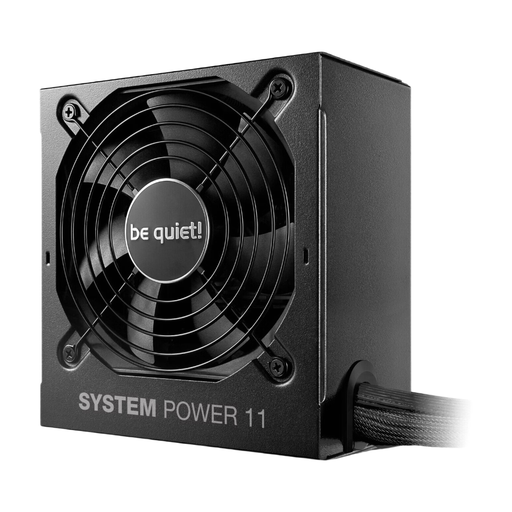
Why this choice suits this user profile : With 650 W of power and an ATX form factor, this unit is suitable for many entry-level and mid-range gaming systems. It focuses on the essentials without adding features you may not need for your first build.
The 80 PLUS Bronze certification provides an efficiency benchmark that is easy to verify. Its 650 W output also helps avoid choosing a model that is underpowered for a typical system.
650 W, ATX form factor, 80 PLUS Bronze certification and optimised thermal management as stated in the product listing.
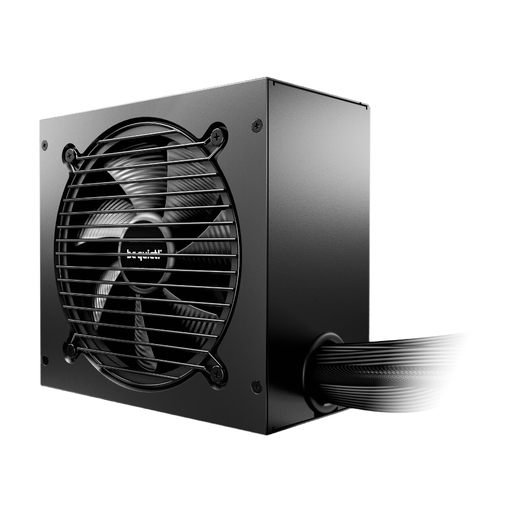
Why this choice suits this user profile : Its 750 W output is aimed at those who want to power a gaming PC, content creation system or all-round computer with a useful safety margin.
A 750 W output reduces the risk of under-sizing when the components are under heavy load. It is still essential to check the recommendations specific to your graphics card.
750 W, ATX form factor, quiet operation as stated and optimised thermal management.
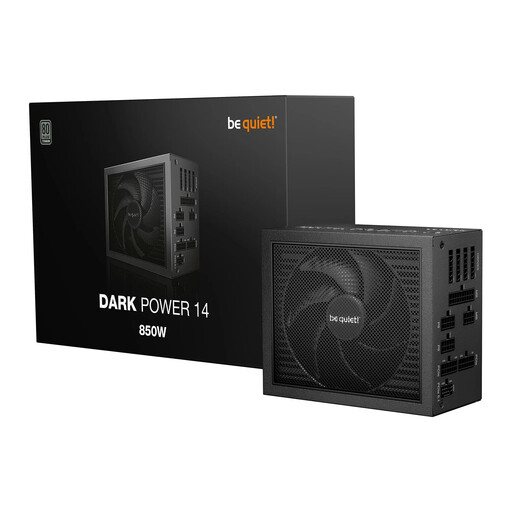
Why this choice suits this user profile : Users with high-performance PCs or workstations may need 850 W and high efficiency to support particularly demanding components.
The 80 PLUS Titanium certification indicates higher efficiency than a Bronze model. However, it does not remove the need to examine the unit’s other features and the requirements of your system.
850 W, ATX form factor, 80 PLUS Titanium certification and quiet cooling with advanced thermal management according to the product listing.
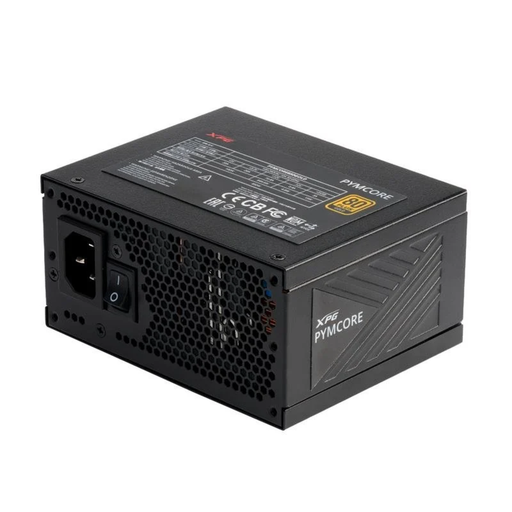
Why this choice suits this user profile : Its SFX form factor is designed for compact cases and SFF systems that require a powerful power supply despite limited space.
The SFX form factor is clearly indicated, so it should not be confused with an ATX power supply that is too bulky for a compact case. The fully modular design also prevents unused cables from being left loose inside the case.
750 W, SFX form factor, fully modular design, stated ATX 3.1 compatibility and OVP, OCP, OPP, SCP and UVP protections.
Before installing a PC power supply, switch off the computer and unplug it from the mains. Securely mount the unit in the case, then connect only the cables required for the motherboard, processor, graphics card and peripherals.
Keep a few key rules in mind:
We have put together a complete, real-time selection of products that meet these criteria, as well as European safety requirements.
A 650 W gaming power supply may be suitable for an entry-level or mid-range system. With a more power-hungry graphics card, 750 W or 850 W provides more comfortable headroom. Always check the manufacturer’s recommendations and take the power consumption of all components into account.
The 80 PLUS Gold certification corresponds to an efficiency level measured under specific load conditions. Total consumption nevertheless depends on how the PC is used, its actual efficiency at the observed load and the components installed.
The ATX form factor is used in most traditional cases. More compact, the SFX form factor is primarily intended for SFF cases. Before ordering, check the case’s compatibility, the position of the mounting points and the cable lengths.