
Livraison le jour même ou le lendemain

Qualité garantie

Débloquez vos offres de bienvenue: Livraison GRATUITE | Jusqu'à -80 % | 30 jours d'essai gratuits à JoyPlus
Téléchargez l'application
A PC mouse may seem simple to choose… until the first shortcomings become apparent: an imprecise cursor, overly noisy clicks, disappointing battery life or an uncomfortable grip after a few hours. Between wireless mice, USB models, Bluetooth connections and gaming mice, the differences go far beyond price.
To avoid buying a mouse that is not right for you, it is best to separate genuinely useful features from marketing claims. Here are the criteria to consider before choosing a mouse for a desktop computer, laptop or gaming setup.
DPI refers to the sensor’s sensitivity: the higher the value, the further the cursor travels across the screen for the same hand movement. This does not automatically mean that the mouse will be more precise.
For office work, an optical mouse set to 1,000 DPI is more than enough for browsing, working on documents and using everyday software. An adjustable model becomes particularly useful if you switch between graphic work, a high-resolution display and gaming.
A wireless mouse with a USB receiver requires a free USB-A port. However, some recent laptops only have USB-C ports, so you may need to use an adapter. Bluetooth connectivity means you can do without a receiver, provided that your computer is compatible and the operating system supports pairing.
A wired USB mouse remains the most straightforward option: there is no battery to manage or recharge. However, its cable can restrict movement or clutter a small desk.
A mouse described as ergonomic will not necessarily suit every hand. Instead, consider its width, length, weight and orientation — left- or right-handed — as well as the grip it is designed for: palm, fingertip or claw.
An ambidextrous shape can be useful if several people share the same workstation. Conversely, a right-handed mouse may offer a more pronounced contour, but it will be considerably less comfortable for a left-handed user.
Optical mice combine a light source with a sensor that analyses movement. They work on many matt, even surfaces. A mouse mat can nevertheless improve smoothness, stabilise tracking and reduce wear on the feet.
Claims such as ‘works on almost any surface’ should be treated with caution: glass and highly glossy or reflective surfaces can interfere with tracking. For a gaming mouse, also remember to check the polling rate, number of buttons and settings available through the dedicated software.
Walls, metal surfaces and other wireless devices can affect the stability of the radio connection. Whenever possible, keep the receiver close to the mouse.
A silent mouse is particularly useful in a shared space, library or when working from home. The noise reduction advertised by the manufacturer mainly relates to the click mechanism: the scroll wheel and side buttons may still be audible.
For everyday use, three controls — left click, right click and scroll wheel — are generally sufficient. Models with six or seven buttons are more suited to gamers, content creators, fans of custom shortcuts or users who do a lot of web browsing.
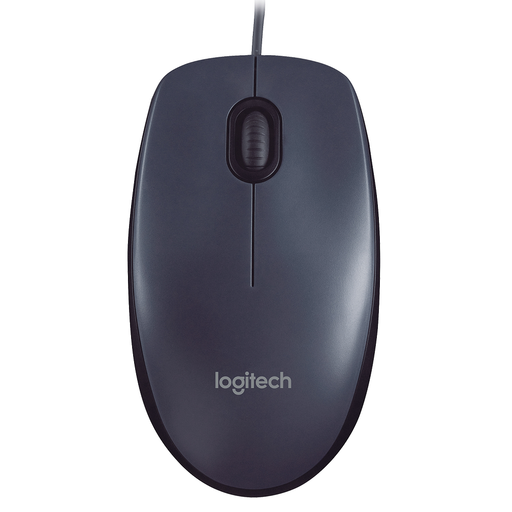
Why this choice suits this profile : This wired PC mouse is ideal for students, fixed workstations and anyone who wants to plug in their device without a complicated set-up.
The plug-and-play USB-A connection eliminates battery and Bluetooth compatibility concerns. Its symmetrical shape suits both right- and left-handed users.
1,000 DPI optical sensor, three buttons and a 1.5 m cable. Compatible with Windows, macOS, ChromeOS and Linux according to the product listing.
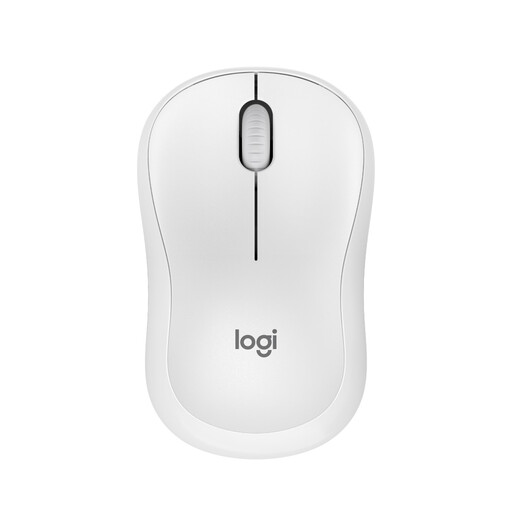
Why this choice suits this profile : Its receiver-free Bluetooth connection leaves a USB port free. Its compact design slips easily into a bag alongside a laptop.
It eliminates the need to buy a USB adapter if your computer already has Bluetooth. Logitech claims clicks are up to 90% quieter.
Bluetooth connection, 1,000 DPI optical sensor and advertised battery life of up to 18 months with one battery. Compatible with Windows, macOS and ChromeOS.
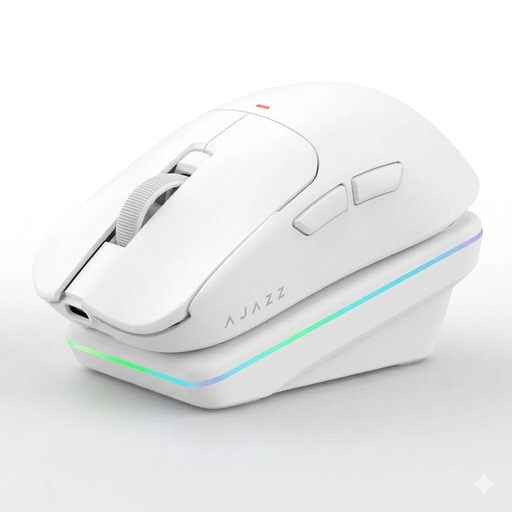
Why this choice suits this profile : This versatile gaming mouse can operate via Bluetooth, 2.4 GHz or USB-C, depending on the device and how you use it.
Its three connection modes mean you are not dependent on a single type of port. The software lets you adjust the DPI, buttons and macros, subject to compatibility with your system.
PAW3311 sensor rated at up to 24,000 DPI, polling rate of up to 1,000 Hz and a 300 mAh battery with magnetic charging dock.
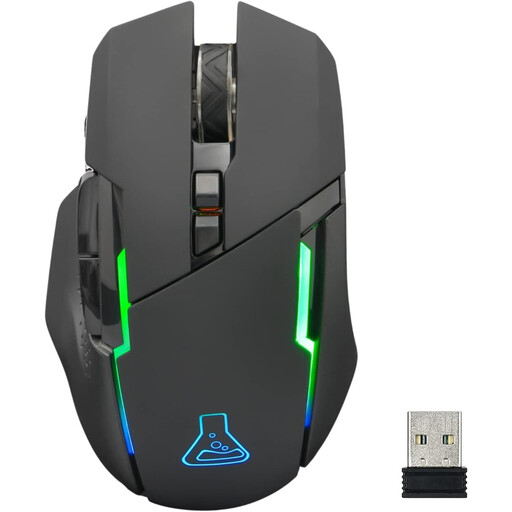
Why this choice suits this profile : Designed for gaming, this mouse is ideal for users who want multiple buttons, adjustable sensitivity and a dedicated wireless connection.
The five DPI levels prevent you from being stuck with a single setting that is too sensitive. The RGB lighting can be switched off to preserve the advertised battery life.
Six buttons, adjustable DPI from 400 to 7,200, advertised weight of 84 g and battery life of up to 32 hours without lighting.
No. Your computer must have Bluetooth and an operating system compatible with the model you choose. Otherwise, a mouse with a USB receiver may be simpler, provided that you have the appropriate port available.
This depends on how often it is used, the quality of the clicks, the cable, the battery and how well it is maintained. Avoid liquids, do not pull on the cable and clean the surface regularly with a soft cloth. The click counts quoted by manufacturers are technical specifications, not a guarantee of lifespan under all conditions.
Yes, although its additional features will not always be useful. A gaming mouse may be heavier, more expensive and require configuration software to be installed. For working on documents and browsing the web, three buttons and a standard optical sensor may be perfectly sufficient.