
Livraison le jour même ou le lendemain

Qualité garantie

Débloquez vos offres de bienvenue: Livraison GRATUITE | Jusqu'à -80 % | 30 jours d'essai gratuits à JoyPlus
Téléchargez l'application
A PC mouse may seem straightforward to choose. Yet after several hours of work, travel or gaming, the differences between models can quickly become apparent. A connection that drops out, a shape that does not suit your hand or battery life stated without specifying the power source can turn a bargain into a purchase you need to replace sooner than expected.
This selection from the Joybuy Product Recommendation Officer is based on technical specifications provided by manufacturers and real-life use cases in France: remote working, studying, portability, office work and gaming.
A high DPI count attracts attention, especially with gaming mice. However, a sensitivity of 24,000 or 30,000 DPI offers no practical benefit when browsing the web or working on documents. For office use, an optical mouse set to 1,000 DPI is generally sufficient.
Adjustable resolution becomes particularly useful in games that require fast movements, during graphic design work or when you need to adapt cursor speed across multiple displays.
An ambidextrous mouse suits a shared workstation or a left-handed user. However, its symmetrical design does not necessarily provide the same support as a contoured ergonomic mouse. Vertical models also require a brief adjustment period.
Before placing your order, check the mouse’s length, width and weight, as well as the hand it is designed for. A model that is too small can encourage a tense grip, while a bulky mouse may become cumbersome when used with a laptop.
A wireless mouse may run on an AA battery or an integrated rechargeable battery. These two options meet different needs:
A wired USB mouse connects directly and generally works without a driver. The Logitech M90, for example, features a 1.5 m USB-A cable and a “plug and play” setup.
2.4 GHz wireless connectivity relies on a USB receiver. Several Logitech models advertise a range of up to 10 m, but the receiver occupies a USB-A port. A Bluetooth mouse, such as the Logitech M240 Silent, connects without a dongle, making it a good choice for laptops and devices that already support Bluetooth.
Remember to check which ports are available on your computer. An adapter may be required if your device only has USB-C ports.
An optical mouse tracks movement using a light-based sensor. Office models often offer a resolution of 1,000 DPI, which is well suited to everyday navigation. For gaming, you should also consider the polling rate, the number of programmable buttons and whether sensitivity can be adjusted.
The figures provided by manufacturers remain technical specifications. On their own, they do not guarantee the same experience on every surface, with every operating system or with every player’s settings.
A silent mouse is a natural fit for a shared workspace, library or bedroom used for remote work. According to its product listing, the Logitech M240 Silent reduces click noise by 90%.
For extended use, also consider:
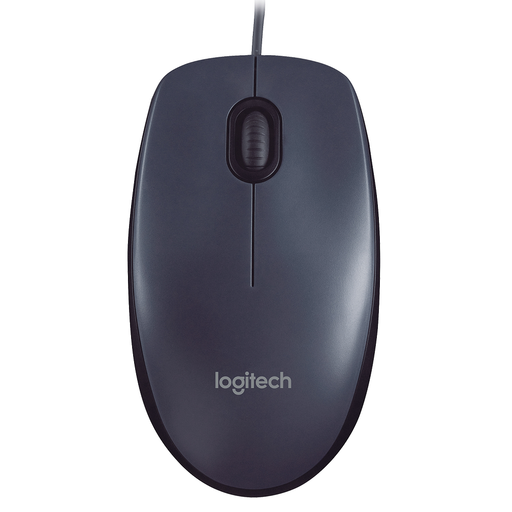
Why this model suits this profile: a straightforward wired PC mouse, well suited to a family computer, student workstation or permanent desk setup.
The cable eliminates the need to replace batteries, while the symmetrical shape works equally well for right- and left-handed users.
1,000 DPI optical sensor, three buttons, 1.5 m USB-A cable and compatibility with Windows, macOS, ChromeOS and Linux.
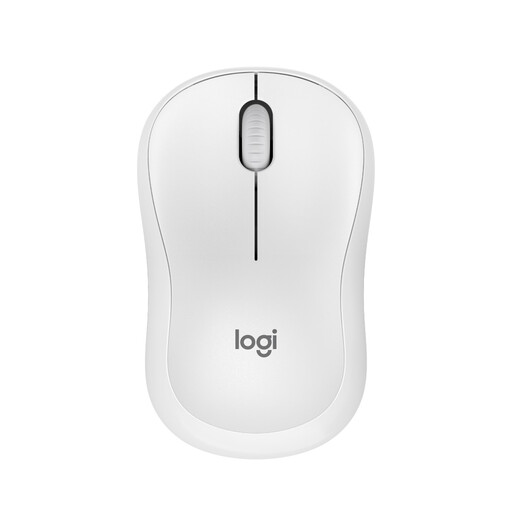
Why this model suits this profile: its compact design and Bluetooth connectivity work equally well at a shared desk, at home or on the move with a laptop.
It requires no USB receiver, while its silent design reduces clicking noise in quiet environments.
Bluetooth, three buttons, 1,000 DPI optical sensor and advertised battery life of up to 18 months.
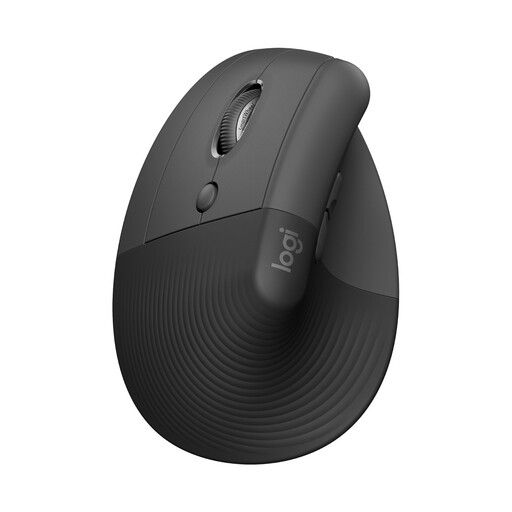
Why this model suits this profile: this ergonomic vertical mouse is designed for left-handed users with small or medium-sized hands who want to try a different grip.
The product listing specifies a 57° vertical angle, a thumb rest and silent clicks. However, the vertical grip should be tested to ensure it suits your habits.
Bluetooth or Logi Bolt connectivity, four programmable buttons, a sensor rated up to 4,000 DPI and advertised battery life of up to 24 months.
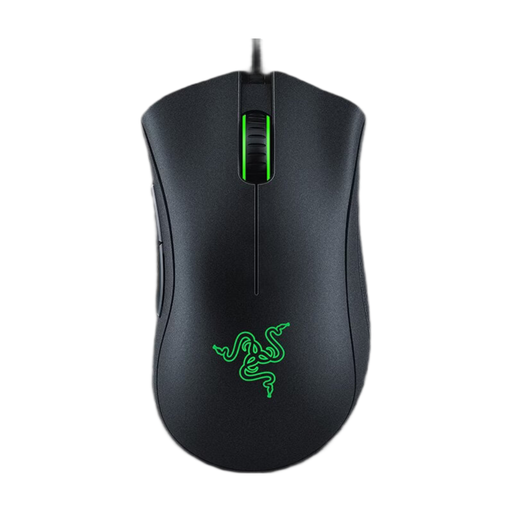
Why this model suits this profile: a wired gaming mouse with adjustable sensitivity and programmable buttons for PC gaming.
The cable removes the need to monitor battery levels, while the DPI buttons let you adjust sensitivity without changing peripherals.
Optical sensor rated up to 6,400 DPI, five programmable buttons and mechanical switches rated for up to 10 million clicks.
We have brought together an up-to-date selection of products suited to a range of remote-working, study and everyday-use needs in France.
No. The computer must support Bluetooth and have compatible drivers. If it does not, choose a model with a USB receiver or add a compatible Bluetooth adapter.
Lifespan depends on how often the buttons and scroll wheel are used, as well as the condition of the cable or battery and the operating environment. Battery-life figures, such as 12 or 18 months, refer to power consumption—not the product’s overall lifespan. For models with an integrated battery, check the charging and warranty conditions.
A rechargeable model can be a smart choice if you use your mouse every day and want to avoid disposable batteries. A battery-powered model remains practical for extended travel: simply replace the battery when it runs out. In all cases, electrical devices and their batteries must be taken to an appropriate collection point, in accordance with the waste-sorting regulations in force in France.