
Livraison le jour même ou le lendemain

Qualité garantie

Débloquez vos offres de bienvenue: Livraison GRATUITE | Jusqu'à -80 % | 30 jours d'essai gratuits à JoyPlus
Téléchargez l'application
Choosing a PC motherboard isn't just about counting USB ports or spotting the latest chipset. A build can quickly become difficult to upgrade if the form factor doesn't match the case, the RAM isn't compatible, or key connectors are missing. Whether you're putting together a gaming PC, a creative workstation, or a versatile everyday machine, a few simple checks can help you avoid nasty surprises and unnecessary expense.
A motherboard that's compatible with an Intel Core processor won't necessarily accept every generation from the brand. Models with the LGA1700 socket, particularly those equipped with the Intel B760 chipset, are designed for 12th, 13th and 14th Gen Intel Core processors, according to the manufacturer's specifications.
On the AMD side, an AMD AM5 motherboard supports certain Ryzen processor families. However, exact compatibility depends on the specific model, the BIOS version, and the list published by the manufacturer. Always check the precise processor reference before placing your order.
DDR4 and DDR5 memory use different slots and are not interchangeable. A Micro-ATX DDR4 motherboard can be a sensible choice for an existing build where you want to keep your current RAM sticks. Conversely, a DDR5 motherboard requires compatible memory modules.
The mention of 'high frequency' often refers to an XMP or EXPO profile that needs to be activated in the BIOS. The actual frequency you can achieve may vary depending on the processor, the number of sticks installed, and the motherboard's compatibility list.
The presence of PCIe 5.0, Wi-Fi 7, or multiple M.2 slots doesn't guarantee a visible benefit in every use case. A PCIe 4.0 graphics card will work perfectly in a PCIe 5.0 slot, but only at the speed allowed by the slower component.
An extra M.2 NVMe slot is only worthwhile if you plan to install multiple SSDs. Also remember to check for any PCIe lane sharing with SATA ports or other expansion slots.
Start by checking the processor, socket and chipset trio:
The chipset also determines the number of ports, expansion possibilities, and certain tuning features. It should therefore be chosen based on the processor, not separately.
The motherboard form factor must match your case:
Also check the available space for your CPU cooler, graphics card, and power supply cables.
For a modern build, look at the number of DIMM slots, the maximum supported capacity, and XMP or EXPO compatibility. Four slots make future memory upgrades easier, while two may be enough in a compact build.
For storage, compare the number of M.2 NVMe slots, their PCIe standard, and whether heatsinks are included. For connectivity, consider your home setup and usage: 1 or 2.5 Gb/s Ethernet, Wi-Fi 6E, Wi-Fi 7 and Bluetooth can save you from adding a dedicated network card. The availability of certain Wi-Fi bands and features may depend on your operating system and local regulations.
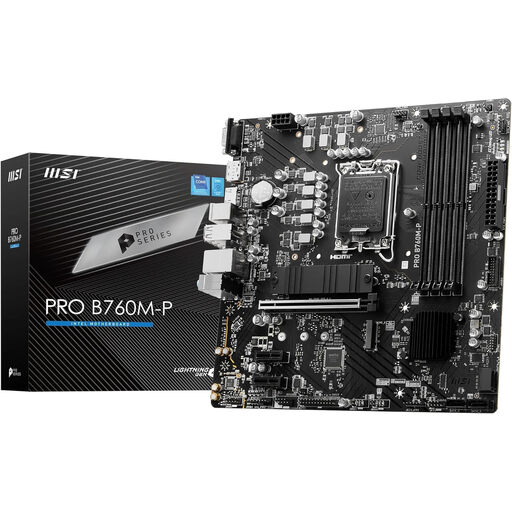
Why this choice suits this profile: This Micro-ATX DDR5 motherboard is ideal for a versatile Intel build. It features two M.2 Gen4 slots as well as HDMI, DisplayPort and VGA outputs.
The spec sheet clearly states the LGA1700 socket and DDR5 compatibility, which reduces mistakes when choosing. However, the lack of Wi-Fi should be considered before purchase.
Two M.2 Gen4 ports, four DIMM slots advertised, and a USB-C 3.2 Gen 2 port.
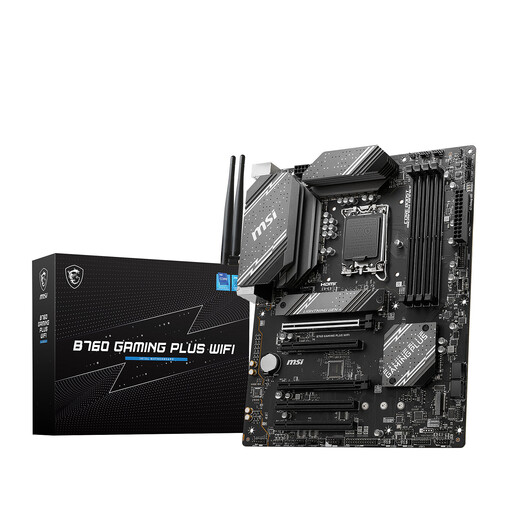
Why this choice suits this profile: Its ATX form factor, 2.5 Gb/s networking and wireless connectivity are aimed at gamers who want a complete build without adding a network card straight away.
The spec sheet clearly distinguishes Intel LGA1700 compatibility, DDR5 and the two M.2 Gen4 slots. Wi-Fi 6E and Bluetooth 5.3 are built in.
A reinforced PCIe 4.0 x16 slot, two M.2 slots with a heatsink on the primary one, and a USB-C 3.2 Gen 2 port.
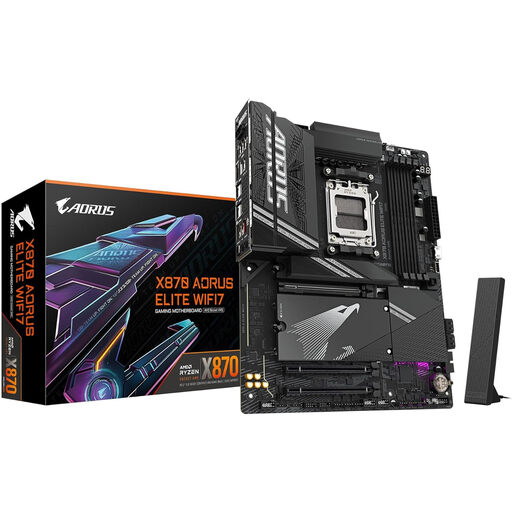
Why this choice suits this profile: This AMD AM5 motherboard combines DDR5, PCIe 5.0, Wi-Fi 7 and USB4 in a Micro-ATX form factor. It's ideal for a gaming or creative workstation that you plan to upgrade over time.
The advanced interfaces are listed separately in the spec sheet. It's still essential to check whether your equipment is compatible with Wi-Fi 7 and USB4.
Four DDR5 slots, two M.2 slots including one PCIe 5.0, Wi-Fi 7 and two USB4 Type-C ports.
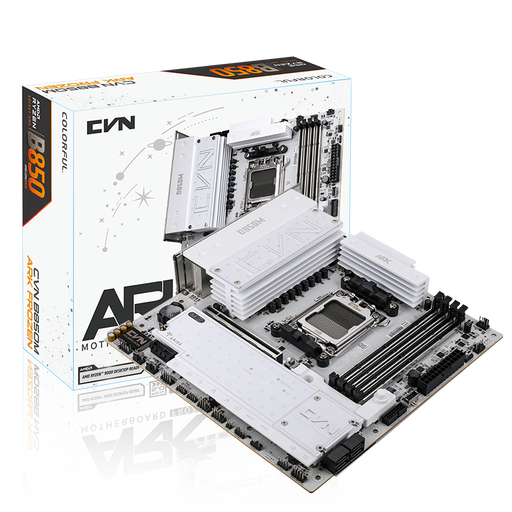
Why this choice suits this profile: Its three M.2 slots, PCIe 5.0 interface and Wi-Fi 7 networking meet the demands of a workstation or a heavily loaded AMD build.
The spec sheet details the standards for each M.2 slot and notes that PCIe 5.0 depends on the processor used.
Three M.2 slots, four DDR5 slots, one PCIe 5.0 x16 slot, 2.5 Gb/s networking, plus Wi-Fi 7 with Bluetooth 5.4.
We've put together a comprehensive, real-time updated selection of products that meet these demanding criteria as well as European safety standards.
Start by choosing a socket that's compatible with your processor. Then check the form factor your case accepts, the memory type — DDR4 or DDR5 —, the number of M.2 slots, and the connectivity on offer. A gaming motherboard doesn't need to have every feature available if your build is limited to a graphics card and one SSD.
Yes. Most ATX cases accept Micro-ATX motherboards, provided the standoffs and rear panel openings match. The reverse is generally not possible: an ATX motherboard won't fit in a case designed only for Micro-ATX.
Its lifespan depends on factors such as power supply quality, ventilation, humidity levels, and the availability of updates. To minimise risks, use a suitable power supply, dust the case regularly, and never force a processor, RAM stick or connector during installation.