
Livraison le jour même ou le lendemain

Qualité garantie

Débloquez vos offres de bienvenue: Livraison GRATUITE | Jusqu'à -80 % | 30 jours d'essai gratuits à JoyPlus
Téléchargez l'application
Upgrading your graphics card can breathe new life into an ageing computer. But a flashy spec sheet doesn't guarantee it will fit inside your case. Misunderstood video memory, forgotten dimensions, or an underpowered power supply — the pitfalls are numerous and can quickly turn into a regrettable purchase.
This guide to gaming graphics cards, content creation and compact PCs will help you sort through the features that really matter before you place your order.
A graphics card with 8 or 16 GB of video memory isn't automatically suited to modern games or 4K. You also need to consider the memory type, bus width, bandwidth, GPU architecture and cooling system.
Two cards with 8 GB can therefore deliver very different performance depending on whether they use GDDR6 or GDDR7, as well as their clock speed and number of compute units.
Today's graphics cards often take up two, three, or even nearly four expansion slots. Some also exceed 30 cm in length. Before ordering, carefully measure:
In a compact PC, a low profile model is often essential. The MSI GeForce GT 1030 and GT 710 featured below meet this requirement, unlike high-end gaming cards.
A powerful graphics card puts your power supply unit under serious strain. Check the manufacturer's recommended wattage, the required connector and the overall quality of your PSU.
An RTX 5090, for example, may require a recommended power supply of 1,000 W or more, depending on the version you choose. By contrast, the MSI GT 1030 draws just 20 W and needs no external power connector. These two categories of card are clearly in different leagues.
For office work, video playback and light gaming, 2 to 4 GB may be sufficient, depending on the software you use. For modern games, video editing or 3D work, a larger capacity gives you more headroom, especially with highly detailed textures.
Choosing a 4K graphics card depends above all on the games you play and the quality level you want. The mention "8K" generally means the card can handle video output at that resolution. It doesn't guarantee games will run at a high frame rate in 8K.
Newer models often use PCIe 5.0, while older cards make do with PCIe 3.0 or 4.0. A PCIe 5.0 card can usually be installed in a motherboard that supports an earlier generation. However, bandwidth and performance depend on the interface that's actually available.
Also check for a PCIe x16 slot, the space between different connectors and BIOS compatibility. The GIGABYTE B760M motherboard featured in this selection supports 12th, 13th and 14th Gen Intel processors and has a slot suited to modern setups.
A quiet card may rely on fan stop when the load is low, a large heatsink, or fully passive cooling. The MSI GeForce GT 1030 2GHD4 LP OC, for instance, uses a fanless heatsink. Airflow inside the case is still essential, though.
High-end cards typically feature multiple fans, a vapour chamber and sometimes a dual BIOS. These features help manage heat but also increase the physical footprint. Remember to check the available outputs — HDMI and DisplayPort — based on your monitors and multi-screen setup.
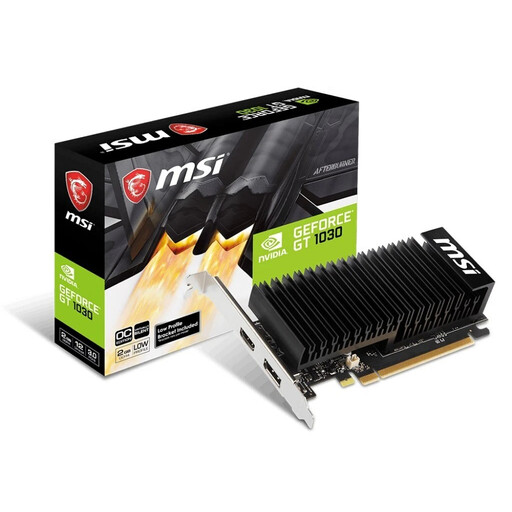
Why this model fits: its low profile form factor of 153 × 69 × 38 mm fits into narrow cases and is suitable for office work, multimedia and light graphics use.
The spec sheet states a power draw of 20 W, installation without an external power supply and passive cooling. You still need to ensure adequate airflow, though.
2 GB of DDR4 memory, PCI Express 3.0 interface and HDMI and DisplayPort outputs. The fanless heatsink eliminates mechanical noise.
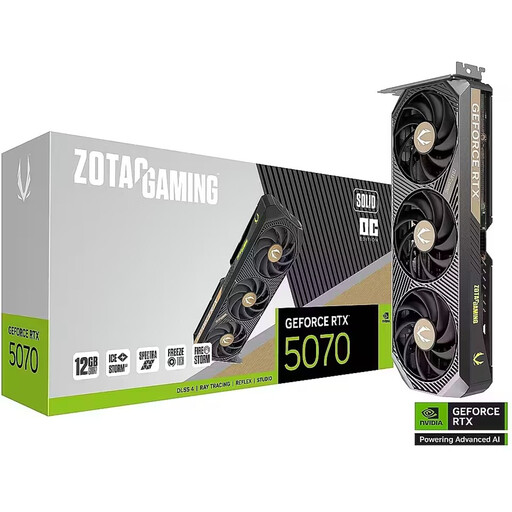
Why this model fits: this NVIDIA card combines 12 GB of GDDR7, a PCIe 5.0 x16 interface and features designed for gaming, streaming and content creation.
At 304.4 × 115.8 × 41.6 mm, this card means you must check the available space inside your case before buying. The recommended power supply is at least 650 W.
Active cooling, three DisplayPort outputs, one HDMI output, announced DLSS 4 compatibility and NVIDIA creation-focused features.
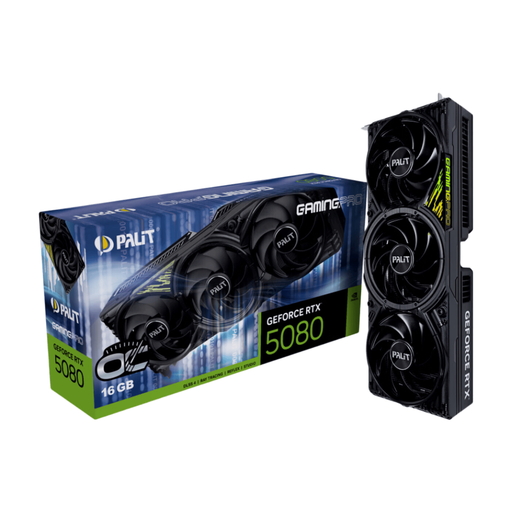
Why this model fits: its 16 GB of GDDR7 and DisplayPort 2.1b connectivity make it ideal for high-resolution gaming, rendering and demanding graphics software.
At roughly 331.9 mm long, this card takes up three slots and requires a recommended power supply of 850 W. Check these constraints before confirming your order.
16 GB of GDDR7, 256-bit memory bus, dual BIOS, announced 0 dB mode and 12V-2x6 power connector.
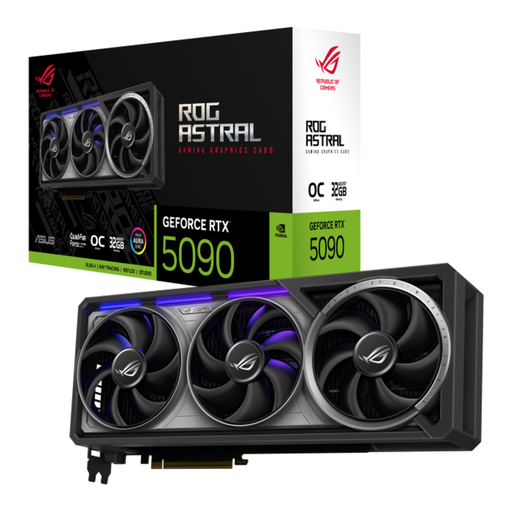
Why this model fits: its 32 GB of GDDR7 and PCI Express 5.0 interface are built for heavy workloads in rendering, artificial intelligence, 3D creation and 8K display.
At 357.6 × 149.3 × 76 mm, 3.8 slots thick and weighing 3.01 kg, this card requires a large case and the use of the included support bracket.
Announced 21,760 CUDA cores, three DisplayPort 2.1b outputs, two HDMI 2.1b outputs and a recommended power supply of 1,000 W or more.
Discover a regularly updated selection of graphics cards suited to different budgets, form factors and computing needs.
It can generally work with an earlier PCIe generation, provided the port, BIOS and power supply are compatible. However, the available bandwidth may differ. Check your motherboard's specifications and the graphics card manufacturer's recommendations before installation.
Start by carefully measuring your case, then look for a low profile, low-power model that fits the available height. A passive card like the MSI GeForce GT 1030 can reduce noise, but it relies on adequate airflow and isn't intended to replace a powerful gaming card.
The required wattage depends on the graphics card and the rest of your system. Spec sheets usually give a recommendation: 550 W for the Gigabyte Radeon RX 7600, 650 W for some RTX 5070s, 850 W for the Palit RTX 5080 and 1,000 W or more for the ASUS RTX 5090. Also check the connector — 8-pin or 12V-2x6 — and make sure it's fully pushed in before powering on your PC.