
Livraison le jour même ou le lendemain

Qualité garantie

Débloquez vos offres de bienvenue: Livraison GRATUITE | Jusqu'à -80 % | 30 jours d'essai gratuits à JoyPlus
Téléchargez l'application
Choosing a new PC gaming monitor is a daunting task. Faced with a jungle of technologies and spec sheets, it's easy to get lost: resolution, refresh rate, panel type, aspect ratio... how do you make sense of it all?
Don't panic. Our mission is to cut through the noise for you. Forget the marketing jargon and empty promises: this guide gets straight to the point. We'll break down the features that truly matter and present a curated selection of proven monitors for every type of gamer and every budget.
Before diving into our selection, let's review the fundamental points that will guide your choice.
The size/resolution duo is the first criterion to consider: it defines the sharpness of the image, and therefore your visual comfort.
These two values are crucial for a flawless gaming experience.
The screen's format has a direct impact on your in-game immersion and daily comfort.
Enough theory, let's get practical. Here are three monitors that caught our attention, each catering to a specific gamer profile.
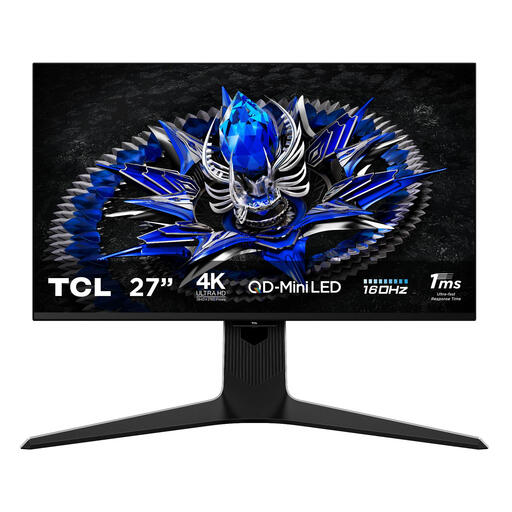
Why it stands out?: The TCL 27R83U is the new benchmark for those who refuse to compromise on image quality. Its QD-Mini LED technology, with 1152 local dimming zones, allows it to display spectacular peak brightness (HDR1400) and abyssal blacks. The contrast is simply breathtaking. Its wide colour gamut also makes it a powerful ally for creatives.
Key Features?:
Who is it for?? For demanding gamers and content creators (graphic designers, videographers) who want the best visual rendering, whether for playing or producing.
See details for the TCL R83 27R83U
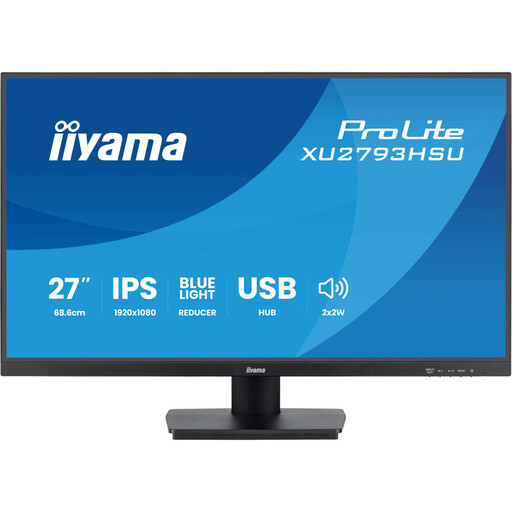
Why it stands out?: The perfect balance. This iiyama monitor is the champion of affordable versatility. It combines a 27-inch IPS panel with a 100?Hz refresh rate, making it much snappier than a standard office display. Its eye-care features and integrated USB hub make it an excellent partner for mixed gaming and office use.
Key Features?:
Who is it for?? For the casual gamer or versatile user looking for a do-it-all monitor: responsive enough for a match after work, and comfortable for long days in the office, all without breaking the bank.
Discover the iiyama ProLite XU2793HSU-B7
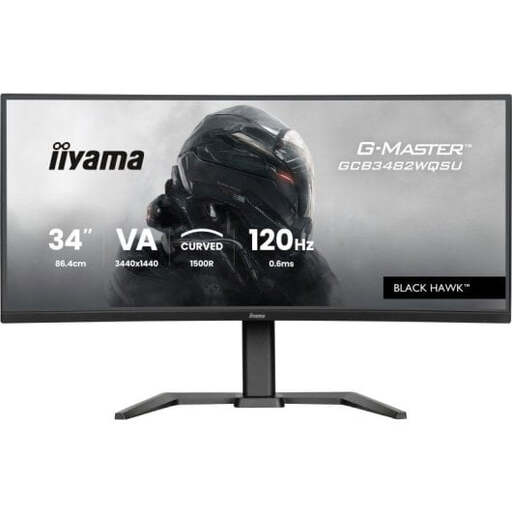
Why it stands out?: Here, the name of the game is "immersion." With its 34-inch ultrawide format and 1500R curve, this screen expands your field of view to pull you into the heart of the action. Its VA panel ensures deep contrasts, perfect for enhancing the atmosphere in dark scenes. The icing on the cake is its height-adjustable stand, which guarantees excellent ergonomics.
Key Features?:
Who is it for?? For fans of immersive games (simulations, RPGs, adventures) and multitasking enthusiasts who want to replace their dual-monitor setup with a single, panoramic workspace.
Explore the iiyama GCB3482WQSU-B1
Our selection covers several profiles, but choosing a monitor is ultimately a personal decision. Are you interested in other sizes, technologies, or budgets? Feel free to explore our complete catalogue.
Discover Our Full Range of PC LED Monitors
Each panel type has its strengths and weaknesses?:
It's primarily a matter of taste. The idea behind the curve is to better envelop your gaze to enhance immersion and reduce eye strain. The effect is most noticeable on large screens, especially an ultrawide monitor. Below 27 inches, its benefit is more debatable.
Yes, it's almost essential for a good gaming experience! These technologies (known as adaptive sync) force the monitor to synchronise its refresh rate with the number of frames per second sent by the graphics card. The result: goodbye to screen tearing and micro-stutters, hello to perfect fluidity. FreeSync (AMD) is an open and widespread standard, while G-Sync (NVIDIA) is a proprietary technology. Fortunately, most FreeSync monitors are now "G-Sync Compatible," leaving you free to choose your graphics card.