
Livraison le jour même ou le lendemain

Qualité garantie

Débloquez vos offres de bienvenue: Livraison GRATUITE | Jusqu'à -80 % | 30 jours d'essai gratuits à JoyPlus
Téléchargez l'application
Choosing a new PC gaming monitor can be a daunting task. With all the different refresh rates, panel types, resolutions, and marketing jargon, it's easy to get lost. Our mission is to bring clarity to the chaos. In this guide, we'll decode the technical specifications that truly matter and showcase a selection of monitors fit for the most demanding gamers of 2026.
Before we dive into our top picks, let's review the key factors that will help you make the right choice.
The balance between resolution and refresh rate is the cornerstone of your gaming experience.
For a long time, you had to choose one or the other. Today, the top-performing models achieve the feat of combining 4K with high refresh rates, offering the best of both worlds.
The panel is the heart of the monitor. While IPS and VA technologies still have their place, the OLED gaming monitor (and its derivatives like QD-OLED) is establishing itself as the new benchmark for image quality. Its advantages are undeniable:
Samsung gaming monitors in the Odyssey series, for example, often leverage QD-OLED technology. This fuses the strengths of OLED with Quantum Dots to boost the panel's brightness and longevity.
A curved gaming monitor is designed to wrap around your field of view to enhance immersion. This curvature, measured in "R" (e.g., 1000R), indicates the radius of the circle the screen would form if it were complete. The lower the number (like 1000R), the more pronounced the curve. The benefit is most significant on ultrawide screens: the curve brings the edges of the image into your peripheral vision and helps reduce eye strain.
Here are three standout models that cater to very different types of gamers.
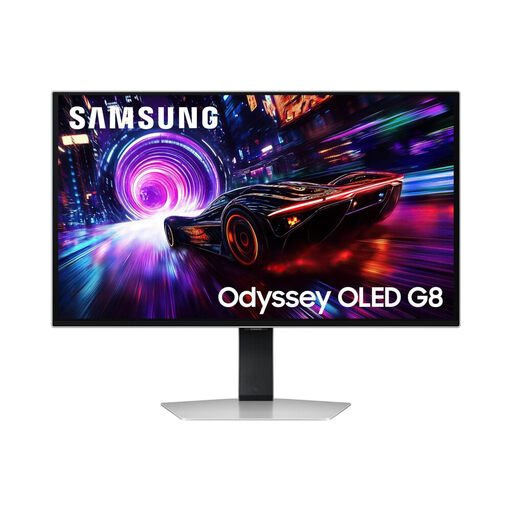
Why it stands out: This monitor embodies the perfect balance for competitive gaming. It combines the visual splendour of a 4K QD-OLED panel with the fierce responsiveness of a 240?Hz refresh rate and a 0.03?ms (GtG) response time. Its 27-inch size is the sweet spot for competition: an ideal pixel density without forcing you to turn your head constantly.
Key features:
Who is it for? For the esports player who chases every millisecond but refuses to sacrifice graphical beauty in their single-player adventures.
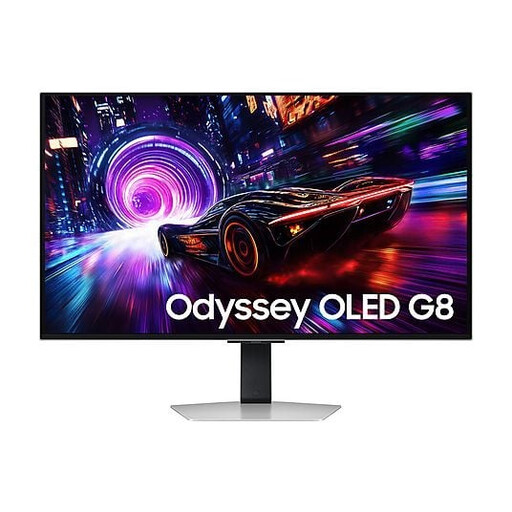
Why it stands out: This 32-inch version of the Samsung Odyssey G8 takes immersion to the next level. Its large screen elevates 4K gaming, giving virtual worlds spectacular scale and detail. It retains the same cutting-edge specs as its smaller sibling, including the 240?Hz QD-OLED panel. Its Glare Free technology is designed to drastically reduce reflections, a significant advantage for gaming in a bright room.
Key features:
Who is it for? For the PC or next-gen console (PS5, Xbox Series X) gamer who wants a blockbuster experience for their AAA titles. It offers the total immersion of a 32-inch 4K display without sacrificing multiplayer performance.
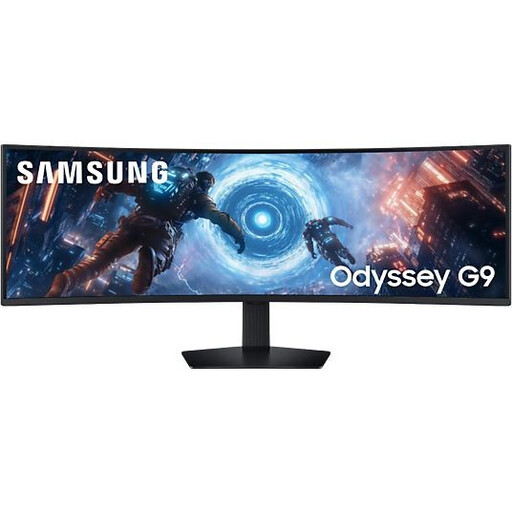
Why it stands out: The Samsung Odyssey G9 is a true game-changer in the monitor landscape. With its 49-inch ultrawide 32:9 panel and radical 1000R curve, it offers a simply unparalleled panoramic field of view. Imagine two 27-inch monitors fused together, with no bezel in the middle. Immersion takes on a whole new meaning here.
Key features:
Who is it for? The absolute dream for simulation (racing, flight) and strategy fans, for whom an expanded field of view is a strategic advantage. It's also a productivity powerhouse for content creators and multitasking masters.
Our selection highlights the cream of the crop, but the market is filled with excellent alternatives. If you have a different budget or other preferences, don't worry: there's a monitor out there for you.
? Explore our full range of gaming monitors to discover other sizes, resolutions, and technologies.
A gaming monitor stands out on three key points: a high refresh rate (120?Hz or more) for maximum fluidity, a very low response time (typically under 5?ms) for a sharp image in motion, and adaptive sync technologies (like AMD FreeSync or NVIDIA G-Sync) to eliminate screen tearing.
For many gamers, the answer is a resounding yes. The curve wraps around your line of sight and enhances immersion, especially on screens 27 inches and larger. It can also reduce eye strain, as the distance from your eye to any point on the screen remains more consistent. Ultimately, it's a matter of personal preference: the "flat screen" camp has strong arguments too!
It all depends on your playstyle. To rack up frags in Valorant or Counter-Strike, a 240?Hz monitor will give you a decisive advantage in responsiveness. To get lost in the streets of Night City (Cyberpunk 2077) or the Lands Between (Elden Ring), 4K will magnify every detail. The good news? Models like the Samsung Odyssey G8 prove you no longer have to choose.