
Livraison le jour même ou le lendemain

Qualité garantie

Débloquez vos offres de bienvenue: Livraison GRATUITE | Jusqu'à -80 % | 30 jours d'essai gratuits à JoyPlus
Téléchargez l'application
Choosing a new PC gaming monitor can quickly become a headache. Between indecipherable spec sheets and flashy marketing promises, it's easy to feel overwhelmed and make a purchase you'll bitterly regret. Some are lured by gimmicky features that add nothing to their experience, while others, conversely, opt for a model that's too modest and ultimately ruins their gaming sessions.
As the Head of Product Selection at Joybuy, my mission is to help you cut through the noise. Let's forget the technical jargon and focus on what truly matters. Here are the two most common traps to avoid and the objective criteria for making the right choice.
Trap #1?: The myth of the "1?ms response time" at all costs. Marketing departments love to flaunt the magic number of 1?ms. The problem? This is most often the MPRT (Moving Picture Response Time) measurement. While this software technique does reduce motion blur, it often comes at the cost of lower brightness or noticeable flicker, which can cause eye strain. The only reliable measurement is GtG (Grey-to-Grey), which reflects the panel's true responsiveness without any software tricks.
Trap #2?: The race for 4K on small screens. A 4K gaming monitor is the dream, that's a fact. But on a 24 or even 27-inch screen, the gain in sharpness compared to a good QHD (1440p) resolution is often marginal, if not imperceptible at a typical viewing distance. However, the impact on your budget and the demands on your graphics card are anything but negligible.
Making the right choice is all about balancing three technical pillars.
For optimal viewing comfort, the resolution must be appropriate for the screen size. Here are the pairings that work best?:
Expressed in Hertz (Hz), the refresh rate is the number of images displayed per second. Today, a 144?Hz gaming monitor is the minimum standard for a smooth gaming experience, far surpassing the traditional 60?Hz. The most dedicated competitive players are even eyeing 165?Hz QHD PC monitors and beyond.
In parallel, a low GtG (Grey-to-Grey) response time (ideally 5?ms or less) is crucial to eliminate "ghosting" (those unsightly phantom trails behind fast-moving objects).
The choice of panel has a direct impact on colour reproduction, contrast, and responsiveness. Here's what you need to know?:
To illustrate this advice, here is a selection of monitors that tick all the right boxes for distinct player profiles.
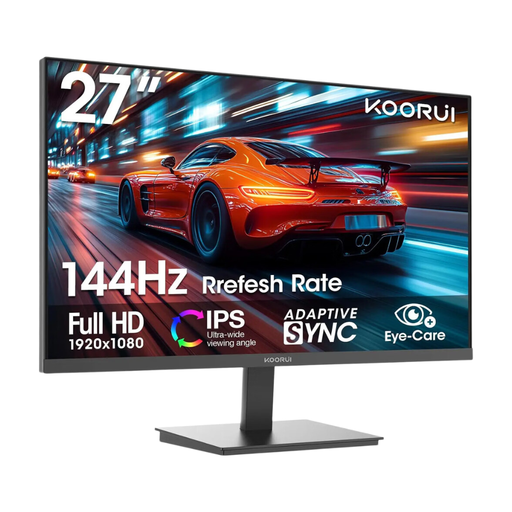
Why we love it : It gets straight to the point for competitive gaming : flawless fluidity thanks to its 144 Hz refresh rate and great image quality with its IPS panel. All in an FHD resolution that won't bring a mid-range setup to its knees.
This monitor focuses entirely on performance (144 Hz) with a relevant FHD resolution, avoiding the trap of superfluous 4K on this screen size.
Its IPS panel ensures vibrant colours and wide viewing angles. AMD FreeSync compatibility guarantees a tear-free image.
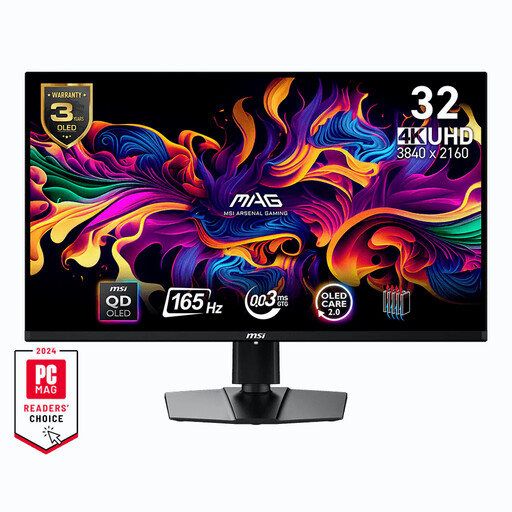
Why we love it : For gamers with a powerful setup who are looking for a stunning visual experience. The QD-OLED technology on a large 31.5-inch panel delivers simply unparalleled contrast and colours, for total immersion in the latest blockbuster titles.
Here, the 4K resolution is fully justified by the large screen size and premium panel technology (QD-OLED). You get real visual added value, not just a race for pixels.
QD-OLED technology for abyssal blacks and explosive colours. A near-instantaneous response time of 0.03 ms (GtG) and HDMI 2.1 connectivity, perfect for consoles.
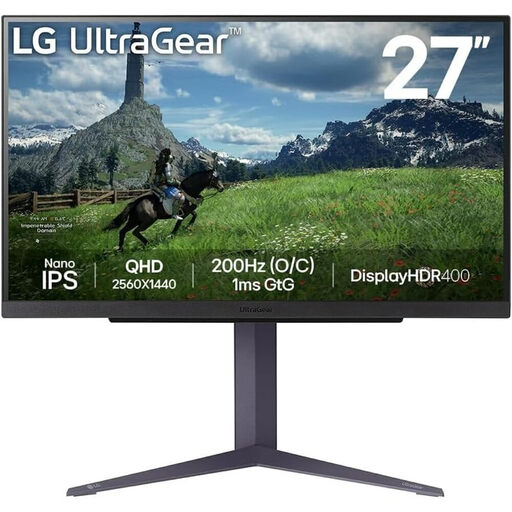
Why we love it : It's the ultimate Swiss Army knife. Its QHD resolution on a 27-inch screen is the ideal compromise for gaming on both PC and next-gen consoles (PS5, Xbox Series X). Its very high refresh rate (180 Hz) and Nano IPS panel guarantee a top-tier experience on all platforms.
It stands out by offering a true 1 ms GtG response time, avoiding the MPRT marketing trap. Its QHD resolution is a smart choice, offering a tangible visual gain without requiring the power (and cost) of a 4K setup.
The winning combo: QHD on a 27-inch Nano IPS panel. A 180 Hz refresh rate and G-Sync/FreeSync compatibility for foolproof fluidity.
We have selected a full range of monitors for you that meet these demanding criteria, with a focus on eye-care technologies.
A curved monitor can definitely enhance immersion, especially on larger screens (27 inches and up). The curvature (1800R, 1500R, etc.) more closely follows your natural field of view, which reduces eye strain and distortion at the edges. It's a real plus for simulation (racing, flight) or adventure games. For strategy games or office work, however, a flat screen remains a safe bet.
These technologies (from NVIDIA and AMD, respectively) synchronise the monitor's refresh rate in real time with the frame rate from the graphics card. The result? A perfectly smooth image, free from the screen tearing or micro-stuttering that can ruin a game. While not strictly essential, it's a feature that completely transforms the gaming experience. Fortunately, most modern gaming monitors are compatible with one or the other, and often both.
A good PC gaming monitor is a long-term investment. You can expect an average lifespan of 5 to 8 years with typical use. The first sign of wear is usually a gradual decrease in backlight brightness. As for OLED screens, their organic nature exposes them to the risk of "burn-in" (permanent image retention on the panel) if static images (like a game's UI) are displayed for very long periods. Rest assured, recent models all include protection features (often called "OLED Care") to drastically mitigate this issue.