
Livraison le jour même ou le lendemain

Qualité garantie

Débloquez vos offres de bienvenue: Livraison GRATUITE | Jusqu'à -80 % | 30 jours d'essai gratuits à JoyPlus
Téléchargez l'application
Article written by Joybuy's product recommendations manager
Choosing PC gaming components isn't about picking the highest number on a spec sheet. A very powerful graphics card might be impossible to fit inside a compact case, while a motherboard packed with connectivity may not be compatible with the processor you've already bought.
The most common mistakes revolve around three pitfalls:
The motherboard is the foundation of any build. Start by checking the socket:
The motherboard form factor must also match your case: ATX, micro-ATX or Mini-ITX. A micro-ATX motherboard can fit inside an ATX case, but the reverse isn't possible. When upgrading, also note the number of M.2 slots, fan headers and USB ports available.
Choosing a gaming graphics card depends on your screen resolution, refresh rate and the software you use. NVIDIA GeForce RTX models benefit from acceleration features unique to the NVIDIA ecosystem, while an AMD Radeon graphics card offers an appealing alternative for both gaming and creative work.
Always check:
PCIe 5.0 doesn't automatically make games run smoother. It's primarily an interface standard. A PCIe 5.0 card will generally work in a PCIe slot from an earlier generation, running at the maximum bandwidth that platform supports.
The wattage recommended by the manufacturer should be compared with your existing power supply unit. A card with a TGP of 300 W or 350 W also needs a well-ventilated case and cables that are fully seated.
For a card with a 12V-2x6 connector, use a compatible cable, push it in until it clicks, and avoid sharp bends near the plug. A support bracket can be useful with long, heavy models. On the motherboard side, check the VRM heatsinks, the number of fan headers and the clearance around the CPU cooler.
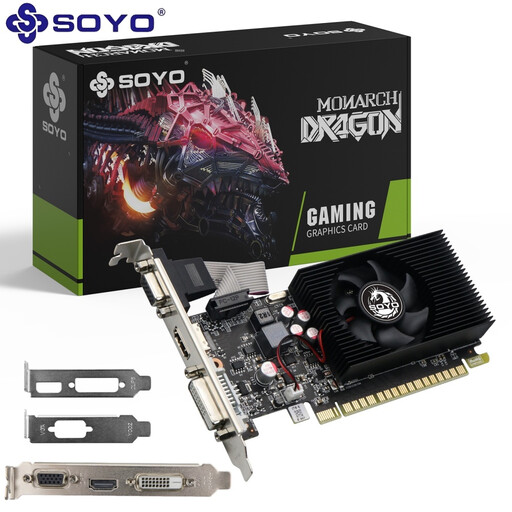
Why this suits this profile: its dimensions of 160 × 120 × 20 mm and its stated power draw of 205 W make it suitable for simple builds and older monitors with VGA, DVI or HDMI inputs.
The spec sheet clearly states the PCIe 3.0 x16 interface, 4 GB of DDR3 memory and single-fan cooling, so expectations stay realistic for this card's positioning.
Compact size, VGA, HDMI and DVI outputs, stated power consumption of 74 W.
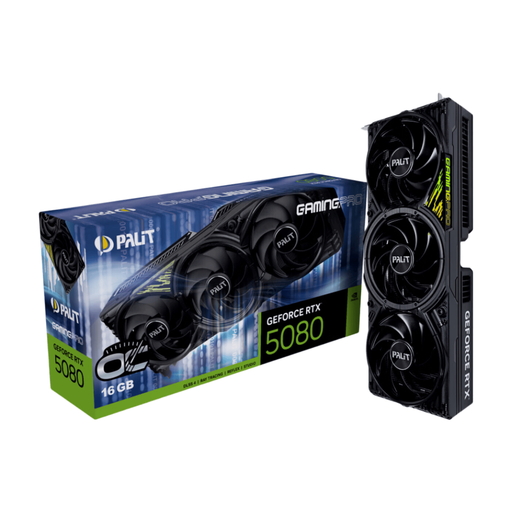
Why this suits this profile: its 16 GB of GDDR7, PCIe 5.0 x16 bus and four video outputs make it ideal for high-resolution gaming, creative work and certain compute tasks.
The spec sheet states a length of 331.9 mm, three-slot thickness, 350 W TGP and a recommended 850 W power supply, so you can check sizing before ordering.
Triple-fan cooling, dual BIOS, 3 DisplayPort and 1 HDMI.
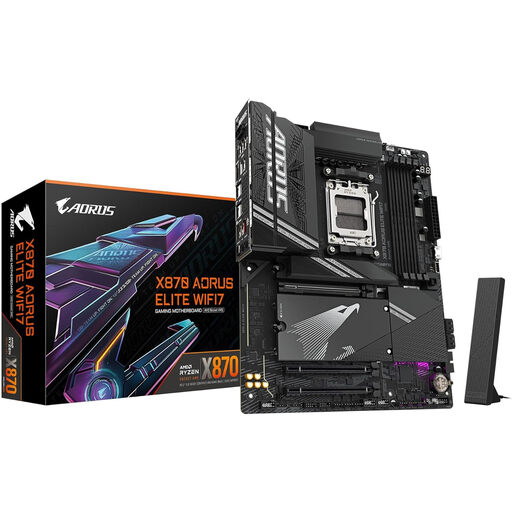
Why this suits this profile: this AMD AM5 motherboard is designed for upgradeable builds with a compatible Ryzen processor, DDR5 memory and NVMe storage.
The socket, four DDR5 slots, PCIe 5.0 x16 and two M.2 ports are listed separately; compatibility should still be confirmed with your chosen processor and memory.
Stated support for Wi-Fi 7, 2.5 GbE LAN, dual USB4 Type-C and a 14+2+2 phase digital VRM solution.
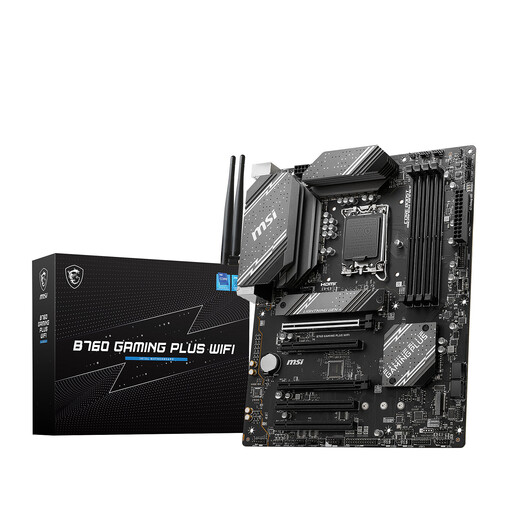
Why this suits this profile: its Intel LGA 1700 socket and DDR5 memory support make it a solid foundation for an upgrade around a compatible Intel processor.
The spec sheet clearly distinguishes LGA 1700, DDR5 and PCIe 4.0 x16, so there's no risk of confusing it with an AMD AM5 platform or a DDR4 motherboard.
Wi-Fi 6E, Bluetooth 5.3, 2.5 GbE LAN, two M.2 Gen4 slots and ATX form factor.
We've put together a comprehensive, real-time updated list of products that meet these strict selection criteria as well as European safety regulations.
Start with the recommendation on the spec sheet, then factor in your processor, drives and fans. A card that recommends 850 W shouldn't be paired with a power supply already running close to its theoretical limit. Also check you have the right connector and that your electrical installation is sound.
In most compatible setups, yes. The link will then run at the generation supported by the platform. Before buying, check the slot format, BIOS version, card dimensions and any restrictions related to PCIe lanes.
It depends on temperature, dust, workload and maintenance. A well-ventilated case, a suitable power supply and regular dusting with compressed air help reduce stress. For a motherboard or graphics card, check the warranty terms from both the seller and manufacturer, as well as the availability of drivers compatible with your system.