
Livraison le jour même ou le lendemain

Qualité garantie

Débloquez vos offres de bienvenue: Livraison GRATUITE | Jusqu'à -80 % | 30 jours d'essai gratuits à JoyPlus
Téléchargez l'application
Whether you're looking to boost your productivity while working from home or shave off those precious milliseconds that make all the difference in-game, choosing the right PC and gaming accessories is crucial. The problem? The market is a jungle of marketing promises that too often lead to regrettable purchases. An uncomfortable peripheral, a cable that charges at a snail's pace, or an incompatible device: these frustrations probably sound familiar.
As a Product Expert at Joybuy, my mission is to help you navigate it all. Let's break down the traps to avoid and the criteria that truly matter so you can choose equipment that won't let you down.
Before you pull out your credit card, let's review the classic mistakes that are costly in both time and money.
To avoid falling into these traps, focus on a few technical specifications that make a real difference.
Wired or wireless? It all depends on your use case.
The best accessory is one you forget is even there.
To help you see more clearly, here are three products that check all the boxes, each designed for a specific user profile.
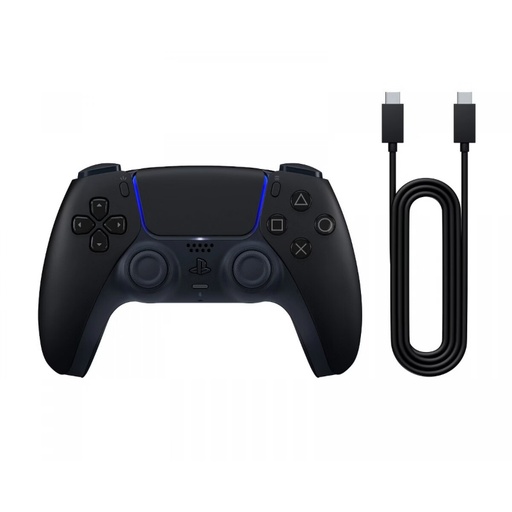
Why we chose it: Ideal for anyone who juggles between PS5 and PC. Its dual Bluetooth and USB-C connectivity makes it ultra-versatile, and its widely praised ergonomics ensure optimal comfort even after hours of gaming.
It sidesteps the false compatibility trap by working natively across multiple platforms. Here, the haptic feedback and adaptive triggers aren't just marketing points; they are real technologies that amplify immersion.
Haptic feedback and adaptive triggers for unparalleled sensory immersion in compatible games.
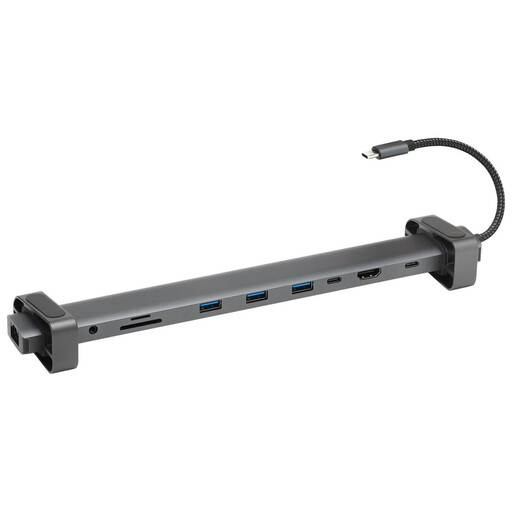
Why we chose it: The perfect accessory to turn a simple laptop into a true workstation. It solves the problem of limited ports by adding video outputs, Ethernet, USB-A, and even charging, all through a single USB-C cable.
It tackles the "universal compatibility" trap head-on by being transparent: the list of ports (HDMI, Ethernet, etc.) is clear, and its operation is plug-and-play, with no need to fuss over installing drivers.
An ultra-comprehensive 10-in-1 port selection and an aluminium casing that ensures good heat dissipation for consistent performance.
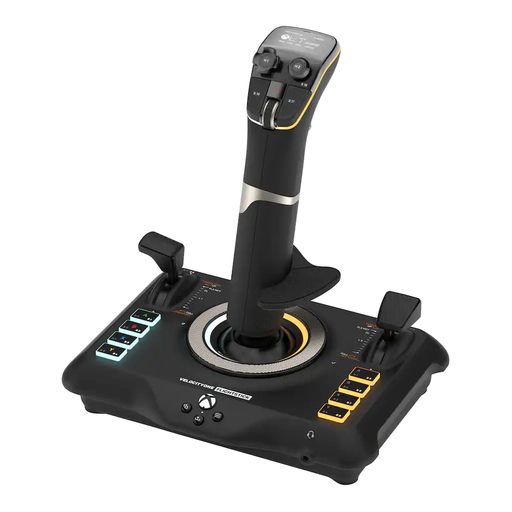
Why we chose it: A PC joystick built for flight and space simulation enthusiasts. For this genre, it offers a level of control and customisation that is light-years beyond a standard controller.
It avoids the trap of a generic, ill-suited peripheral. There are no useless gimmicks here: every feature, from the 8 high-precision axes to the 27 programmable buttons, has a concrete purpose in simulation.
Dual compatibility with Xbox and PC, with an integrated OLED screen to manage profiles and adjust settings on the fly.
We've curated a complete selection of products that meet our strict criteria and quality standards.
Most modern PC games use the XInput standard, which is supported by the majority of recent controllers, including Xbox and PlayStation models. To be sure, check the game's page on platforms like Steam, which often indicates "Full controller support." For older games, DInput compatibility may be required, but third-party software can often work around the issue.
Yes, provided you choose the right technology. For maximum responsiveness, opt for a wireless keyboard that operates with a dedicated 2.4?GHz USB receiver. This technology offers very low latency, which is indistinguishable from a wired keyboard for the average person. Bluetooth, while convenient, can introduce slight lag and is better reserved for office work or casual gaming.
No, a high-quality docking station should not cause any slowdowns. To ensure this, check two things: the presence of an external power supply or a PD (Power Delivery) pass-through function that allows you to charge your laptop through the dock. This ensures all connected peripherals receive enough power to operate at full capacity. Additionally, an aluminium chassis is a good indicator of quality: it helps dissipate heat and thus maintain consistent performance.