
Livraison le jour même ou le lendemain

Qualité garantie

Débloquez vos offres de bienvenue: Livraison GRATUITE | Jusqu'à -80 % | 30 jours d'essai gratuits à JoyPlus
Téléchargez l'application
The right PC CPU cooler helps keep temperatures under control, reduce noise and maintain system stability. But the choice is not simply about the number of fans or whether ARGB lighting is included. An incorrectly sized model can be noisy, incompatible with your case or particularly difficult to install.
To avoid unnecessary expense, focus on three key points: the socket, the available space and the actual cooling capacity you need for your intended use.
The TDP values provided by manufacturers offer a useful starting point, but they are not enough to predict how a cooler will perform in your PC. Case airflow, thermal paste, ventilation and motherboard settings also affect the temperatures you achieve.
A small CPU air cooler may be perfectly suitable for office work or a processor under moderate load. Conversely, a high-end chip used for video rendering or long gaming sessions may require a dual-tower heatsink or an AIO liquid cooler.
A 360 mm liquid cooler generally requires a compatible mounting position at the front or top of the case. You also need to consider the combined thickness of the radiator and fans, as well as the space available around the RAM and graphics card.
In a mid-tower or compact case, a 240 mm liquid cooler or an air cooler measuring 152 to 159 mm in height will often be easier to install.
An ARGB CPU fan adds a stylish touch and lets you customise the lighting, but it does not improve thermal dissipation in any way. First, check the connector type: ARGB generally uses a 5 V 3-pin connector, which should not be confused with 12 V 4-pin RGB.
The cooler must be compatible with your motherboard’s socket. The most widely used platforms currently include:
A model compatible with AM5 and LGA 1700 gives you more flexibility when upgrading your system, but always check that the corresponding mounting kit is included. The products featured here offer broad compatibility with these sockets.
For an air cooler, compare its total height with the maximum height supported by your case. A dual-tower model may also overlap the RAM slots. The listed dimensions should therefore be checked against your case manual and the height of your memory modules.
The Cooler Master Hyper 212 Black, for example, measures 125 × 74 × 152 mm and features four direct-contact heat pipes. This information lets you check whether it will fit before buying, rather than relying on its appearance alone.
The 4-pin PWM connector allows the motherboard to automatically adjust the fan speed according to the temperature. With an AIO kit, also check the connections for the pump, fans, ARGB and, where included, the LCD screen.
A sealed liquid circuit does not require regular refilling, but it should not be opened or dismantled. You should still dust the heatsink fins and fans regularly, after switching off and unplugging the PC.
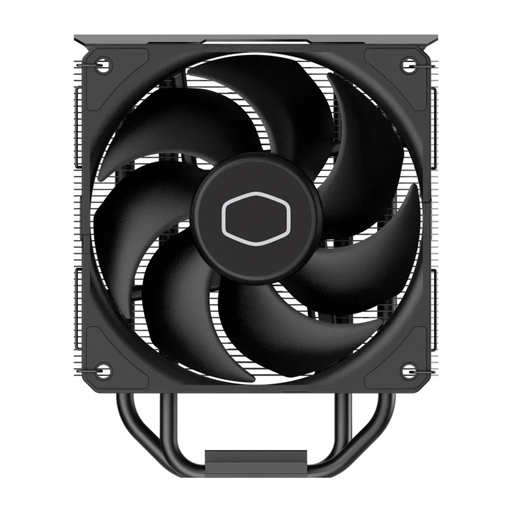
Why this choice suits this profile : This air cooler is a great first upgrade for a PC build, with no pump or liquid circuit to install.
At 152 mm high and compatible with Intel LGA 1851/1700 and AMD AM5/AM4, it is easy to check compatibility before buying.
Four direct-contact heat pipes, a 120 mm PWM fan and CryoFuze thermal paste included.
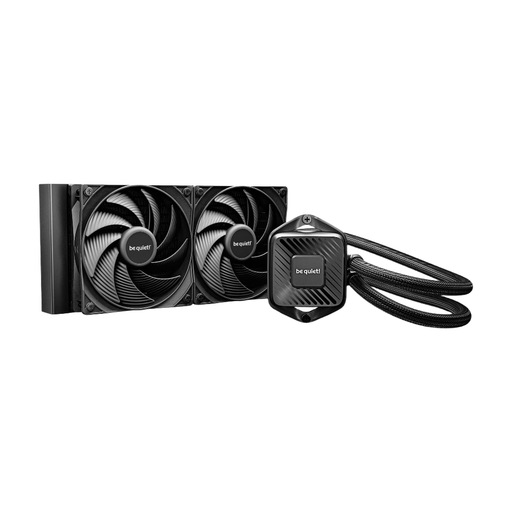
Why this choice suits this profile : Its 240 mm format is ideal for gamers and creators who want an AIO compatible with more cases than a 360 mm radiator.
The compact radiator places fewer restrictions on installation. The daisy-chained PWM fans also simplify cable management.
Two 120 mm Pure Wings 3 fans, a six-pole motor PWM pump and compatibility with AM4/AM5 and LGA 1700/1851.
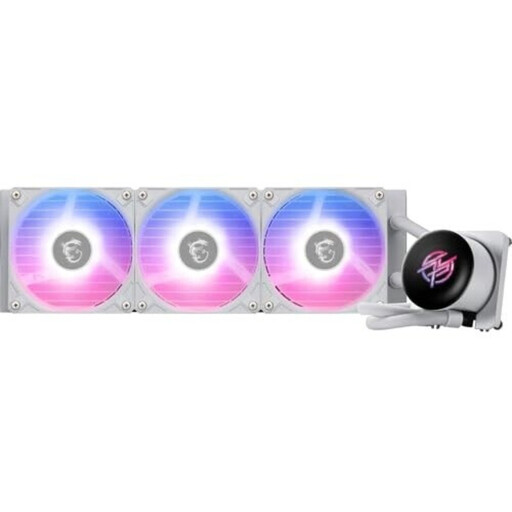
Why this choice suits this profile : This 360 mm AIO kit is designed for systems with a compatible case and users who want the benefit of an integrated monitoring display.
The radiator format and its dimensions of 394 × 120 × 52 mm are clearly stated, making it easy to check the available space before installation.
A 2.1-inch LCD displaying 480 × 480 pixels, a pump rated at up to 3 400 rpm and pre-installed fans.
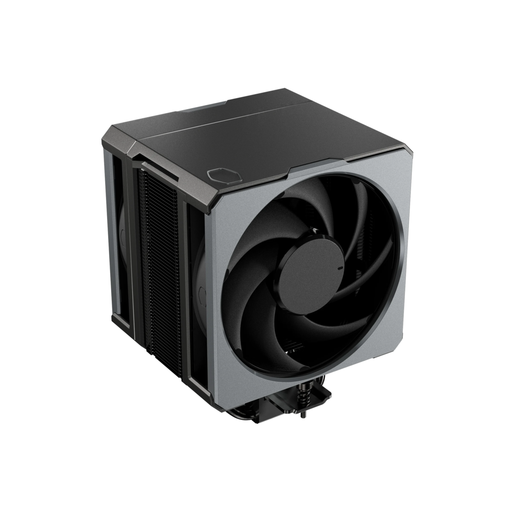
Why this choice suits this profile : This dual-fan cooler is designed for heavily loaded processors, without adding a liquid circuit to maintain.
At 159 mm high, you should check compatibility with your case to avoid an unwelcome surprise when it arrives.
Six heat pipes, two Mobius 120P PWM fans and compatibility with Intel LGA 1851/1700 and AMD AM4/AM5.
We have brought together a complete, real-time updated selection of products that meet these demanding selection criteria and European safety standards.
Yes, for many systems, particularly those with a moderately power-hungry processor and a well-ventilated case. For intensive, prolonged use, look instead at the number of heat pipes, the heatsink surface area, PWM control and the space available inside the case.
An AIO kit is generally sealed and does not need refilling like a custom liquid-cooling loop. You should nevertheless dust the radiator, check the condition of the fans and watch out for any signs of a leak. Do not open the pump or tubes.
Enable PWM control in the UEFI, clean the filters regularly and avoid allowing the fan to run at full speed continuously. Also check the direction of airflow inside the case. Even a model that is quiet on paper can become audible if heat remains trapped inside.