
Livraison le jour même ou le lendemain

Qualité garantie

Débloquez vos offres de bienvenue: Livraison GRATUITE | Jusqu'à -80 % | 30 jours d'essai gratuits à JoyPlus
Téléchargez l'application
An overheating processor, noisy fans or reduced performance during gaming sessions can quickly spoil the experience. However, choosing a PC cooling system is not simply a matter of picking the model with the highest RPM.
Behind some marketing claims lie very real constraints: limited compatibility, a radiator that is too large for the case, incompatible ARGB connectivity or noise levels measured in conditions that are impossible to reproduce at home. Here are the main criteria to check before buying a CPU air cooler, AIO liquid cooler, fans or an airflow PC case.
A fan that spins very quickly can move a lot of air, but it can also become considerably noisier. Rotational speed alone is therefore not enough to assess processor cooling performance. You should also look at airflow, static pressure, the bearing type and the ability to adjust the speed automatically using PWM.
On a liquid-cooling radiator or a particularly dense air cooler, static pressure plays an essential role. To extract hot air from the case, airflow and the overall fan layout are just as important.
A 360 mm liquid-cooling kit requires a case that supports a radiator of this length, as well as enough room for the tubing, motherboard and RAM. Similarly, a large CPU air cooler may come into contact with the side panel.
In particular, remember to check:
An ARGB PC fan generally uses a 5 V 3-pin connector, which must not be confused with a 12 V 4-pin RGB connector. Connecting them incorrectly can damage the lighting. Some kits also include a proprietary hub or a specific type of connector.
Lighting can enhance the appearance of a build, but it cannot replace effective airflow. In an airflow PC case, the priority remains directing cool air towards the components and quickly removing hot air.
Start by identifying your processor socket. Several models in this selection support the latest platforms, including Intel LGA 1851 and LGA 1700, as well as AMD AM5 and AM4. Always check this information in the product specifications and manual.
With an AIO liquid cooler, also check the permitted radiator mounting positions. Installing it at the front can reduce the space available for the graphics card, while top mounting depends on the case width and the height of the memory modules.
A 120 mm PWM PC fan uses a 4-pin connector to adjust its speed automatically according to temperature. ARGB uses a separate connection dedicated to lighting. Kits supplied with a hub can simplify cable management, but may sometimes require SATA power, an internal USB connector or dedicated software.
Before placing your order, check:
Manufacturer-listed decibel levels are technical data that should be compared with care. Case design, dust build-up, the PWM curve and the speed actually being used all directly affect perceived noise. Anti-vibration pads and a suitable bearing can also reduce vibrations transferred to the chassis.
Clean the heatsink fins and fan blades regularly using compressed air, after switching off and unplugging the PC. With a liquid-cooling system, never open a sealed loop without carefully following the manufacturer’s instructions. Some models have a filling port, but this operation should only be carried out by someone able to complete it safely.
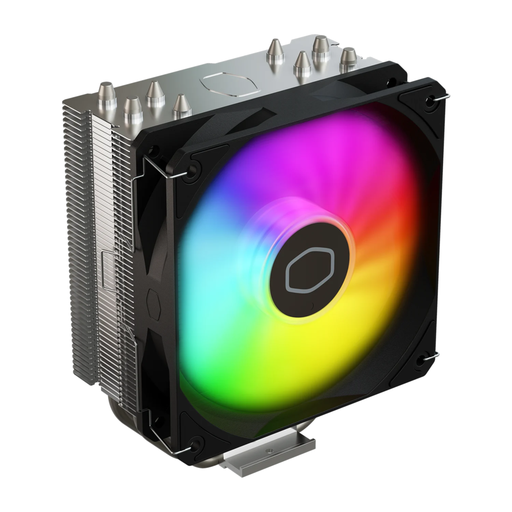
Why this choice suits this profile : This CPU air cooler is a great first upgrade thanks to its 152 mm height, 120 mm PWM fan and compatibility with Intel LGA 1851/1700 and AMD AM5/AM4 sockets.
It avoids paying for a pump and radiator when space and budget are limited. However, you will need to check your motherboard’s ARGB compatibility.
Four direct-contact heat pipes, a fan rated at 650–1 750 RPM and a 4-pin PWM connector.
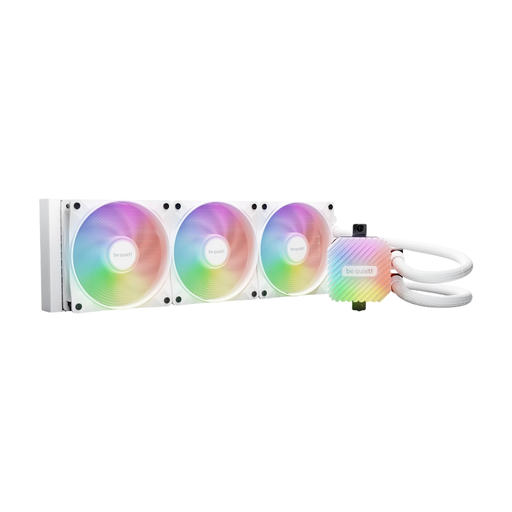
Why this choice suits this profile : This 360 mm liquid cooler is aimed at powerful builds with a compatible case, as well as users looking for a white finish with ARGB lighting.
The three 120 mm fans are included, so there is no need to make several separate purchases. You should still confirm the radiator mounting system and the clearance around the socket.
ARGB/PWM hub included, support for six fans and six ARGB components, plus a bottle of coolant included.
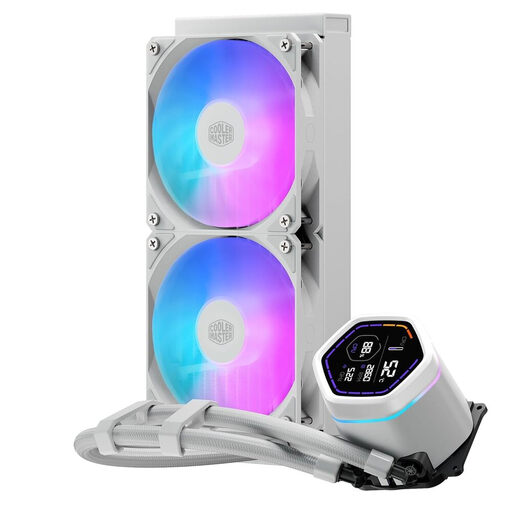
Why this choice suits this profile : This 240 mm AIO liquid cooler is ideal for gamers and builders who want to display system data on an integrated screen.
The fans and thermal paste are already installed. Measuring 277 × 119,6 × 27,2 mm, the radiator makes it possible to check case compatibility precisely.
50,1 × 54,4 mm digital display, 400 mm tubing, compatibility with Intel LGA 1851/1700 and AMD AM5/AM4, plus a stated five-year warranty.
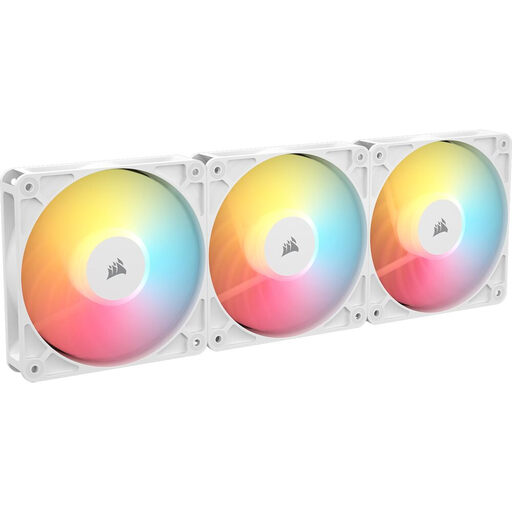
Why this choice suits this profile : This PC fan kit is well suited to white cases that need several air intakes, particularly on the side or at the bottom of the chassis.
The reverse blades encourage air intake while maintaining a consistent visual appearance. Daisy-chain connectivity reduces the number of cables that need routing.
Three 120 mm fans, 4-pin PWM control, 5 V 3-pin ARGB lighting and anti-vibration pads on all four corners.
We have put together a comprehensive, real-time updated selection of products that meet these demanding criteria and European safety standards.
An air cooler is generally easier to install and contains neither a pump nor liquid. It is suitable for many gaming and office builds, provided you stay within the specified maximum height. An AIO liquid cooler can provide more clearance around the socket and a different aesthetic, but it requires you to check case and connector compatibility more carefully.
There is no universal number. A typical setup places fans at the front or bottom of the case to draw in cool air, followed by a fan at the rear or top to expel hot air. The aim is to avoid areas where air becomes stagnant and to keep the filters clean. A three-fan kit can be a good option if the case offers several compatible mounting positions.
A pump and fans add a small amount of consumption to that of the processor and graphics card. The difference depends on the configured speed, the number of fans and the ARGB lighting. To limit both power consumption and noise, set a gradual PWM curve and switch off the lighting when you do not need it.