
Livraison le jour même ou le lendemain

Qualité garantie

Débloquez vos offres de bienvenue: Livraison GRATUITE | Jusqu'à -80 % | 30 jours d'essai gratuits à JoyPlus
Téléchargez l'application
A processor that overheats, a poorly ventilated case, or a portable fan that runs out of battery before the end of your journey can quickly turn a practical purchase into a regrettable expense. In 2026, the market caters to a wide range of needs: CPU coolers, 360 mm liquid cooling, gaming PC cases, neck fans, mini USB-C fans, and pocket fans.
To make the right choice, it pays to look beyond the airflow or battery life promises plastered on the packaging. Compatibility, size, and real-world usage conditions often carry far more weight.
A fan with a high speed rating doesn't necessarily guarantee effective or comfortable cooling in every situation. Inside a PC, airflow needs to follow a coherent path: intake at the front or bottom of the case, then exhaust at the rear or top.
For a portable device, five speed settings might seem handy, but battery life usually varies significantly depending on the level you select. So, look at the figures for different usage modes, rather than just focusing on the maximum stated runtime.
A CPU cooler might support an Intel or AMD socket but still be too tall for your case. Similarly, a 360 mm radiator requires a long enough mounting spot, plus proper routing for tubes and cables.
Before ordering, check:
A case with a large glass panel might show off your build nicely, but dust filters, access to components, and ventilation options are just as important. On the other hand, a bladeless neck fan should be judged on its weight, comfort, and noise level, not just its looks.
A CPU air cooler is generally straightforward to install. The number of heat pipes, their contact with the processor, and the surface area of the fins already give a good indication of its heat dissipation capability. The Cooler Master Hyper 212 Black features four direct-contact heat pipes, a 120 mm fan, and a four-pin PWM connector. With its stated height of 152 mm, you absolutely must compare it against your case's specifications.
A model with two fans, like the Cooler Master HYPER 212 BLACK X DUO, uses a 'push-pull' configuration. This can improve airflow through the fins, but it also increases the side clearance needed. The V4 Alpha 3DHP Black measures 161 mm tall and includes two Mobius 120 fans – so this is a dimension to check before any purchase.
A 360 mm liquid cooler typically consists of a 360 mm radiator and three 120 mm fans. The case must be able to accommodate the whole assembly, leaving enough room for cables and the total thickness of the setup. The TRYX Panorama SE 360 ARGB has a radiator measuring 394 × 120 × 27 mm, to which you need to add the thickness of the fans.
Also remember to check the connections for the pump, fans, and ARGB lighting. During installation, the computer must be switched off and unplugged. The tubes should not be stretched or bent excessively. If you suspect a leak, do not power the system back on under any circumstances.
For a rechargeable portable fan, compare the battery capacity, charging time, and the stated battery life at different fan speeds. The JISULIFE Neck Fan Life 4 has a 5,000 mAh battery, charges via USB-C, and offers a stated battery life of 2.5 to 16.5 hours depending on the setting. It weighs approximately 282 g.
A mini USB-C fan or a 180 g pocket fan will generally be easier to slip into a bag. A handheld design lets you direct the airflow towards your face, while a neck fan frees up your hands at a concert, during a commute, or for outdoor activities. The bladeless design reduces the risk of catching hair, but it doesn't mean you can ignore safety instructions or keep the device away from moisture.
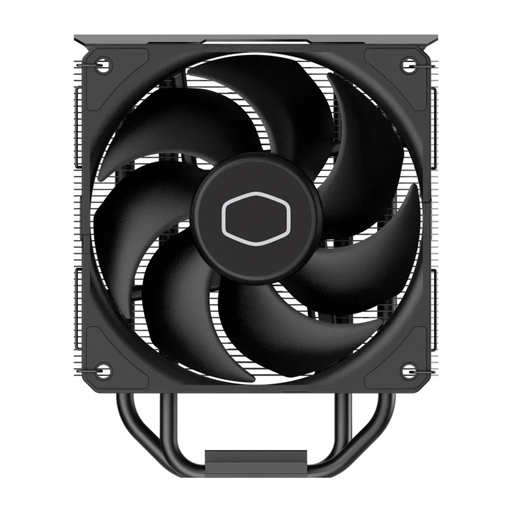
Why this fits: For a first Intel or AMD build, this CPU air cooler remains relatively simple to install, provided you have enough space inside your case.
Stated compatibility covers LGA 1851, LGA 1700, AM5 and AM4 sockets, among others. Still, check the 152 mm height before buying.
Four direct-contact heat pipes, 120 mm fan, PWM connector, and thermal paste included.
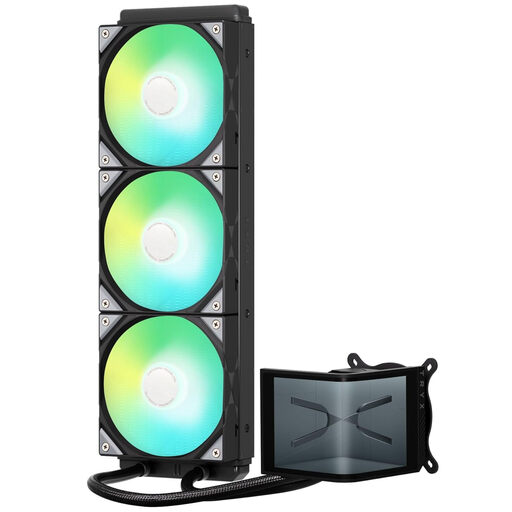
Why this fits: This 360 mm liquid cooler is aimed at enthusiasts who appreciate a polished build, have a compatible case, and are drawn to the integrated display.
The radiator measures 394 × 120 × 27 mm. Check the available space and the SATA, PWM, and USB 2.0 connections before installation.
6.67-inch curved AMOLED screen, three 120 mm ARGB fans, and compatibility with AM5, AM4, and several Intel sockets.
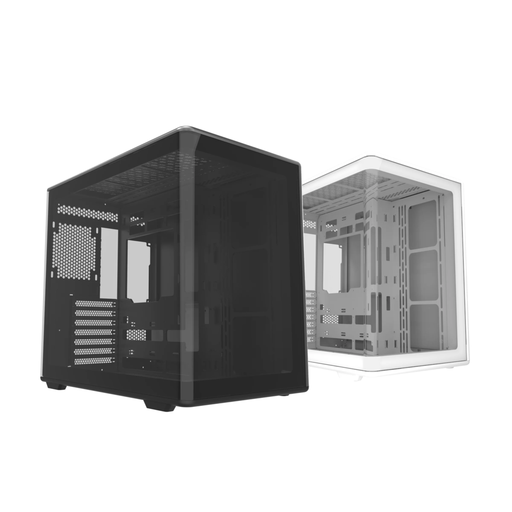
Why this fits: For an upgradeable gaming PC case, it offers multiple fan mounting points and can accommodate up to two 360 mm radiators depending on the configuration.
Don't just focus on the glass panel: check the filters, internal dimensions, maximum graphics card length – up to 425 mm – and the cooler height limit of 160 mm.
Front USB-C port, ATX compatibility, and support for multiple 120 mm or 140 mm fans.
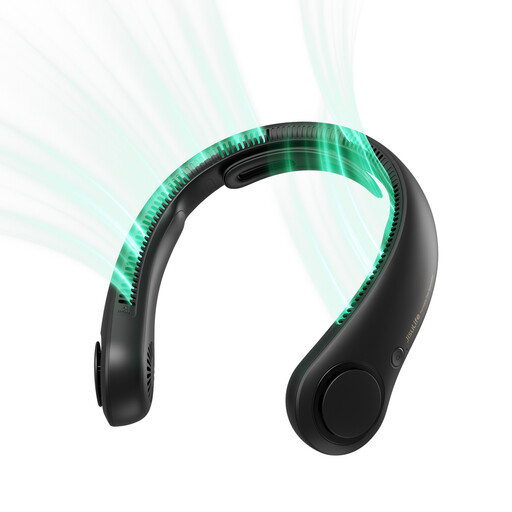
Why this fits: Its hands-free design is ideal for concerts, commutes, travel, and outdoor activities where holding a fan quickly becomes awkward.
The stated battery life of 2.5 to 16.5 hours depends on the speed selected. Allow 3 to 4 hours for a full charge and keep the device away from moisture.
5,000 mAh battery, five speeds, USB-C charging, and a bladeless design.
It can be perfectly suitable for a concert, a commute, or an outdoor activity, provided you choose a comfortable weight and check the battery life at the speed you plan to use. Comfort around the neck and the ability to recharge via USB-C are also worth considering.
A CPU air cooler dissipates heat using heat pipes, fins, and a fan. It is generally simpler to install. A 360 mm liquid cooler relies on a pump, liquid circulating in a closed loop, a radiator, and three fans. It requires more space and more care during installation.
Power consumption depends on the battery capacity, voltage, and how often you recharge it. To compare models, look at the capacity in mAh, the charging time, and the stated battery life at different speeds. A battery level indicator can also help avoid unexpected recharges.