
Livraison le jour même ou le lendemain

Qualité garantie

Débloquez vos offres de bienvenue: Livraison GRATUITE | Jusqu'à -80 % | 30 jours d'essai gratuits à JoyPlus
Téléchargez l'application
A hot computer, a noisy fan or temperatures that climb as soon as you launch a game can quickly spoil your experience. But choosing a PC cooling system isn’t simply a matter of picking the model with the highest airflow rating.
Some of the features highlighted on product pages can be difficult to compare. ARGB lighting doesn’t guarantee effective cooling, high fan speeds can increase noise, and a 360 mm AIO liquid cooler won’t fit every case. Here are the points to check before you order, along with options to suit different needs.
A fan that spins quickly won’t necessarily cool your case more effectively. Performance also depends on the blade design, airflow and the fan’s ability to push air through a grille, filter or radiator.
For a liquid-cooling radiator or an air cooler, pay particular attention to static pressure, measured in mmH₂O. A fan designed to deliver high static pressure maintains more effective airflow when faced with resistance. For exhaust at the rear of the case, however, airflow may be more important.
A 120 mm ARGB PC fan generally uses a 5 V, 3-pin lighting connector, which is different from a 12 V, 4-pin RGB connector. These two formats must never be connected to each other.
Also check how many headers are available on your motherboard. Connecting several fans in series — known as daisy-chaining — can make cable management much easier, but you’ll need to stay within the power limits of the controller or header.
Before ordering a CPU cooler, measure the space between the processor, memory modules and side panel. A 158 mm-tall air cooler, for example, won’t necessarily fit every case.
For a Mini Tower PC case, check at least the following:
Airflow is usually expressed in CFM or litres per second. It indicates the volume of air moved under specified conditions. Static pressure, measured in mmH₂O, is particularly important behind a dense filter or on a radiator.
Take noise levels, shown in dBA, with a pinch of salt: measurement methods can vary between manufacturers. With 4-pin PWM control, the motherboard can automatically adjust fan speed according to temperature, rather than running the fan at full speed all the time.
In a typical setup, fans at the front or bottom of the case draw in cool air, while those at the rear or top expel warm air. The direction of the blades is therefore essential.
A reverse-airflow fan is designed to draw air in while keeping a more uniform-looking side visible. This can be useful in builds where fans are on show at the side or bottom of the case. You should still check the actual airflow direction after installation.
An air cooler such as the Cooler Master Hyper 212 3DHP ARGB is relatively straightforward to install and maintain. It has no pump or liquid circuit. A 360 mm AIO liquid cooler can provide a larger cooling surface, but it needs a compatible case, careful radiator installation and good cable management.
Your choice should depend on your processor, the space available and how much noise you’re comfortable with — not just on looks.
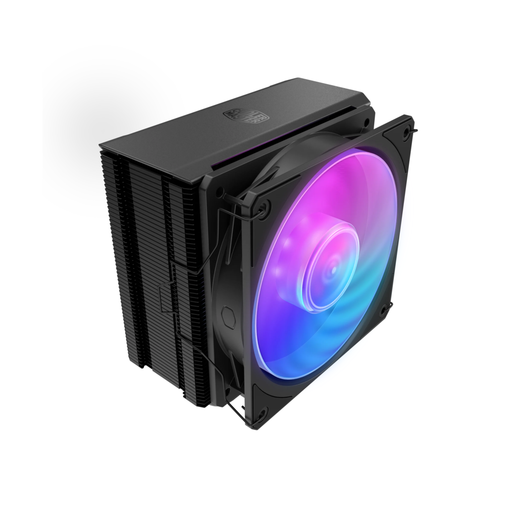
Why it suits this profile : This air CPU cooler makes a great first upgrade, thanks to its relatively compact size and compatibility with Intel LGA 1851/1700/1200/1151/1150/1155/1156 and AMD AM5/AM4 sockets.
Its dimensions of 133 × 86 × 158 mm and included thermal paste make it easier to check compatibility and install.
120 mm PWM fan, speeds of up to 2 050 rpm and Gen 2 ARGB lighting.
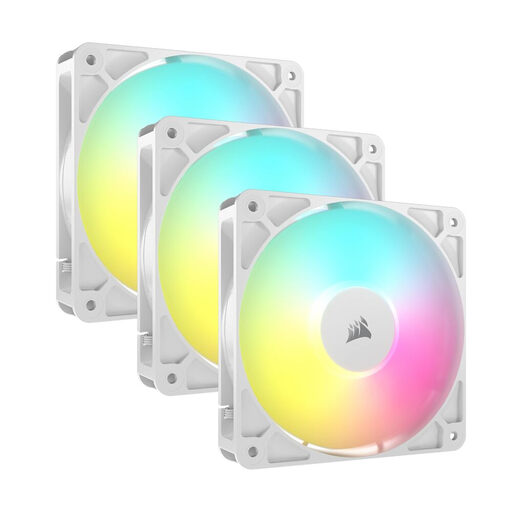
Why it suits this profile : This three-fan pack is ideal for builds that need consistent airflow and a matching white finish.
PWM control and anti-vibration pads mean you don’t have to rely on high fan speeds alone to manage cooling and noise.
Three 120 mm fans, 5 V 3-pin ARGB, and daisy-chained PWM and lighting signals.
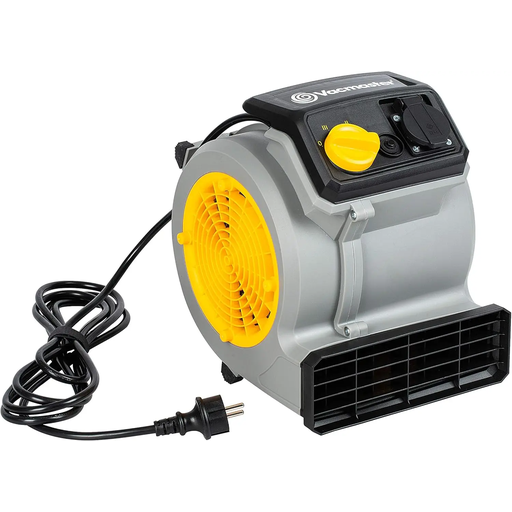
Why it suits this profile : This floor fan is designed for drying and ventilating a workshop, cellar or gym — not for cooling the inside of a PC.
It’s clearly different from a case fan: it doesn’t connect to the motherboard and is designed for indoor use on a stable surface.
124 W power, rated airflow of 245 l/s, three speeds and adjustment up to 45°.
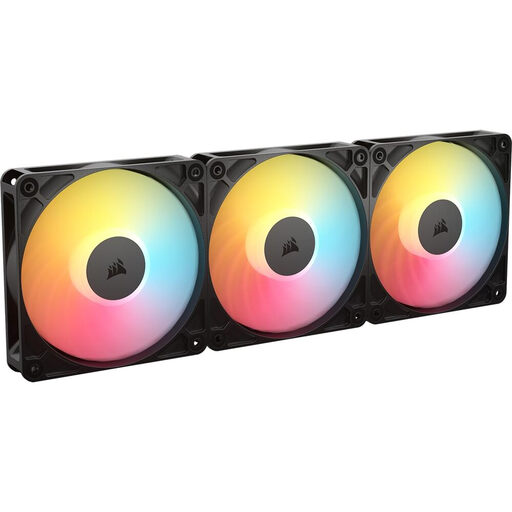
Why it suits this profile : The reverse-blade design is a good fit for cases where intake fans remain visible, particularly at the side or underneath the chassis.
It solves the aesthetic issue of visible rear frames without blurring the distinction between intake and exhaust airflow.
Three 120 mm fans, PWM control, 5 V ARGB and a design said to be optimised for static pressure.
We’ve put together a complete, regularly updated list of products that meet these strict selection criteria and comply fully with European safety regulations.
The Cooler Master Elite 302 Lite is a great starting point for a Mini Tower build using a Mini-ITX or Micro-ATX motherboard. It supports up to six fans, a 360 mm front radiator and a CPU cooler up to 163.5 mm tall. The graphics card can be up to 365 mm long if there’s no fan or radiator at the front.
Its magnetic mesh front panel makes maintenance easier, while the top, bottom and front filters help limit dust build-up. Before buying, remember to allow for the space taken up by cables and components installed at the same time.
A typical setup uses two front intake fans and one rear exhaust fan. Depending on the case, a fan at the top can help remove warm air. The ideal number depends mainly on the available fan mounts, processor, graphics card and airflow inside the case.
A suitably sized air cooler works well in many builds. Check its height, socket compatibility and the amount of heat your processor is expected to generate. For a heavily loaded chip or demanding settings, you could consider a liquid-cooling system, provided your case supports the right radiator.
Case fans generally use very little power, especially when controlled by PWM and slowed down when the PC is idle. Total power use depends more on the processor, graphics card, number of fans and ARGB lighting. A sensible automatic setting helps prevent fans running at full speed when it isn’t needed.