
Livraison le jour même ou le lendemain

Qualité garantie

Débloquez vos offres de bienvenue: Livraison GRATUITE | Jusqu'à -80 % | 30 jours d'essai gratuits à JoyPlus
Téléchargez l'application
Buying computer hardware and PC components involves more than comparing clock speeds, core counts or amounts of RAM. Between incomplete specifications, marketing claims and compatibility issues, a setup that looks great on paper can quickly become a limitation once it’s installed.
Three common pitfalls catch buyers out time and again:
For a gaming PC, the graphics card plays a central role. An RTX 5060 or an 8 GB RTX 5060 Ti may suit a gaming setup, but you’ll also need to consider your target resolution, screen refresh rate and the graphics features you use.
For content creation, video editing or intensive multitasking, the processor and RAM matter just as much. An Intel Core i5-14400F with 16 GB of DDR4 is aimed at general-purpose use, while a Core i7-12700KF with 32 GB of RAM is better suited to sustained workloads. These details reflect the advertised specifications of each setup and don’t guarantee the same level of performance in every software application.
An NVMe Gen4 SSD generally offers shorter access times than a traditional hard drive. A 1 TB capacity gives you more room to install games and software, and store video files. Before placing your order, also check:
With a laptop, pay particular attention to storage capacity and soldered memory. The MacBook Neo featured here has 8 GB of unified memory and a 256 GB SSD, along with two USB-C ports, a 13-inch screen and an AZERTY keyboard. It’s designed for portability and everyday tasks, but if you keep a lot of videos, you’ll need to plan for external storage.
The CPU cooler must be compatible with your processor, socket and case. According to the product specifications, the Cooler Master Hyper 212 models on offer support several Intel and AMD sockets, including LGA 1700, LGA 1851, AM4 and AM5.
An air cooler measuring 152 to 161 mm tall may fit in many mid-tower cases, but you must check the maximum permitted height in the case’s specifications. A 360 mm liquid cooler, such as the Corsair Nautilus 360 ARGB, needs a compatible mounting position at the front or top of the case, with room for a radiator measuring approximately 394 × 120 × 27 mm. You’ll also need the right PWM and CPU_FAN or AIO_PUMP connectors, as well as a 5 V, 3-pin ARGB header for the lighting.
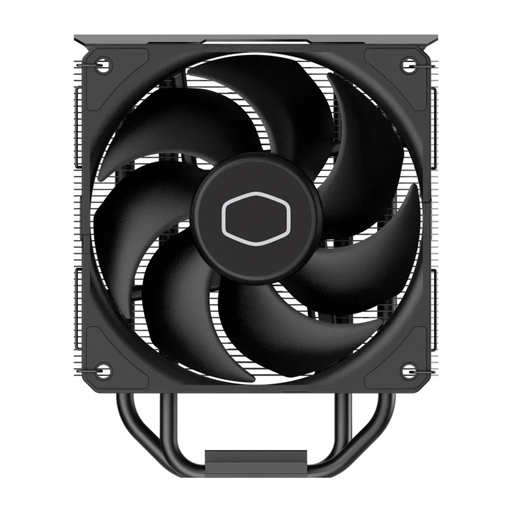
Why it’s a good fit for this buyer: this air cooler is relatively easy to fit in a typical setup and supports several Intel and AMD sockets.
Its listed height of 152 mm lets you check that it will fit your case, rather than relying on a general promise of cooling performance.
Four direct-contact heat pipes, a 120 mm PWM fan and thermal paste included.
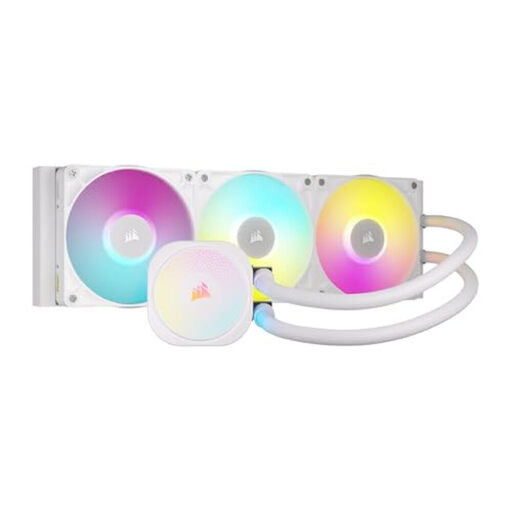
Why it’s a good fit for this buyer: its 360 mm radiator and pre-installed RX fans are suited to powerful setups that need a well-organised liquid cooling system.
The specifications list the radiator dimensions, supported sockets and iCUE LINK connection system: three things to check before you buy.
360 mm aluminium radiator, three 120 mm fans and magnetic daisy-chain cabling.
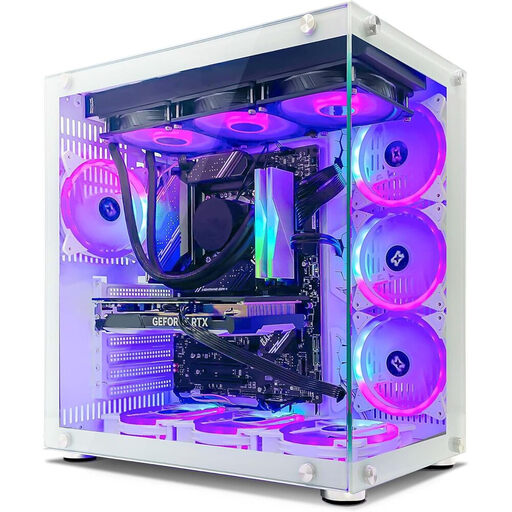
Why it’s a good fit for this buyer: this desktop combines 32 GB of DDR4, a 1 TB NVMe Gen4 SSD and liquid cooling for gaming, streaming and content creation.
The specifications cover the memory, storage, graphics card and cooling, making it easier to compare with a PC built from individual components.
12-core, 20-thread processor, 8 GB RTX 5060 Ti, Wi-Fi 6E and Bluetooth 5.2.
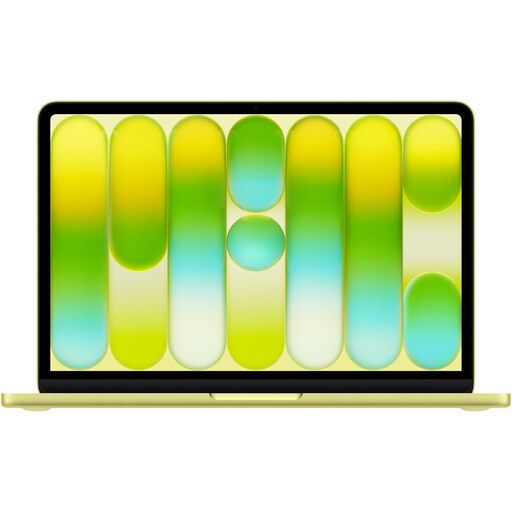
Why it’s a good fit for this buyer: its listed weight of 1.23 kg, AZERTY keyboard and two USB-C ports suit life on the go, office work and studying.
The weight, dimensions, ports and SSD capacity are all listed, so you can weigh up the trade-offs before ordering.
13-inch Liquid Retina display, Wi-Fi 6E, up to 16 hours of video playback as claimed and an AZERTY keyboard.
We’ve put together a comprehensive selection, updated in real time, of products that meet these demanding criteria and European safety requirements.
It all depends on how you’ll use it. An office setup prioritises battery life, comfort and storage. A gaming PC generally needs a dedicated graphics card, a suitable power supply and adequate cooling. To avoid unexpected costs, compare the price of the desktop tower with the cost of a screen, keyboard, operating system licence and other accessories.
Start by checking the processor socket, the maximum cooler height your case can accommodate and the space around the memory modules. For a 360 mm liquid cooler, also check where the radiator can be mounted, the exact length of the model and which connectors are available on the motherboard.
Lifespan depends on the workload, ventilation, updates and maintenance. Back up your files regularly, dust the fans when the computer is switched off and keep an eye on the remaining free space on your SSD. At the end of their useful life, take your electrical and electronic devices to a WEEE recycling scheme.