
Livraison le jour même ou le lendemain

Qualité garantie

Débloquez vos offres de bienvenue: Livraison GRATUITE | Jusqu'à -80 % | 30 jours d'essai gratuits à JoyPlus
Téléchargez l'application
Building your own PC or upgrading your current setup is an exciting adventure. However, choosing the case and cooling system can quickly become a headache. Between the siren song of marketing and the technical jungle, buyer's remorse is always a risk. Our mission? To guide you through this maze with clear, objective criteria so you can make the right choice, with no regrets.
Before you dive in, here are the three essential traps to avoid:
To avoid these pitfalls, simply focus on a few essential technical points. They are your guarantee of a high-performance, durable investment that is perfectly suited to your future PC build.
Think of your PC chassis as your machine's lungs. Its ability to breathe well is non-negotiable.
Before you click "Buy," keep your component spec sheets handy and meticulously compare them with those of the case and the air/liquid cooler.
To help you see how these criteria apply in practice, here are a few options that cater to distinct needs.
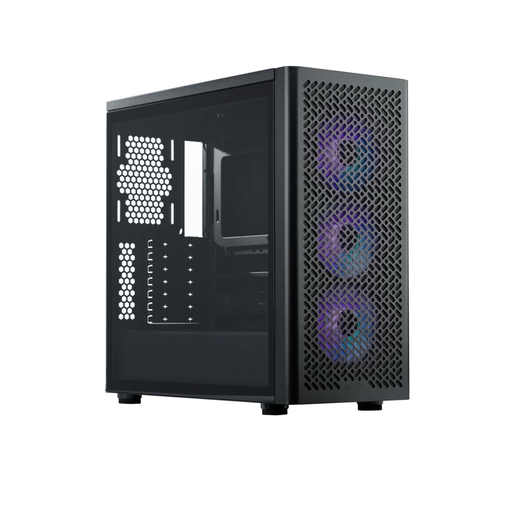
Why it's the right choice: Perfect for those seeking the ideal balance of performance, modern features, and ease of building. It's a solid, affordable foundation for a powerful ATX build.
Its *mesh* front panel and three included ARGB fans sidestep the trap of a stylish case that can't breathe. The generous space (33-35 mm) for *cable management* and compatibility with rear-connector motherboards make the building process a breeze.
Up to 420 mm radiator support; up to 410 mm GPU compatibility; front-panel USB Type-C port.
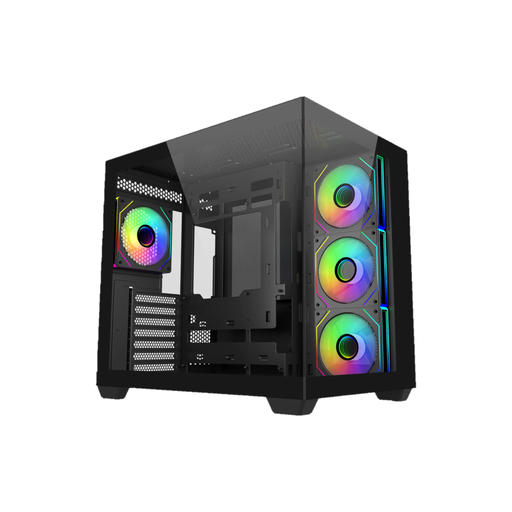
Why it's the right choice: Designed for *showcase* builds where looks matter as much as FPS. Ideal for displaying premium components and a meticulous ARGB setup.
The 270° panoramic view is spectacular but doesn't sacrifice performance. Its dual-chamber design isolates the power supply and cables from the core components, optimising airflow and resulting in a clinically clean build.
Support for two 360 mm radiators; 4 pre-installed ARGB fans; 95 mm of space for *cable management*.
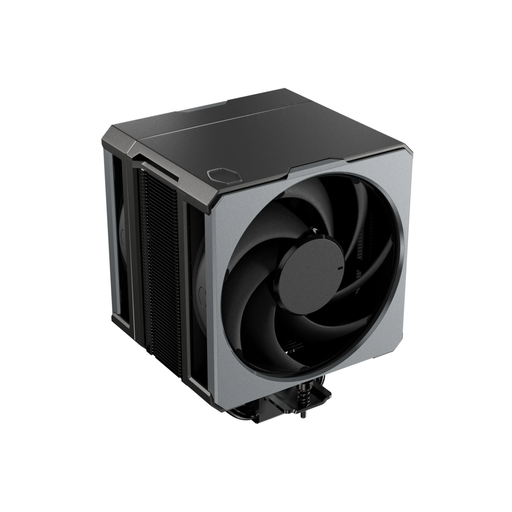
Why it's the right choice: For those who swear by the reliability, silence, and raw efficiency of air cooling. A robust solution to keep today's processors cool without the complexities of an AIO.
This is proof that an excellent air cooler is every bit as good as many AIOs. Its six heat pipes and dual Mobius 120P fans provide top-tier thermal dissipation, debunking the myth that only water cooling is viable for high-end builds.
Moderate 159 mm height (fits most cases); LGA 1851 and AM5 compatible out of the box; quiet, high-static-pressure fans.
We've selected the best components available today, combining performance, silence, and compatibility.
It all depends on your priorities. A CPU air cooler is the champion of reliability (no pump, no leaks), often quieter at idle, and easier to install. It's the ideal solution for the vast majority of processors. An AIO liquid cooler, on the other hand, can offer better peak performance on very power-hungry CPUs (high TDP) and frees up space around the socket, which is a plus for aesthetics. In return, it requires a compatible case and adds a risk of failure (pump, leaks).
There's no magic number; balance is key. The classic and highly effective setup remains: two or three fans in the front for intake (pulling in cool air), and one at the rear (or a second at the top) for exhaust (pushing out hot air). The goal is to create a logical air current that flows through the case, from front to back and from bottom to top.
To future-proof your build, the best insurance is to choose a case with ample clearance for GPU length. Look for the "Maximum Graphics Card Length" line on the spec sheet. A value over 380?mm will keep you safe for the next few generations of ever-larger cards. Don't forget to also check the width and thickness (the number of PCI slots occupied).