
Livraison le jour même ou le lendemain

Qualité garantie

Débloquez vos offres de bienvenue: Livraison GRATUITE | Jusqu'à -80 % | 30 jours d'essai gratuits à JoyPlus
Téléchargez l'application
Chase, Marshall, Skye… The world of PAW Patrol captivates young children. Pairing their favourite heroes with a PAW Patrol educational computer is the promise of a perfect gift for a 3-year-old. But be warned, not all electronic toys are created equal. The gap between the promises on the packaging and reality can lead to quick disappointment for parents and children alike.
As toy experts, our mission is to help you sort through the options. Let's break down the pitfalls to avoid and the criteria that truly matter for a smart purchase that blends play with genuine development.
The toy aisle is full of tempting products that don't always live up to their promises. Here are the most common disappointments:
To ensure your gift will be a long-lasting favourite and genuinely contribute to your child's development, here are the three points you absolutely must check.
A good PAW Patrol electronic game must offer a wide range of content. Don't just trust the box. Look at the total number of activities (aim for over 50 to be safe) and their relevance. A quality device will offer several categories:
The inclusion of progressive difficulty levels also ensures the toy will grow with your child.
The computer should be designed for little hands. A design inspired by a real kid's laptop, with a large-key keyboard and a functional mouse, makes it easy to handle and gently introduces them to the tools of tomorrow. The screen size is crucial: it must be large and high-contrast enough to avoid eye strain. Examine the quality of the materials; a robust and safe plastic is essential to withstand the sometimes energetic handling of young children.
If learning a second language is one of your criteria, be demanding. A good bilingual kid's computer doesn't just translate isolated words. It must offer complete, immersive activities in each language. For example, a letter game in French should have a functional equivalent in English. This is the only way to offer a fun and effective first immersion into a foreign language.
Every child has their own interests. Here are a few options that meet specific needs, keeping in mind the quality criteria we've just discussed.
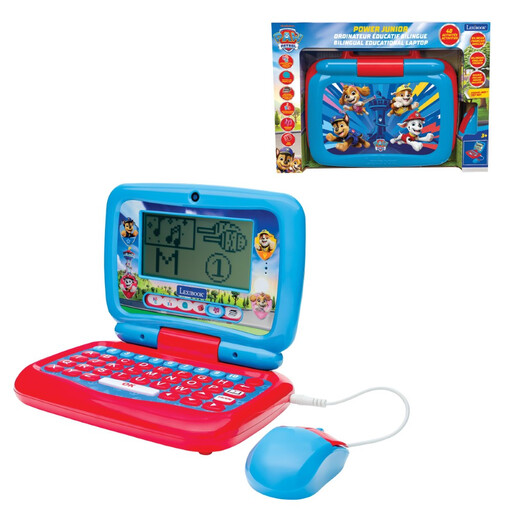
Why we love it: Ideal for parents who want a comprehensive first learning tool that combines the fun of PAW Patrol with rich educational content to prepare for school.
With its 100 activities (50 per language), it avoids the shallow content trap and offers a truly immersive bilingual mode, going far beyond simple word translation.
The diversity of themes (language, maths, logic, music) and its mini-laptop design with a real mouse.
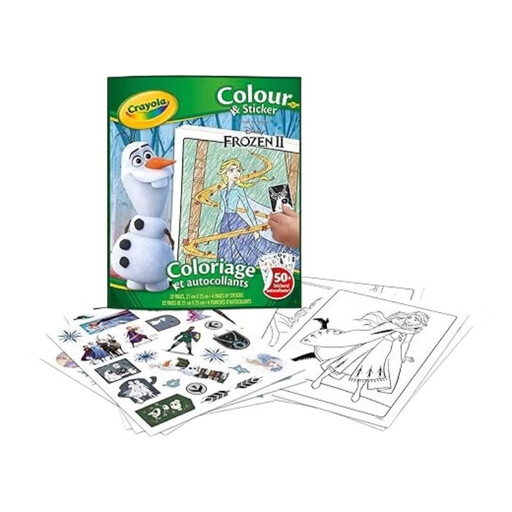
Why we love it: Because sometimes, nothing beats a hands-on activity! For kids who love to draw, a good colouring book is a sure bet. It develops fine motor skills, concentration, and creativity, away from screens.
Here, there's no risk of malfunctions, dead batteries, or disappointing content. It's simple, direct fun: hours of creative play guaranteed.
It combines two activities kids love (colouring and stickers) in a format that's perfect for travel, rainy days, or quiet time at home.
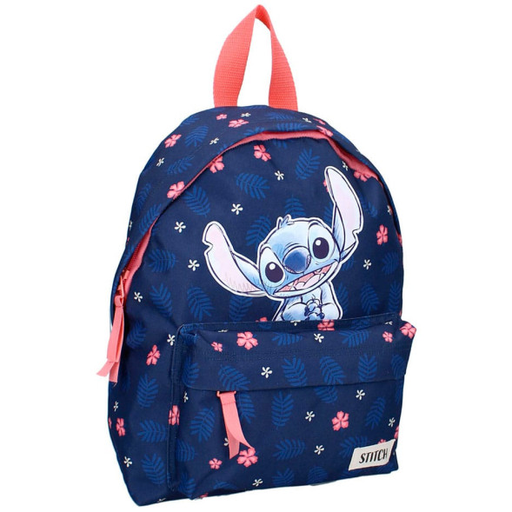
Why we love it: For starting nursery school or just for carrying treasures everywhere, a backpack featuring their favourite character is the perfect blend of a practical and sentimental gift. It becomes a companion for their first big adventures.
Far from a gimmicky bag, this model is designed for a child's daily life: adjustable straps and a padded back for comfort, practical pockets, and suitable dimensions.
Its polyester material makes it lightweight and easy to clean (a detail parents will appreciate!). Its size is perfectly suited for toddlers, who can carry it without difficulty.
We have selected a full range of products that meet our quality standards and European safety regulations.
Manufacturers generally recommend these toys from age 3 upwards. This is a good age, as children start to show interest in letters and numbers. The most important thing is to choose a model that suits their pace, ideally with progressive difficulty levels to accompany them for longer.
It all depends on the frequency of use. A bright screen and constant sounds will naturally consume more power. Our advice: invest in rechargeable batteries. It's a small, cost-effective step that's much more environmentally friendly in the long run.
Yes, quality models are made with reinforced plastics to withstand daily bumps and drops. They are designed to resist... energetic use! Of course, they aren't indestructible. A good habit is to supervise your child at first to teach them how to take care of it.