
Livraison le jour même ou le lendemain

Qualité garantie

Débloquez vos offres de bienvenue: Livraison GRATUITE | Jusqu'à -80 % | 30 jours d'essai gratuits à JoyPlus
Téléchargez l'application
Protecting the areas around your home—be it the garden, entryway, or garage—is a top priority for many. But the thought of drilling through walls to run cables and getting locked into expensive monthly subscriptions can be daunting. Fortunately, a solution is becoming increasingly popular for its simplicity and self-sufficiency: the outdoor solar security camera.
This guide breaks down the essential criteria to consider before you buy and presents a selection of models that meet real-world needs—all without overwhelming technical jargon. Our goal is to give you everything you need to make the right choice with confidence.
Before diving into our top picks, let's review the features that will make a real difference day-to-day. Here are the key points to consider to ensure you make a wise investment.
The main advantage of a solar camera is, of course, its complete independence. It operates using a combination of a solar panel and a rechargeable battery. For maximum effectiveness, there are two key points to watch closely:
A wire-free security camera also means it connects to your network via Wi-Fi. Double-check its compatibility with your home network (most operate on the 2.4 GHz band) and make sure the signal is strong enough at your desired installation spot.
A camera is only as good as the clarity of its footage. High resolution (2K or 3K) is essential for capturing sharp video and being able to zoom in on crucial details, such as a face or a license plate.
Becoming more and more common, colour night vision is a true game-changer. Say goodbye to grainy black-and-white infrared footage! Thanks to more sensitive sensors or a small built-in spotlight, it captures scenes in full colour even in low light, delivering an incomparable level of detail.
To avoid being bombarded with unnecessary notifications every time the neighbour's cat passes by, choose an outdoor camera with a PIR (Passive Infrared) motion detector. This type of sensor reacts to body heat, making it far more reliable at identifying human presence.
Finally, a factor that is often a deal-breaker: avoiding hidden fees. Opting for a subscription-free security camera is the best way to go. Models with a MicroSD card slot save recordings locally, freeing you from dependence on a paid cloud service. This ensures you keep complete control over both your data and your budget.
Here are three options that stand out for their features and their approach to autonomous security.
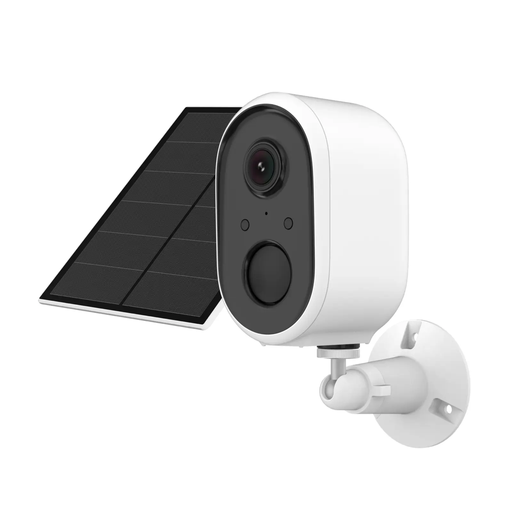
View the Goldsmart Solar Security Camera 2K Product
This model stands out for its integration into the Powered by TUYA ecosystem, one of the most popular smart home platforms worldwide. This means it can be controlled using the Tuya Smart or Smart Life apps and can interact with thousands of other connected devices. It combines crisp 2K resolution with active deterrence features like a built-in siren and spotlight.
This is the ideal choice for users who already own TUYA products or anyone looking to build a unified, scalable smart home ecosystem. It's also perfect for those seeking a camera with strong deterrent capabilities.
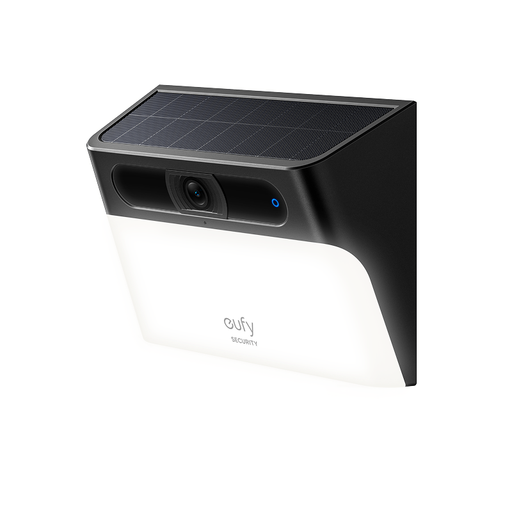
View the eufy Security Solar Wall Light Cam S120 Product
The S120 is a clever 2-in-1 solution: it's both a security camera and a wall light. Its 300-lumen spotlight activates at the slightest motion, illuminating the area while recording in 2K resolution. This dual functionality makes it an especially practical device for an entryway, driveway, or patio.
It will appeal to those who want to secure and illuminate a specific area with a single, discreet, and stylish device. A must-have for anyone who prefers a "set it and forget it" solution with no subscription fees.
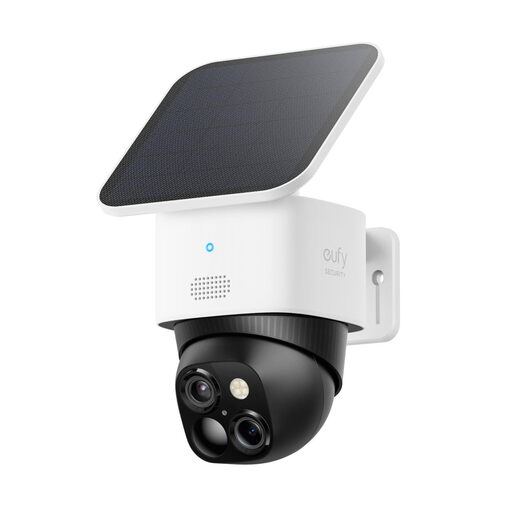
View the eufy Security SoloCam S340 Product
The SoloCam S340 is designed to eliminate blind spots. With its pan-and-tilt capabilities, this 360° outdoor camera provides complete panoramic surveillance. Its dual-view feature is especially impressive: it simultaneously displays a wide-angle overview and a zoomed-in shot, all in stunning 3K resolution.
For those who need to monitor large spaces, such as a sprawling garden, a car park, or the entire perimeter of a property. Its ability to track movement and cover every angle makes it a powerfully effective surveillance solution.
Our selection highlights three models that cater to specific needs. If you want to explore other options with different features or at different price points, be sure to check out our complete catalogue.
? Discover Our Full Range of Wire-Free Security Cameras
Yes. These cameras are equipped with internal batteries that store energy. The solar panel's job is to keep the battery topped up. Even on cloudy days, the panel will still generate a small amount of power. For optimal performance, we recommend fully charging the battery with a USB cable before the first installation and placing the panel in a spot that gets at least a few hours of direct sunlight each day, if possible.
The models featured in this guide are designed to work without any mandatory subscription. They use local storage (typically a MicroSD card, which is not included) to save motion-activated recordings. Some brands offer optional cloud storage plans for users who want an additional backup, but this is not required for the camera's daily operation.