
Livraison le jour même ou le lendemain

Qualité garantie

Débloquez vos offres de bienvenue: Livraison GRATUITE | Jusqu'à -80 % | 30 jours d'essai gratuits à JoyPlus
Téléchargez l'application
An original HP or Canon colour ink cartridge can make printing at home, in the office or while working remotely much easier. The key is choosing the correct reference. A tri-colour cartridge that looks like the one installed in your printer is not necessarily compatible. Likewise, a high-capacity model is not always the most cost-effective option, depending on how much you print.
Before placing an order, three mistakes come up time and again: relying solely on the brand, confusing very similar references and comparing prices without considering the stated page yield. Here are the checks to make when choosing an original HP or Canon cartridge suited to your needs.
An HP cartridge does not work with every HP printer. The HP 302, HP 303XL, HP 305XL and HP 62XL references each belong to different printer ranges. The same applies to Canon, with models such as the CL-546 and CL-576 cartridges.
The brand name alone is therefore not enough. Note the reference printed on the old cartridge, or consult the manual and the manufacturer’s support page. Also check the complete product number, such as C2P07AE for the HP 62XL or 3YM63AE for the HP 305XL.
The XL suffix generally indicates a higher capacity than the standard format in the same family. It does not mean that an HP 303XL can replace an HP 302, or that an HP 305XL will work in a printer designed for an HP 62XL.
A high-capacity cartridge should only be selected if your printer appears on its compatibility list. Forcing a model into a slot it was not designed for can damage the cartridge or the printing mechanism.
The price of a high-yield cartridge should be considered alongside its stated page yield. A cheaper standard cartridge may need to be replaced more often. Conversely, an XL cartridge requires a larger initial investment but can reduce replacement frequency for households that print regularly.
Yield also varies according to page coverage, photo or graphics printing and printer settings. Figures quoted under the ISO/IEC 24711 standard provide a useful basis for comparison, although they do not guarantee the exact number of pages obtained in every situation.
Make a note of your printer’s full range and model, such as HP ENVY 5540, HP DeskJet 2710 or Canon PIXMA. A listing that merely says “compatible HP printer” is not sufficiently precise.
When choosing a cartridge compatible with an HP or Canon printer, check the following:
Here are a few reference points among the available models:
These figures apply to the colour cartridge containing cyan, magenta and yellow. If just one of these colours runs out, the printer may require the entire tri-colour cartridge to be replaced. This is worth bearing in mind if you regularly print documents with extensive graphics or solid colour areas.
The references featured here primarily use dye-based ink, which is suitable for colour documents and, according to their product listings, photo printing. Results nevertheless depend on the paper used, the print profile and the printer model.
To store a new cartridge, keep it in its sealed packaging, away from direct sunlight and extreme temperatures. When installing it, do not touch the electrical contacts or nozzles. Remove the protective strip only when replacing the cartridge.
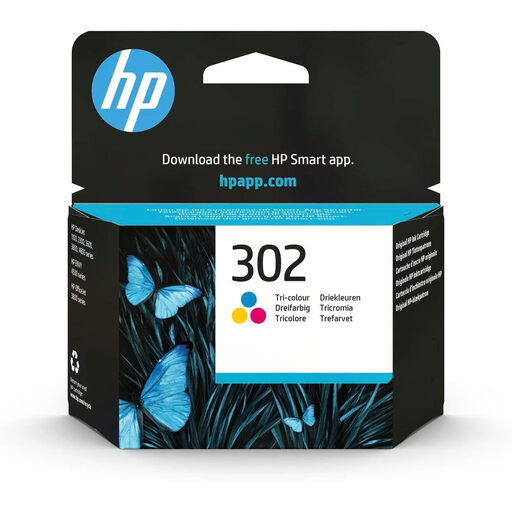
Why this choice suits this profile: with a stated yield of approximately 165 pages, it is well suited to occasional use with a compatible HP printer, whether you need to print a few homework assignments or administrative documents.
The F6U65AE reference and compatible printer series are clearly listed, helping you avoid selecting an HP cartridge based solely on its appearance.
An original tri-colour cartridge featuring HP thermal inkjet technology and a stated standard capacity of approximately 165 pages.
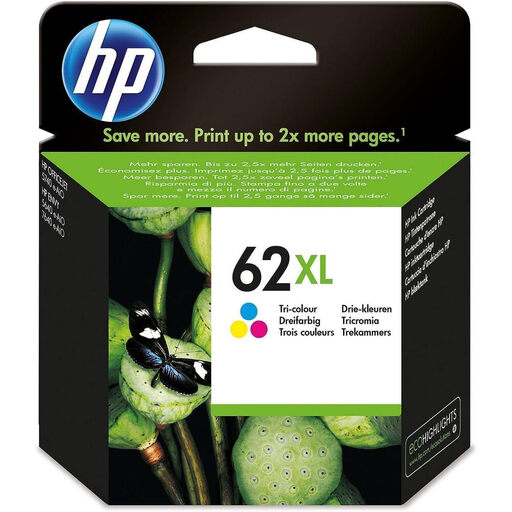
Why this choice suits this profile: with a stated yield of approximately 415 pages, this high-capacity cartridge is aimed at households, students and remote workers who print regularly.
The XL format and ISO/IEC 24711 yield are clearly distinguished from the standard format, making it easier to compare models according to your printing volume.
Dye-based cyan, magenta and yellow ink, stated as compatible with several HP ENVY, OfficeJet and HP OfficeJet 200/250 series.
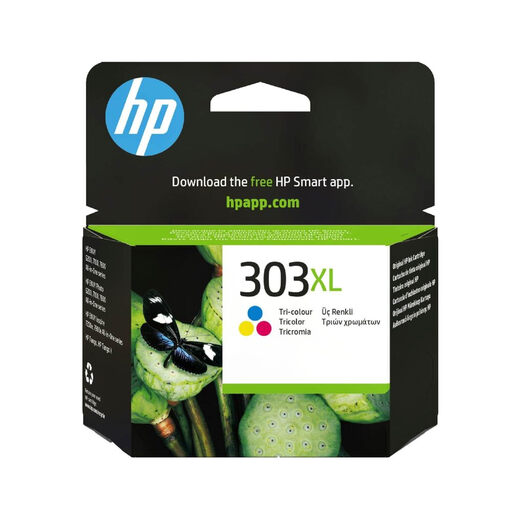
Why this choice suits this profile: its stated yield of approximately 415 pages is well suited to frequent printing on a compatible HP ENVY Photo or HP Tango printer.
The 303XL designation prevents confusion with the standard HP 303 reference. However, the compatible series should still be checked before ordering.
A high-capacity format, dye-based colour ink and thermal technology with an integrated printhead.
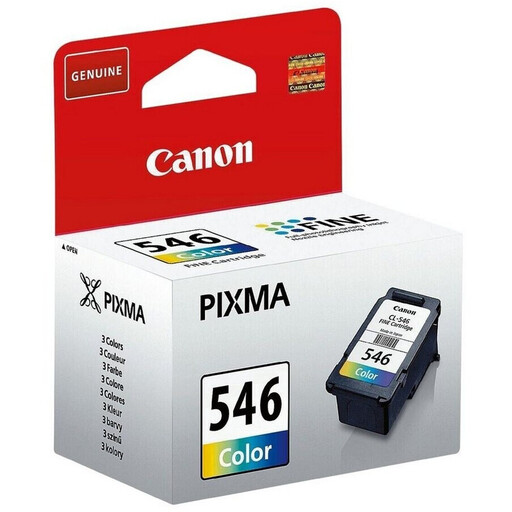
Why this choice suits this profile: this 8 ml original Canon cartridge is suitable for everyday colour printing on compatible Canon printers, whether at home or in a small office.
The 8289B004 reference and CL-546 model are listed separately, reducing the risk of confusing it with another Canon cartridge.
Cyan, magenta and yellow inks are combined in a single consumable, with a stated yield of approximately 180 pages.
The original HP 305 offers a yield of approximately 100 pages, compared with around 200 pages for the HP 305XL. Depending on the exact reference, both formats are intended for selected HP DeskJet 2700, 4100 and HP ENVY 6000 or 6400 series printers. For occasional printing, the standard model may be sufficient. If you print regularly, the XL version can help reduce replacement frequency.
The original Canon CL-576 is a tri-colour cartridge designed for selected Canon PIXMA printers. Its product listing does not specify a page yield. Before comparing its running cost with that of a CL-546, it is therefore best to check this information on the packaging or with the manufacturer.
Compare the reference printed on the cartridge currently installed with the one shown in the product listing. Then check your printer’s full model number against the list of compatible devices. If two references look similar, do not rely on the brand or colour when making your choice.
Not necessarily. Compare the cost per page based on the stated yield and estimate your monthly printing volume. A high-capacity cartridge is most worthwhile when you print regularly enough to use its contents before a prolonged period of storage.
Keep it in its original packaging, away from light, moisture and significant temperature fluctuations. Once opened, install it promptly in accordance with the manufacturer’s recommendations. To prevent printing issues, do not touch the nozzles or electrical contacts.