
Livraison le jour même ou le lendemain

Qualité garantie

Débloquez vos offres de bienvenue: Livraison GRATUITE | Jusqu'à -80 % | 30 jours d'essai gratuits à JoyPlus
Téléchargez l'application
An empty cartridge rarely runs out at a convenient time: perhaps you need to print an official document, submit an assignment or send an invoice. In the rush, choosing a similar-looking reference can result in an unusable cartridge, uneven prints or a higher bill than expected. For households, home workers, students and small businesses in France, the rule is simple: buy an authentic ink cartridge that is perfectly suited to your printer model.
A Canon ink cartridge will not work with every Canon printer. You need to check the exact cartridge reference, as well as the list of compatible devices. For example, a PIXMA TS5350 uses a different reference from a PIXMA TS6150, even though both printers carry the same brand name.
The same applies to HP and Epson ink cartridges. The manufacturer’s name alone is not enough: note down the model shown on the printer or on the old cartridge before placing your order.
An XL cartridge generally contains more ink than a standard model, but its purchase price is also higher. It is therefore only worthwhile if you print regularly. For a few pages a month, a standard cartridge can help you avoid leaving a partly used cartridge sitting around for months.
Conversely, users who print lessons, invoices or business documents every week can extend the time between replacements with an XL ink cartridge.
The yield stated according to the ISO/IEC 24711 standard provides a useful point of comparison, but it depends on the type of documents printed. A page filled with black text does not use as much ink as a photograph or a document with large areas of colour. The stated yield should therefore be viewed as a standardised estimate, not as a guarantee that applies to every type of use.
Start by noting the cartridge code: PGI-580, CLI-581, HP 304, HP 303XL, Epson 603, and so on. Then check that your printer’s exact model appears in the product listing. A compatible cartridge should not be chosen solely by its shape or colour.
For all-in-one devices, also check whether the printer uses a separate black cartridge, a colour cartridge or several independent ink tanks.
Pigment ink is often used for black documents. Product listings describe it as suitable for producing sharp text that is resistant to smudging. Some colour references, however, use a different type of ink, particularly dye-based ink. It is therefore best to follow the configuration specified by the manufacturer rather than mixing technologies that were not designed for your printer.
An ink cartridge pack may include black and the three primary colours, or contain several black cartridges. The Canon 2078C008, for example, contains five cartridges: two black, one cyan, one magenta and one yellow. This configuration is suitable for users who want to replace several colours in a single order, provided they own a PIXMA printer included in the list of compatible models.
Finally, compare the number of cartridges, the ISO/IEC 24711 yield where provided and the unit price. Yield alone is not enough to assess the true cost in use.
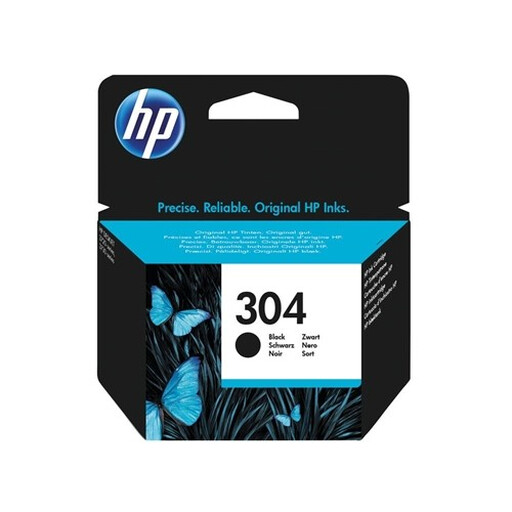
Why this choice suits this profile : This black cartridge is aimed at users who mainly print documents and prefer to buy a single reference rather than a complete pack.
The HP 304 reference and compatible models are clearly listed in the product details. This makes it easier to check your printer before buying, without relying solely on the HP logo.
Pigment black cartridge, stated yield of approximately 120 pages according to ISO/IEC 24711, and compatibility with several HP DeskJet and ENVY printers.
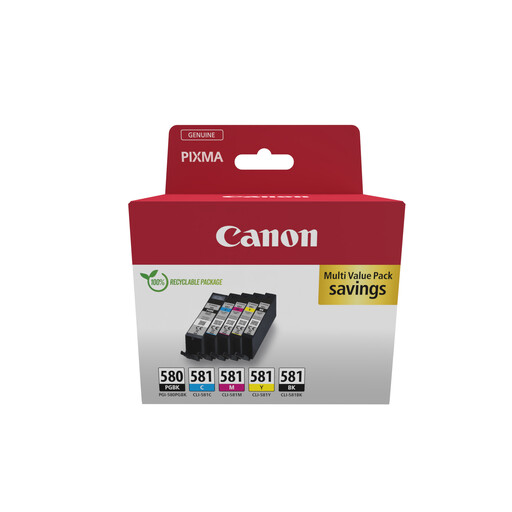
Why this choice suits this profile : This pack is aimed at households and offices that regularly print in colour with a compatible Canon PIXMA printer.
The contents are clearly detailed: two black cartridges and three colour cartridges. This helps you avoid ordering a colour-only pack when you also need black.
Original pack of five cartridges for numerous PIXMA models, with blister packaging and a security seal according to the product details.
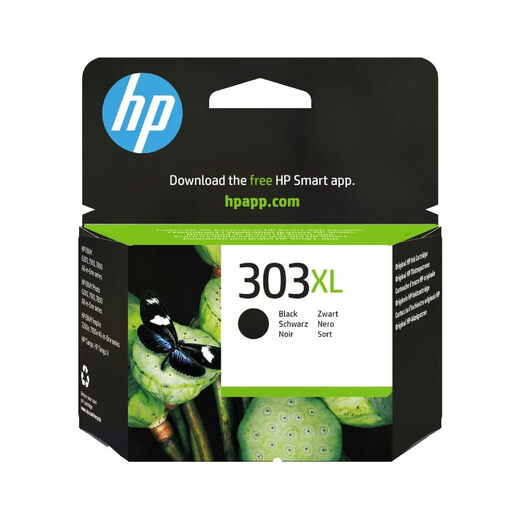
Why this choice suits this profile : The XL size is suitable for frequent printing of texts, files and official documents with a compatible HP printer.
Its high capacity reduces the need for frequent replacements while retaining a clearly identified HP 303 reference. However, check your printer’s exact model before installation.
Approximately 600 pages stated according to ISO/IEC 24711, with pigment black ink and compatibility indicated for certain HP ENVY Photo and HP TANGO series.
To protect your authentic ink cartridge and prevent recognition problems:
We have compiled a complete, real-time updated list of products that fully meet these strict selection criteria and European safety regulations.
Note down the printer’s full model name, then compare it with the list shown in the product details. Also check the reference printed on the old cartridge. A Canon, HP or Epson ink cartridge must match both of these details.
Not necessarily. It can reduce the cost per page when its stated yield is significantly higher and you print regularly. For occasional use, a standard cartridge may be more suitable, helping you avoid storing it for a long time after opening.
Keep it in its original packaging, away from heat, frost and direct sunlight. Once opened, install it promptly and follow the recommendations provided in the brand’s instructions. Some HP references should be stored upright.