
Livraison le jour même ou le lendemain

Qualité garantie

Débloquez vos offres de bienvenue: Livraison GRATUITE | Jusqu'à -80 % | 30 jours d'essai gratuits à JoyPlus
Téléchargez l'application
A poorly chosen cartridge can mean paying too much, ending up with incomplete prints, or seeing an error message at the worst possible moment. At home, for studies, remote work or a small business, it’s tempting to compare only the price tag. Yet the exact reference, the page yield and the type of consumable are far more important.
Here are the main pitfalls to avoid before buying a Canon, HP, Epson or Brother ink cartridge.
Within the same brand, references can look very alike: HP 301, HP 302, HP 305 or HP 308, for example. A cartridge may be the right colour and seem to fit your printer’s format, but that doesn’t mean your printer will recognise it.
Before placing an order, always check:
A compatible printer cartridge isn’t chosen by brand alone. The exact reference is still the number one criterion.
A high-capacity XL cartridge usually contains more ink, but its purchase price is also higher. It can be cost-effective if you print regularly, but it’s less worthwhile for occasional use.
To compare offers, look at the cost per page based on the stated yield, when it’s provided according to a standardised method like ISO/IEC 24711. The actual number of pages you print will vary depending on coverage, images and your printer settings.
A multipack of ink cartridges can reduce the number of orders you place, but not all colours run out at the same speed. On some models, the cyan, magenta and yellow cartridges are separate: you simply replace the empty colour.
With a three-in-one colour cartridge, however, you may need to replace the whole unit as soon as one colour reaches its minimum level. The right choice therefore depends directly on your printing habits.
Original cartridges are made by the printer manufacturer. Compatible cartridges, such as a compatible Brother ink cartridge, are made by another brand and must clearly state which models they support.
Also check whether it’s:
Tank printers, like some Epson EcoTank models, use ink bottles rather than traditional cartridges. An Epson 104 bottle won’t work with a printer that uses Epson 603 cartridges.
Pigmented black ink is commonly used to produce sharp, well-contrasted text. Dye-based colour inks are often preferred for graphics and photos. These details tell you about the consumable’s composition, but they don’t guarantee the same result on every type of paper.
The yields shown below are based on the standards provided by manufacturers:
These figures are mainly useful for comparing references of similar capacity.
If you print infrequently, a single cartridge may be better: you avoid storing colours you won’t need straight away. A family, a student or a small team that prints every week will benefit more from choosing a pack of ink cartridges.
Store unopened consumables in a dry place, away from direct light and extreme temperatures. Only remove their protective seals when you’re ready to install them, and avoid touching the electronic contacts or nozzles.
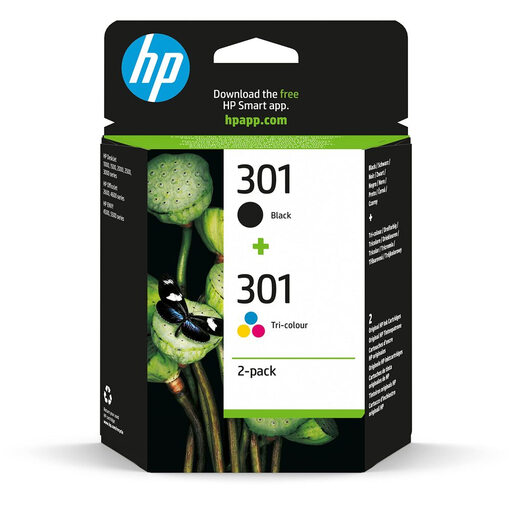
Why this choice suits this profile: this pack includes one black and one tri-colour cartridge for everyday home printing.
The reference and compatible printers are clearly stated, reducing the risk of picking an HP cartridge from a neighbouring series.
Two original cartridges, with a yield of approximately 190 pages in black and 165 pages in colour according to ISO/IEC 24711.
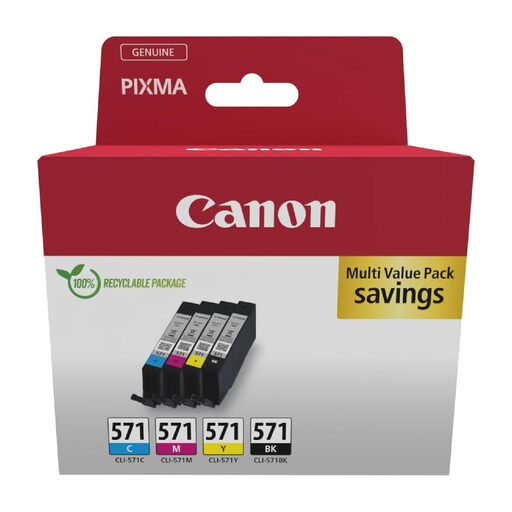
Why this choice suits this profile: the four separate colours are ideal for PIXMA users who switch between documents and photos.
The list of compatible models covers several specific PIXMA printers and distinguishes PGBK black from the colour inks.
A separate BCI-370 and BCI-371 pack, with approximately 300 pages in black and 297 to 323 pages depending on the colour.
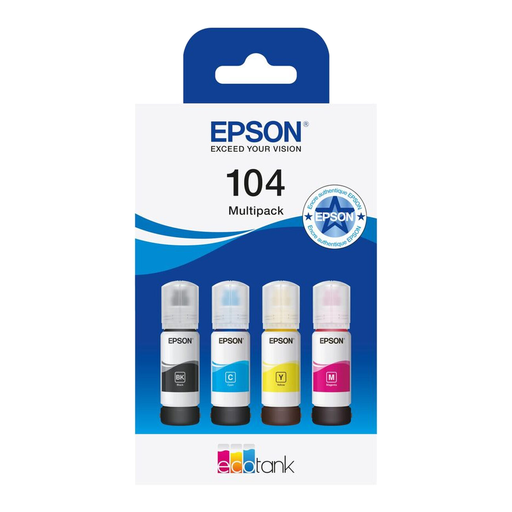
Why this choice suits this profile: this bottle format is designed for people who print frequently with a compatible EcoTank printer.
The Epson 104 reference matches a precise list of EcoTank models and should not be confused with an Epson 603 cartridge.
Four 65 ml bottles, with a stated yield of approximately 4,500 pages in black and 7,500 pages per colour according to ISO/IEC 24712.
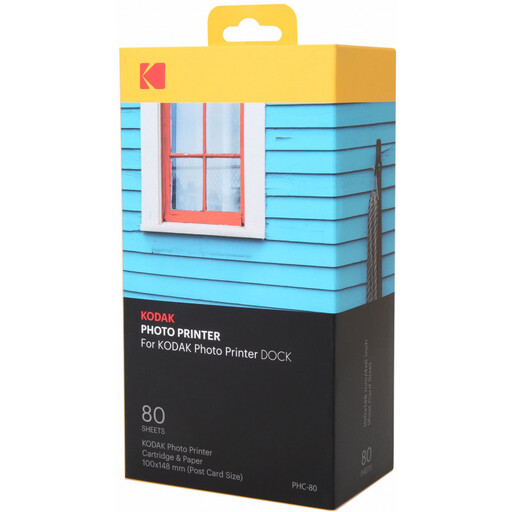
Why this choice suits this profile: this kit is designed for printing 10 × 15 cm photos with a compatible Kodak printer.
The kit clearly states the compatible Kodak PD460 printer and the number of sheets included.
A set containing one cartridge and 80 photo sheets in 10 × 15 cm format, using four-pass thermal transfer technology.
We’ve selected a full range, updated in real time, of products that meet these strict criteria as well as European safety requirements.
An original cartridge is sold by the printer manufacturer. A compatible cartridge is made by another brand and must state which models it supports. In both cases, check the exact reference, the capacity and the returns policy before confirming your purchase.
It depends on the date printed on the packaging, the storage conditions and whether the cartridge is still sealed. Keep it in its packaging, upright if the manufacturer recommends it, in a dry place away from sunlight.
Compare the price per page based on the stated yield, enable duplex printing when your printer allows it, and only choose a multipack if you regularly use all the colours. For high-volume printing, an XL cartridge or a tank system can space out replacements, as long as you choose the reference that’s perfectly suited to your printer.