
Livraison le jour même ou le lendemain

Qualité garantie

Débloquez vos offres de bienvenue: Livraison GRATUITE | Jusqu'à -80 % | 30 jours d'essai gratuits à JoyPlus
Téléchargez l'application
Buying original HP ink cartridges sounds simple… until your printer rejects the reference, one colour runs out much faster than the others, or a multipack is left unusable because just one shade is missing. For households, students, home workers and small businesses, three mistakes crop up time and again.
The first is confusing the cartridge reference with the printer model. An HP DeskJet may work with an HP 301, 302, 304 or 305 cartridge, depending on its generation. The second is choosing an XL version based solely on its stated page yield, without comparing the cost per page or considering your actual needs. Finally, products described as ‘HP compatible’ are not necessarily genuine HP ink cartridges, nor are they always fitted with a chip recognised by your printer.
Start by checking the reference printed on your old cartridge or displayed in the printer menu. Then consult the list of compatible models on the product page. An ink cartridge compatible with an HP printer must match the correct series and, in some cases, the region in which it is sold.
Here are a few examples:
Never force a cartridge into its slot. Its shape, electrical contacts and chip must correspond exactly to those of the printer.
An HP black cartridge generally contains pigment ink, designed to produce sharp, long-lasting text. Colour cartridges often use dye-based ink, which is better suited to illustrated documents and photos. However, some ranges, such as the HP 912, HP 903 and HP 937 featured here, use pigment ink for all four colours.
The best format for you mainly depends on how much you print:
Please note: an XL cartridge does not guarantee that all colours will last equally long. Cyan, magenta and yellow may be used up at very different rates depending on your documents.
To compare two references, use a common measurement method. The product details below mention the ISO/IEC 24711 standard, which is used as a benchmark for assessing the number of printable pages. This figure is only a guide: blocks of colour, photos, double-sided printing and printhead cleaning cycles can all reduce the actual yield at home.
As an indication, an HP 302XL black cartridge is rated at approximately 480 pages, compared with around 190 pages for an HP 301 black cartridge. An HP 937 multipack is rated at approximately 1,450 black pages and 800 pages per colour. These figures cannot automatically be applied to another reference.
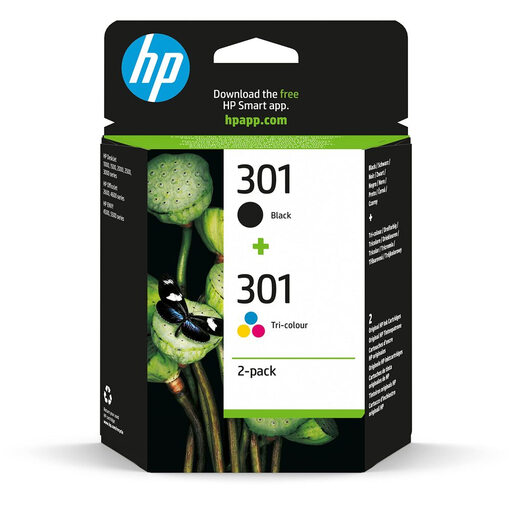
Why this is a suitable choice : this pack contains one black cartridge and one tri-colour cartridge for compatible DeskJet, ENVY and OfficeJet printers. It saves you from having to choose two references separately.
Compatibility and pack contents are clearly stated, with approximately 190 black pages and 165 colour pages according to the ISO/IEC 24711 standard.
Two original HP cartridges, with pigment black ink and dye-based colour ink.
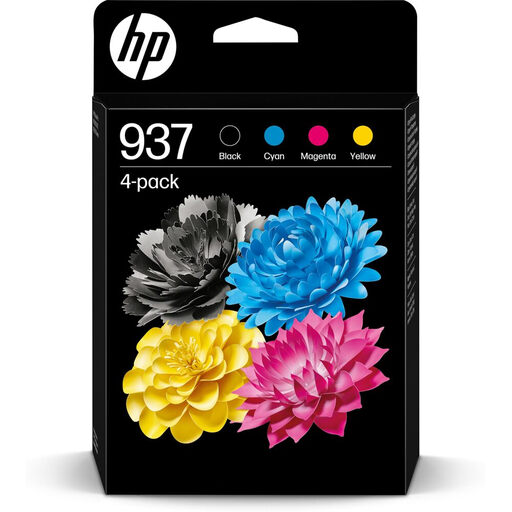
Why this is a suitable choice : this four-colour pack is designed for OfficeJet Pro users who regularly print professional documents, both in black and colour.
The stated yield distinguishes between black and colour, rather than giving a single overall figure that is difficult to interpret.
Pigment ink in all four colours, an integrated RFID chip, approximately 1,450 black pages and 800 pages per colour according to the ISO/IEC 24711 standard.
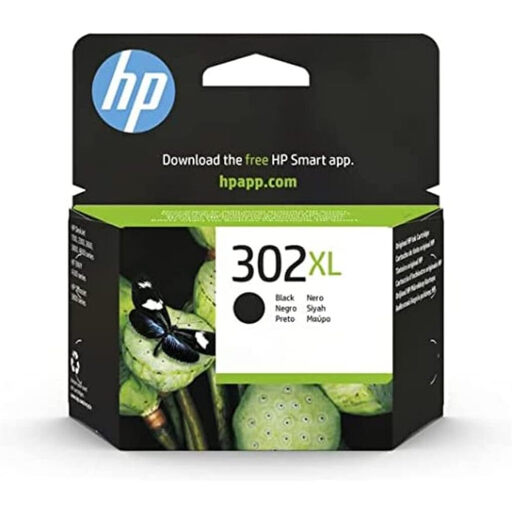
Why this is a suitable choice : this high-yield HP cartridge is ideal for households, freelancers and home workers who mainly print text documents on a compatible printer.
The yield is stated separately and measured according to the ISO/IEC 24711 standard, making it easier to compare with the standard version.
Approximately 480 pages, pigment black ink and compatibility with several DeskJet, ENVY and OfficeJet printers.
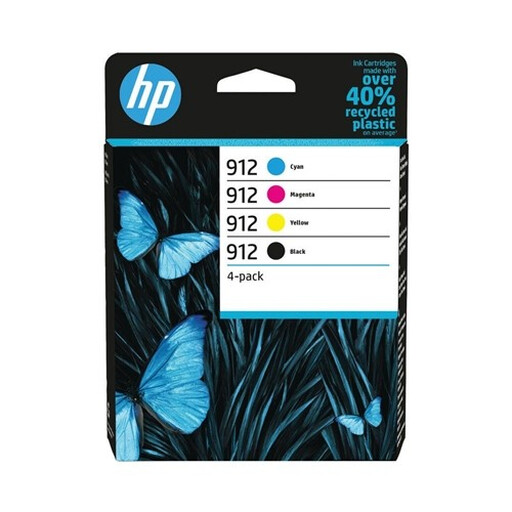
Why this is a suitable choice : this four-colour pack meets the needs of OfficeJet and OfficeJet Pro users who switch between text, graphics and colour documents.
All four references are included in a single pack, with a compatibility list and separate yields for black and each colour.
Pigment ink in all four cartridges, approximately 300 black pages and 315 pages per colour according to the ISO/IEC 24711 standard.
We have brought together a comprehensive, real-time updated selection of products that meet these demanding criteria, in compliance with European safety regulations.
Keep the cartridges in their sealed packaging until you are ready to install them. Then remove the protective covers without touching the copper contacts, nozzles or chip. Insert the cartridge until you hear it click, then run the alignment procedure or test page requested by the printer.
Store consumables upright, in a dry place away from direct sunlight and significant temperature fluctuations. An opened cartridge should not be left outside the printer for long, as its nozzles could dry out. Used cartridges should be taken to a suitable collection point, in accordance with local guidelines.
Check the reference printed on your old cartridge or consult the printer manual. Then compare it with the list of compatible models shown on the product page. The range name — DeskJet, ENVY, OfficeJet, Photosmart or Tango — is not enough on its own.
Not necessarily. Compare the cartridge price with its stated page yield according to the ISO/IEC 24711 standard. An XL version can reduce the cost per page if you print frequently. For occasional use, however, a standard cartridge may help you avoid building up a stock that remains unused.
It depends on the date shown on the packaging, the storage conditions and whether the seal is intact. Keep it in its original packaging, upright, in a dry place and away from extreme temperatures. Once installed, use it regularly to reduce the risk of the nozzles drying out.