
Livraison le jour même ou le lendemain

Qualité garantie

Débloquez vos offres de bienvenue: Livraison GRATUITE | Jusqu'à -80 % | 30 jours d'essai gratuits à JoyPlus
Téléchargez l'application
An empty cartridge rarely runs out at a convenient moment: an urgent document to print, an invoice to send, or photos to develop before you go away. Yet choosing an original Epson ink cartridge isn't simply a matter of picking the colour shown on the box. A similar reference number, an unsuitable XL format, or an unnecessary multipack can quickly push up the cost.
This guide helps you check the essential points before buying, whether you own an Expression Home, WorkForce, Stylus Pro or an Epson photo printer.
Epson cartridges carry references such as 603, 604, 502, 29, 35XL or 24XL. Two similar numbers don't mean the cartridges are interchangeable. An Epson 603 cartridge does not automatically replace an Epson 604 cartridge, even if both references are used in certain Expression Home or WorkForce models.
Before placing an order, note down:
An Epson multipack can be worthwhile when several ink tanks are running low at the same time. However, if only the magenta is empty, buying four cartridges ties up your budget unnecessarily and risks leaving the other colours sitting unused in a drawer.
Cartridges sold individually let you replace only the colour that's been used up. This is particularly the case with a single Epson black ink cartridge or an individual Epson colour cartridge.
An XL format generally contains more ink, but it must first be compatible with your printer. Its value also depends on your print volume and how you store your cartridges. If you only print occasionally, a standard capacity may be a wiser choice and prevent a partly used cartridge from sitting idle for too long.
The page yields quoted are usually measured according to the ISO/IEC 24711 standard. They allow you to compare references on a common basis, but the actual number of pages depends on the print coverage, print head cleaning cycles and the type of documents you print.
This is the point you absolutely must not overlook. Epson 603 cartridges, for example, are designed for the Expression Home XP‑2100, XP‑2150, XP‑3100, XP‑4100, as well as several WorkForce WF‑2810DWF to WF‑2870DWF models. The 604 reference is used in the XP‑2200, XP‑3200, XP‑4200 series and certain WorkForce WF‑29xx models.
The Epson 29 cartridge, meanwhile, is compatible with several Expression Home printers, including the XP‑235, XP‑245, XP‑332 and XP‑432, plus their variants. Always check the product's compatibility list before confirming your purchase.
The ink formulation plays a role depending on what you need it for:
These names tell you about the formulation and the intended use of the consumable. However, they don't guarantee identical results on all paper types.
A standard model can be perfectly suitable if you print a few dozen pages a month. For home working, a small business, or heavy use, compare the stated yield and the cost per page instead.
As a guide, the Epson 603 black XL cartridge is rated at around 500 pages, compared with roughly 150 pages for the standard black cartridge in the Epson 603 multipack. The Epson 35XL cyan reference, designed for certain WorkForce Pro printers, delivers approximately 1,900 pages, while the T9072 cyan reaches around 7,000 pages, according to the data provided for these products.
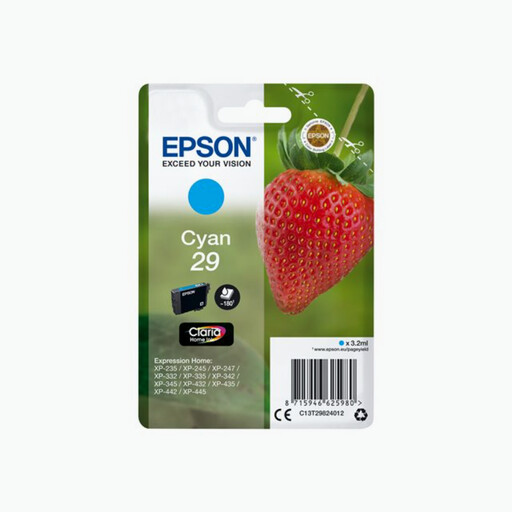
Why this choice suits this profile: This individual colour cartridge is ideal for home users who want to replace only the cyan in their compatible Expression Home printer.
The single-pack format stops you buying three colours that are still full. The 29 reference and the stated yield of around 180 pages are clearly shown.
Claria Home dye-based ink, 3.2 ml volume and Micro Piezo technology with individual cartridges.
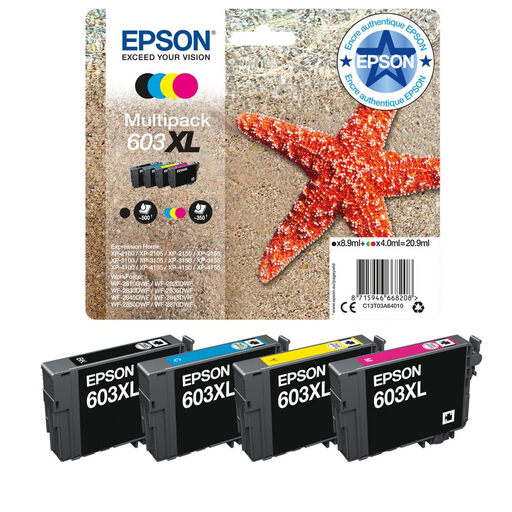
Why this choice suits this profile: Combining an XL black cartridge with three standard colour cartridges is ideal for regular printing of documents with charts or the occasional photo.
The XL capacity is reserved for black, which gets the most use for letters and documents, rather than making you pay for four XL cartridges.
Pigment black XL cartridge rated at approximately 500 pages and standard colour cartridges at around 130 pages each according to ISO/IEC 24711.
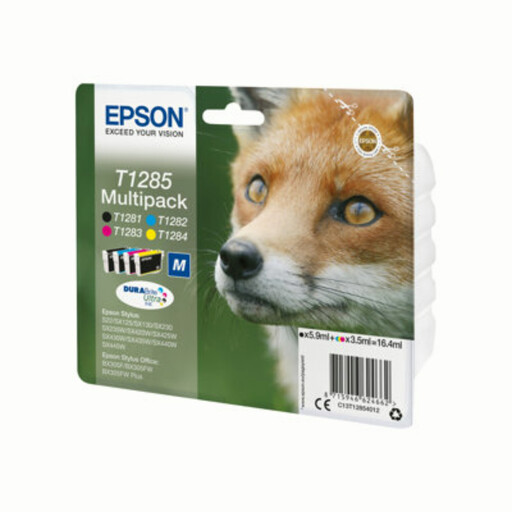
Why this choice suits this profile: This high-capacity photo cartridge is aimed at Expression Photo printer users who want a generous reserve for their colour prints.
The 24XL reference is linked to a specific list of XP‑55 to XP‑960 printers. This check reduces the risk of buying an incompatible photo format.
Claria Photo HD dye-based ink, 8.7 ml volume and a stated yield of approximately 740 pages.
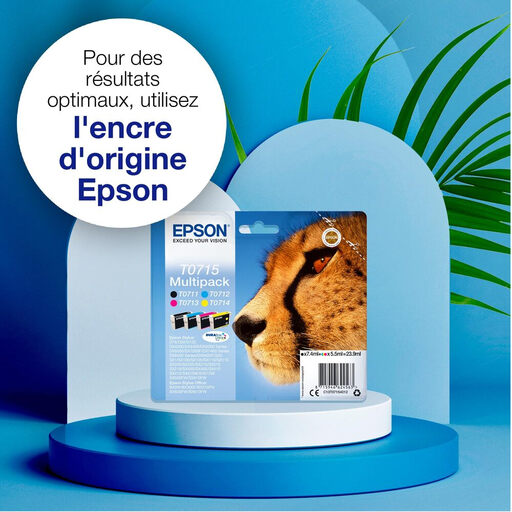
Why this choice suits this profile: This cartridge is designed for offices and professionals using a WorkForce Pro WF‑6090DW or WF‑6590DWF, who print in high volumes.
The T9072 reference is made for a specific range of printers. Its high yield cuts down on frequent replacements.
DURABrite Pro pigment ink, 39.8 ml volume and a stated yield of approximately 7,000 pages according to ISO/IEC 24711.
We've put together a full selection, updated in real time, of products that meet these exacting criteria as well as European safety standards.
When your cartridge arrives, check that the packaging is intact and that the reference matches your printer. Then remove the orange protective cover or the sealing tab indicated by the manufacturer, without touching the gold contacts on the electronic chip. Insert each cartridge into its corresponding slot until it clicks into place.
To prevent the ink from drying out:
Note down the exact model of your printer and the reference printed on your old cartridge. Then check the compatibility, colour and capacity. An Epson 502, 603 or 604 cartridge isn't chosen by shape alone.
Not necessarily. The XL format can be cost-effective if you print regularly, especially for an Epson black ink cartridge. For occasional use, compare the stated yield, the total price and whether you can use up the ink before it dries out.
The shelf life depends on the date printed on the packaging, storage conditions and whether the cartridge has been opened. Keep it in its packaging at room temperature, away from sunlight and heat sources. Once opened, follow the recommendations specific to the reference in question.