
Livraison le jour même ou le lendemain

Qualité garantie

Débloquez vos offres de bienvenue: Livraison GRATUITE | Jusqu'à -80 % | 30 jours d'essai gratuits à JoyPlus
Téléchargez l'application
For a gamer, the quest for the perfect setup never ends. While every component is important, the monitor is your portal to other worlds. The wrong monitor can ruin the entire experience with smeary images, dull colours, and latency that costs you the victory. With the rise of OLED technology, the choice has become both simpler and more complex. This guide is here to break down the essentials, cutting through the marketing jargon to help you choose the best OLED PC gaming monitor for your battle station.
Before diving into our top picks, let's review the criteria that truly make a difference. Understanding these key points will save you from potential disappointment.
It's all about striking the right balance between image sharpness and smoothness. The 4K 240?Hz gaming monitor combination is now the holy grail for those who refuse to compromise. On one hand, 4K resolution (3840?x?2160 pixels) delivers a surgical level of detail, perfect for immersing yourself in the most stunning open worlds. On the other, a 240?Hz refresh rate guarantees absolute fluidity—a decisive advantage in competitive games where every millisecond counts.
OLED promises abyssal blacks and infinite contrast, as each pixel emits its own light. The latest generations of panels, like the QD-OLED monitor (Quantum Dot OLED), push the envelope even further by adding increased brightness and richer colours.
But for gaming, the name of the game is response time. A near-zero figure like 0.03?ms (grey-to-grey) means one thing: the end of ghosting (motion blur). The image remains perfectly sharp, even in the heat of the most frantic action.
To say goodbye to screen tearing and micro-stuttering, adaptive sync technologies are simply essential. FreeSync Premium Pro or G-Sync compatibility allows the monitor's refresh rate to sync with your graphics card's output, ensuring flawless smoothness.
Finally, the monitor's form factor directly impacts immersion. While 16:9 remains the standard, a 49-inch curved gaming monitor with a 32:9 aspect ratio offers a panoramic field of view that completely redefines the experience, especially in simulation or strategy games.
Now that the basics are covered, here are the models that caught our full attention.
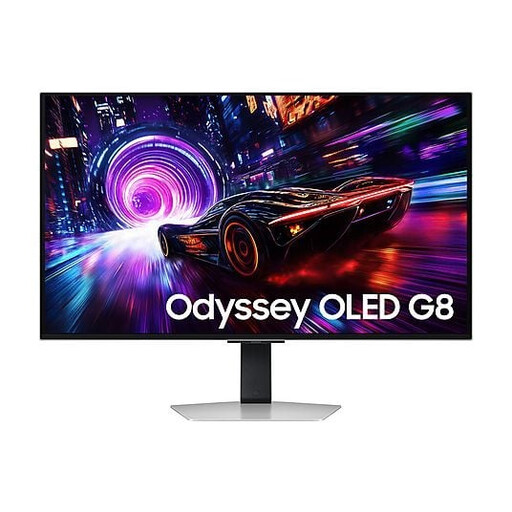
What sets it apart: This monitor checks all the boxes: a 32-inch QD-OLED panel with 4K resolution at 240?Hz. It particularly stands out for its matte panel, a small revolution that tames reflections, even in a brightly lit room.
Key strengths:
Who is it for? For versatile and demanding gamers who want the best of both worlds: a visual powerhouse for single-player games and flawless responsiveness in multiplayer, all on a 32-inch screen that remains an excellent compromise.
See the Samsung Odyssey OLED G8 (32")
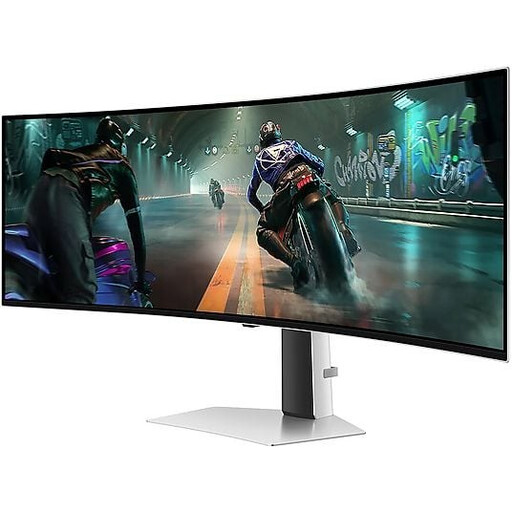
What sets it apart: The Odyssey G9 is a beast, a true standout in the market with its massive 49-inch curved gaming screen in a 32:9 aspect ratio. Its Dual QHD resolution (5120?x?1440) is equivalent to two 27-inch QHD monitors placed side-by-side, but without the annoying bezel in the middle.
Key strengths:
Who is it for? The ultimate choice for fans of simulation (racing, flight) and strategy games, as well as content creators who want a huge workspace. With this monitor, there are no compromises on immersion.
See the Samsung Odyssey OLED G9 (49")
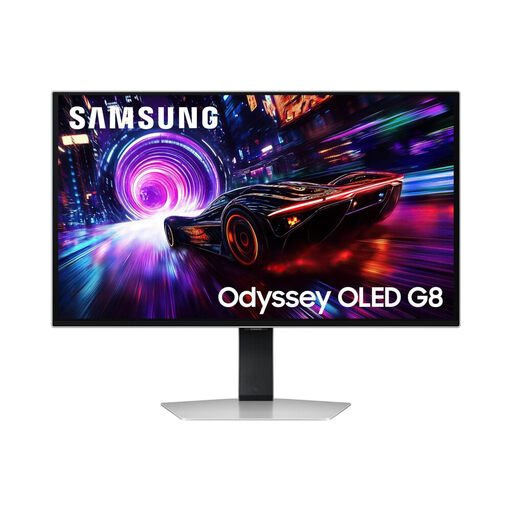
What sets it apart: It's the same winning formula, just in a more compact package. This version of the Odyssey G8 packs the same cutting-edge technologies (QD-OLED, 240?Hz, 0.03?ms) into a 27-inch diagonal. This is the go-to size in esports, as it allows you to scan the entire field of view with a single glance.
Key strengths:
Who is it for? The obvious choice for competitors and esports pros for whom every frame counts. Here, speed and responsiveness take precedence over everything else.
See the Samsung Odyssey OLED G8 (27")
If these Samsung Odyssey OLED models don't check all your boxes, or if you want to explore other sizes and features, dozens of other options are waiting for you. Take a look at our complete category of PC gaming monitors to discover the full selection.
Yes, and the difference is noticeable. QD-OLED technology is a direct evolution of OLED. It retains the perfect blacks and infinite contrast but adds a layer of Quantum Dots. In practical terms? Brightness is higher, and colours are even richer and more accurate. The result is a more vibrant and faithful image, especially with HDR content.
This is the elephant in the room, but the answer is increasingly reassuring. While the risk of burn-in is inherent to OLED technology, manufacturers have gone all out to counter it. Recent monitors, like those in the Samsung Odyssey OLED range, include a whole arsenal of protections: pixel shifting, static element detection (logos, taskbars), and high-performance cooling systems. With normal use, the risk is now greatly reduced.
This is primarily a matter of taste and use case. A curved screen, especially on a massive format like a 49-inch curved gaming monitor, offers spectacular immersion by wrapping around your peripheral vision. It's perfect for simulation games. Conversely, a flat screen often remains the favourite for competitive FPS players due to its perfect geometry, and for graphic designers who need perfectly straight lines.