
Livraison le jour même ou le lendemain

Qualité garantie

Débloquez vos offres de bienvenue: Livraison GRATUITE | Jusqu'à -80 % | 30 jours d'essai gratuits à JoyPlus
Téléchargez l'application
Whether you're working from home, studying, or at the office?: a well-organized space is key to focus and well-being. The problem?: the office accessories market is flooded with products that promise the world but often disappoint in practice. To avoid throwing your money away on gadgets that will end up at the back of a drawer, it's crucial to know how to avoid the most common pitfalls.
Here are the most frequent mistakes and our advice on how to avoid them?:
To make an informed choice, focus on objective features that guarantee the quality and relevance of your office supplies.
The choice of material directly determines the lifespan of your accessory.
True ergonomics is measured by adjustability. For remote work accessories subjected to intensive use, this criterion is non-negotiable.
For electronic accessories, the spec sheet is king.
Because every user is unique, here are our recommendations tailored to different needs.

Why it stands out : Perfect for students or for setting up a first home office. It's a simple and effective desk organization solution to centralize pens, scissors, and other small supplies without breaking the bank.
It avoids the trap of flimsy materials. Made of cast iron with a powder-coated finish, it is much sturdier and more stable than cheap plastic or thin wire mesh alternatives.
Its durable cast iron construction and functional design with 7 compartments, including a sliding drawer for small items like paper clips.
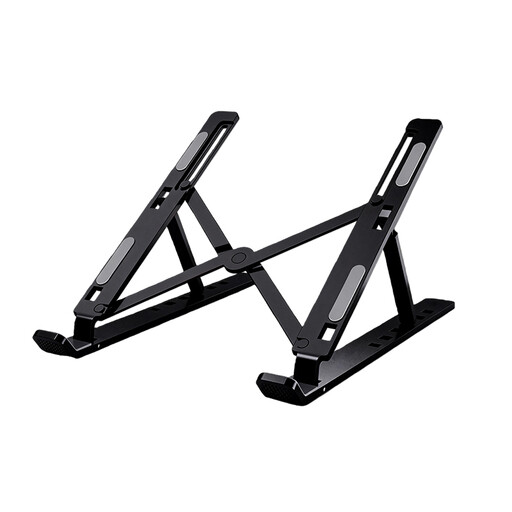
Why it stands out : A must-have for anyone who spends long hours in front of their screen. It improves posture by raising the laptop, a key factor for comfort and productivity when working from home.
It directly tackles the "fake ergonomics" trap. Unlike fixed-angle stands, this model is fully adjustable in height and tilt, allowing for complete customization.
Its fully adjustable ergonomics and its aluminum construction, which is lightweight, sturdy, and easy to transport.
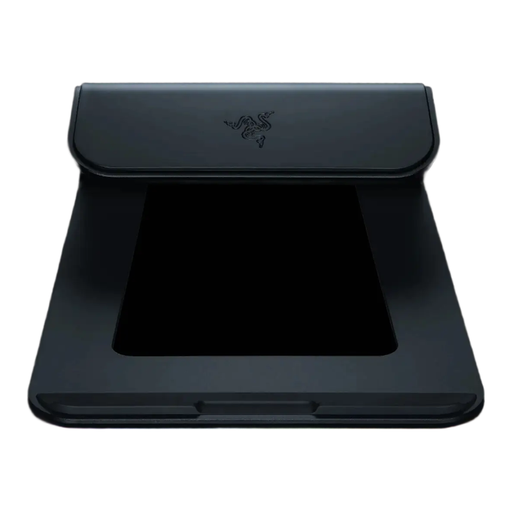
Why it stands out : For those who want a clean, high-performance, and polished setup. Its integrated hub lets you connect everything (monitor, peripherals, power) with a single cable, finally freeing your desk from cable chaos.
It avoids the trap of subpar connectivity by integrating a complete and modern USB-C hub: HDMI 2.0 (4K@60 Hz), USB 3.2 Gen 1, and power delivery up to 80 W.
Its ultra-comprehensive USB-C hub and its black anodized aluminum chassis, enhanced with customizable RGB lighting via Razer Synapse 3.
We have compiled a complete and up-to-date selection of products that meet our demanding selection criteria and current standards.
Ideally, the top of your screen should be at or slightly below eye level. This position helps keep your head straight and prevents you from leaning your neck forward. An adjustable laptop stand is therefore the best solution to find the perfect fit for your height and chair height.
Choose a desk lamp with an LED source and a Color Rendering Index (CRI) above 80, which ensures accurate color perception. The ability to adjust the brightness (dimmable function) and color temperature (from a warm white around 2700K, conducive to relaxation, to a cool white above 4000K, ideal for concentration) is a major asset in reducing eye strain.
This is a legitimate concern. Reputable manufacturers consider this and add non-slip rubber or felt pads under their organizers. Before buying a metal desk storage unit, check the product description for these protective features. They protect your work surface while ensuring the accessory remains perfectly stable.