
Livraison le jour même ou le lendemain

Qualité garantie

Débloquez vos offres de bienvenue: Livraison GRATUITE | Jusqu'à -80 % | 30 jours d'essai gratuits à JoyPlus
Téléchargez l'application
An OBD2 car diagnostic tool can quickly turn into a disappointing purchase if you don't carefully check its compatibility and features. A simple code reader won't necessarily let you perform a full system diagnosis, bidirectional testing or a reset after servicing.
Before choosing an OBD2 scanner for your car, take the time to distinguish between the features advertised and those actually available for your vehicle's make, model, engine type and year.
A device can read and clear a fault code without pinpointing the exact part at fault. A code related to the intake, for example, could come from a faulty sensor, a wiring issue or a mechanical failure. Clearing the warning light doesn't fix the vehicle: if the cause is still there, the code will reappear.
Claims like "28 functions", "all systems" or "ECU coding" should be taken with a pinch of salt. The features available depend on your vehicle's electronic architecture. ABS reset, ECU coding, DPF regeneration or bidirectional testing may be missing on certain versions.
Some devices require a mobile app, a Bluetooth connection, a manufacturer account or a separate subscription to access secure gateways. As for the promise of free lifetime updates, it's worth checking: does it cover all functions or just the basic software?
A diagnostic tool must support the protocols used by your vehicle. CAN FD compatibility can be useful with certain newer models, while the DoIP protocol covers communications via Ethernet.
For a household with several cars, a multi-make diagnostic tool with automatic VIN identification can simplify setup. However, this feature isn't available with all vehicles: manual selection should remain an option.
Before ordering, make a careful note of:
A basic fault code reader is often limited to the engine control unit. To investigate a problem with the airbags, automatic gearbox, air conditioning, steering or bodywork, you need a device that can access multiple control units.
Common OBD2 functions usually include reading and clearing codes, live data display, freeze frame data, emissions readiness status and certain component commands. More advanced devices add full system diagnosis, report generation and graphical parameter display.
TPMS reset, electronic parking brake adjustment, battery registration or DPF regeneration can save time after mechanical work. However, these functions should only be used if they are compatible with your vehicle and the procedure you're following.
Bidirectional automotive testing goes a step further: the tool sends a command to an actuator, for example a fan, pump, injector, lock or window regulator. This function helps guide diagnosis, but it doesn't replace electrical measurements, mechanical checks or the precautions recommended by the manufacturer.
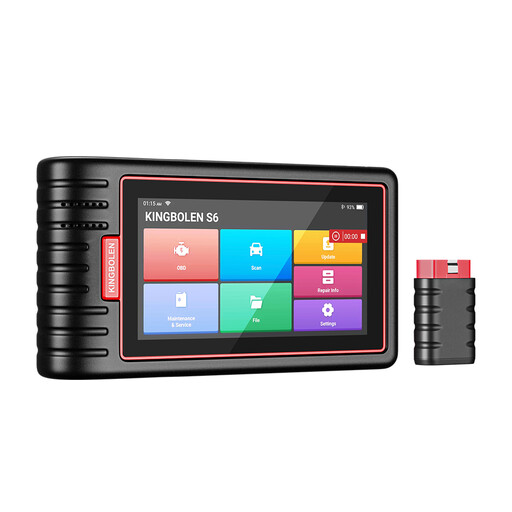
Why this suits this profile: With its Bluetooth connection, automatic VIN identification and multi-make diagnostic functions, it's ideal for private owners who want to look after several vehicles without being limited to the engine alone.
The listing distinguishes OBD2 functions from service functions and states that their availability varies by vehicle.
Diagnosis of accessible systems, live data display and claimed support for 15 languages.
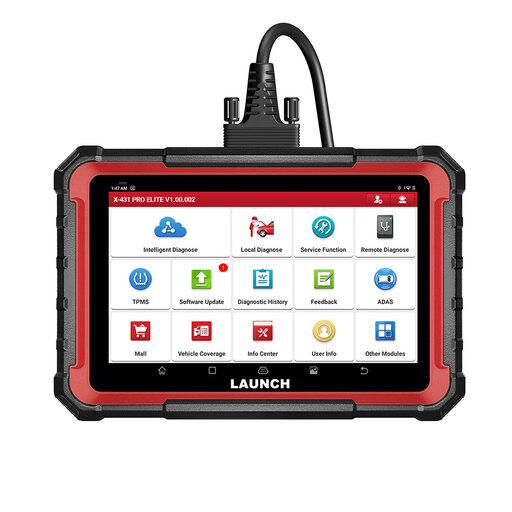
Why this suits this profile: Its 8-inch tablet, bidirectional control, ECU coding and expansion options are aimed at advanced users and workshops that work on a wide range of vehicles.
The listing states that coding and active tests depend on the vehicle's make, model and system.
CAN FD and DoIP protocols claimed, exportable reports and over 31 reset services, depending on compatibility.
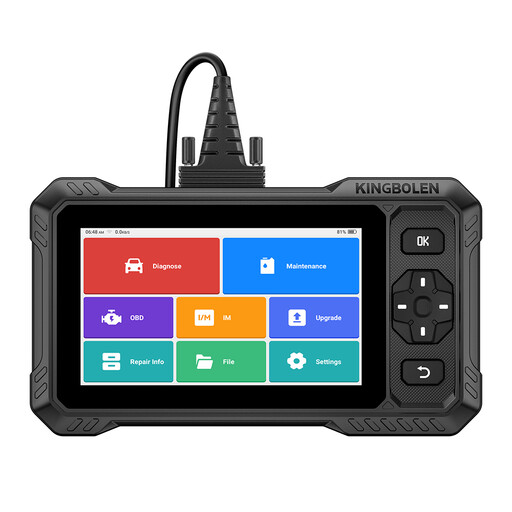
Why this suits this profile: It's designed for those who want full system diagnosis, actuator commands and several service functions in a standalone device.
The compatibility of bidirectional tests and the 15 service functions is clearly stated as vehicle-dependent.
Wireless connection, CAN FD compatibility, FCA AutoAuth access under certain conditions and updates claimed with no recurring fees.
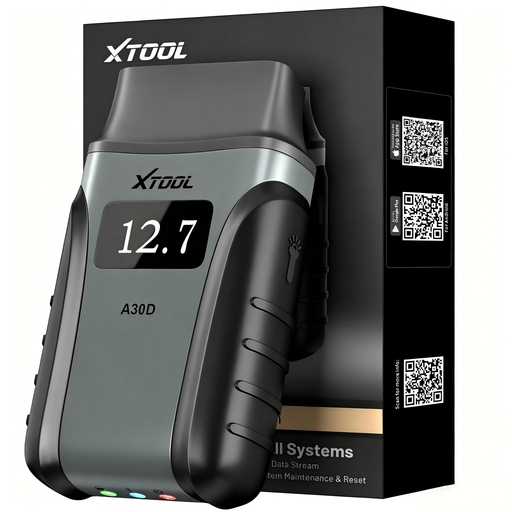
Why this suits this profile: Its compact design and operation with an Android or iOS phone make it ideal for home repairs, pre-purchase checks and on-the-go use.
The listing details the conditions relating to the app, phone and AutoAuth, rather than presenting wireless connection as universal.
19 reset functions claimed, live display of eight parameters and CAN FD support depending on the vehicle.
We've put together a comprehensive, real-time updated list of products that meet these demanding selection criteria and European safety regulations.
With a wired model, plug the connector into the OBD2 port, usually located under the dashboard, then turn on the ignition. For a Bluetooth device, install the official app, pair your phone with the module and download the necessary software. Always follow the manufacturer's instructions.
It can clear certain codes stored in the control units it can access. However, a warning light linked to a persistent fault may come back on after a few miles. Safety systems, particularly ABS and airbags, require proper intervention and additional checks.
The cost depends on updates, included functions and services that require manufacturer authentication. Check whether updates are free, time-limited or subject to a subscription. For some brands, access to a secure gateway may still be charged separately, even if the tool itself doesn't require any renewal.