
Livraison le jour même ou le lendemain

Qualité garantie

Débloquez vos offres de bienvenue: Livraison GRATUITE | Jusqu'à -80 % | 30 jours d'essai gratuits à JoyPlus
Téléchargez l'application
Looking for an NVIDIA GeForce graphics card for gaming, video editing or accelerating artificial intelligence applications ? The specification sheet does not always tell the whole story. A high clock speed may conceal limited video memory, while a very powerful model may not fit inside your case or could exceed your power supply’s capabilities.
Before buying a gaming graphics card, check three points that are often overlooked : its dimensions, power consumption and the use you actually intend for it. The words ‘4K compatible’ or ‘8K compatible’ do not, on their own, guarantee a smooth experience in every game and application.
A card with more gigabytes is not necessarily faster. The memory type, bus width, bandwidth and graphics processor power are all just as important. A GeForce GT 1030 equipped with 4 GB of GDDR4 is not in the same category as a recent graphics card using GDDR7.
RTX 5070, RTX 5080 and RTX 5090 cards can take up between 2.5 and almost 4 slots. They may be over 30 cm long, and their weight can make a support bracket advisable. By contrast, a low-profile graphics card is designed for compact cases, generally at the cost of lower performance and more limited cooling capacity.
A recent PCIe 5.0 graphics card may require a 16-pin 12V-2x6 connector and a recommended power supply rated between 650 and 1 000 W, depending on the model. Check the power actually available, the connectors on your PSU and the space around the cable. A connector that is not fully inserted can cause localised overheating.
For high-definition gaming or content creation, video memory must match the workload. The RTX 5060 Ti models featured here have 8 GB of GDDR7, while some RTX 5070 cards come with 12 GB. The RTX 5080 and RTX 5090 models featured here offer 16 or 32 GB respectively.
Bus width is also an important indicator : it reaches 128 bits on the RTX 5060 Ti, 192 bits on the RTX 5070 and 256 bits on the RTX 5080 models. The ZOTAC RTX 5090 even has a 512-bit bus. However, these figures should be considered alongside memory bandwidth and GPU architecture, rather than viewed in isolation.
A PCIe 5.0 interface can work with a PCIe 4.0 or 3.0-compatible motherboard, subject to the platform’s specifications. The INNO3D RTX 5060 Ti uses a PCIe 5.0 x8 interface, while several RTX 5070, RTX 5080 and RTX 5090 models use PCIe 5.0 x16.
Remember to check the available video outputs too : DisplayPort 2.1b and HDMI 2.1b are suitable for high-refresh-rate displays and high resolutions. Support for an 8K graphics card nevertheless depends on the display, cable, software and settings being used.
Recent RTX models support ray tracing and DLSS 4, as well as artificial intelligence features designed to enhance rendering or image generation. Results vary depending on the compatible games and applications. For video editing, 3D work or local AI, video memory capacity and software compatibility often matter more than anything else.
A factory-overclocked graphics card, such as certain MSI, Palit and ZOTAC versions, offers a higher Boost clock speed than the reference model. However, it may require more effective cooling and a suitably rated power supply.
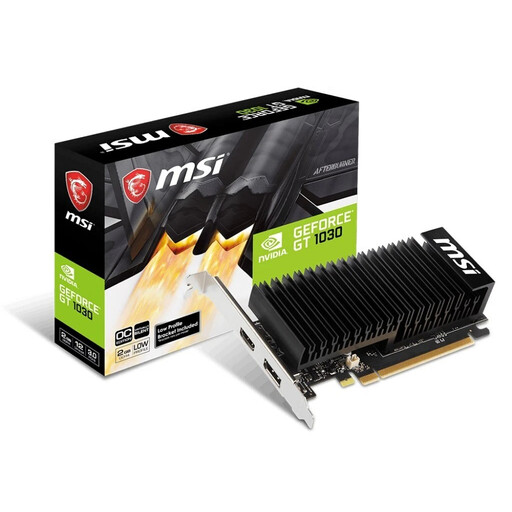
Why it suits this profile : With power consumption of 20 W, a low-profile design and passive cooling, this card is an easy upgrade for an office or compact PC. It is suitable for multimedia display and less demanding games.
Its 153 × 69 × 38 mm dimensions and power supplied through the PCIe port help minimise space and cabling issues.
2 GB of DDR4, HDMI and DisplayPort outputs, fanless cooling and support for MSI Afterburner.
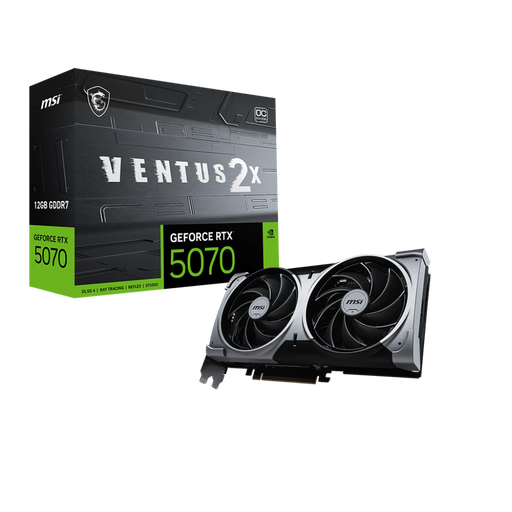
Why it suits this profile : With 12 GB of GDDR7, outputs for four displays and DLSS 4 compatibility, it is equally well suited to gaming, streaming and content creation.
The specifications state power consumption of 250 W, a recommended 650 W power supply and dimensions of 236 × 126 × 50 mm.
Blackwell architecture, 6 144 CUDA cores, GDDR7 memory, dual fans and a Boost clock speed of up to 2 557 MHz in OC mode.
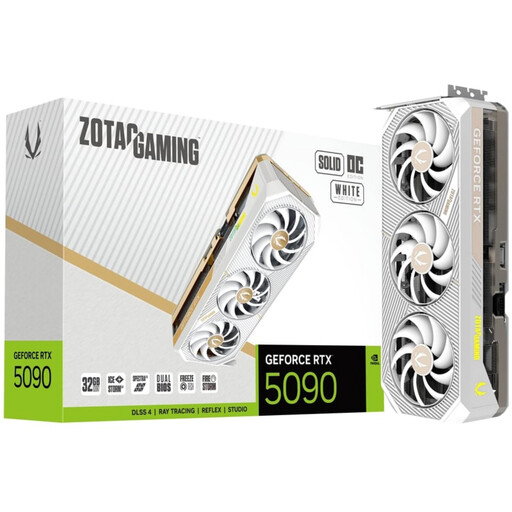
Why it suits this profile : With 32 GB of GDDR7 and a PCIe 5.0 x16 interface, this card is designed for ultra-high-resolution gaming, 3D rendering and AI workloads that require substantial video memory.
Its requirements are clearly stated : a 12V-2x6 connector, triple-fan cooling and an included support bracket to hold the 2.08 kg card securely.
21 760 CUDA cores, 32 GB of GDDR7, output of up to 7 680 × 4 320 and support for ray tracing and DLSS 4.
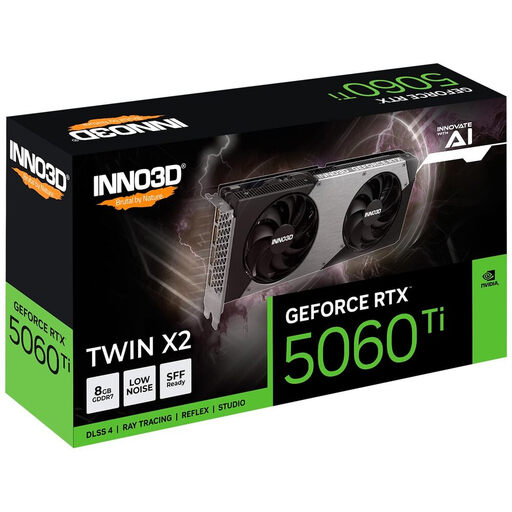
Why it suits this profile : This model is aimed at gamers and creators who want a recent graphics card without moving to a design as imposing as those of the most high-end models.
The specifications state a length of 250 mm, thickness of 41 mm, a recommended 650 W power supply and an 8-pin PCIe connector.
8 GB of GDDR7, 4 608 CUDA cores, two fans, four heat pipes and a 0 dB mode when the load remains low.
Check for a low-profile slot, the card’s length and the space available around the heatsink. The MSI GeForce GT 1030 and GT 710 models featured here use a compact design. They are mainly suitable for display, multimedia and moderate graphics workloads, rather than the most demanding modern games.
With 12 GB of GDDR7, ray tracing, DLSS 4 and its PCIe 5.0 interface, the RTX 5070 is an excellent fit for a versatile gaming system. However, the settings to use will depend on the game, resolution, processor and display refresh rate. Check the requirements for your games before making your decision.
Power consumption depends on the workload, how long the card is used and the price of electricity. A 20 W card such as the GT 1030 or GT 710 will place considerably less demand on the power supply than an RTX 5080 or RTX 5090. To estimate the cost, multiply the average power consumed in kW by the number of hours of use, then by your electricity tariff.