
Livraison le jour même ou le lendemain

Qualité garantie

Débloquez vos offres de bienvenue: Livraison GRATUITE | Jusqu'à -80 % | 30 jours d'essai gratuits à JoyPlus
Téléchargez l'application
Choosing a gaming PC and an NVIDIA RTX 50 graphics card isn’t simply a matter of following the order of the model numbers. An RTX 5090, RTX 5080, RTX 5070 and RTX 5060 are designed for different uses. The result also depends on the processor, monitor, power supply and cooling system.
For gamers in France, the most common mistakes are easy to avoid:
RTX 50-series cards are based on the NVIDIA Blackwell architecture and, depending on the model, feature GDDR7 memory. This fast memory is well suited to recent games, 3D creation and certain artificial intelligence applications.
Capacity is still a very practical consideration:
Features such as DLSS 4, ray tracing and frame generation can change how smooth gameplay feels. However, they cannot make up for an unbalanced system. Check that your game or software is compatible, and always distinguish between generated frames and the display’s native refresh rate.
A desktop graphics card must be compatible with both the power supply and the case. For example, the INNO3D GeForce RTX 5060 Ti Twin X2 8 GB specifications state a power consumption of 180 W, a recommended power supply of 650 W and an 8-pin PCIe connector.
The RTX 5070 and RTX 5080 may require a 16-pin 12V-2x6 connector. The Palit GeForce RTX 5070 Ti GamingPro-S has a power consumption of 300 W and a recommended power supply of 750 W. The RTX 5080 models selected here require up to 850 W, depending on their design.
With the RTX 5090, checking compatibility is even more important: the ASUS ROG Astral GeForce RTX 5090 has a power consumption of 600 W and recommends a 1,000 W power supply. Measuring 357.6 × 149.3 × 76 mm and weighing 3.01 kg, it requires a spacious case and a graphics card support bracket.
A 240 Hz monitor is not automatically an advantage. At Full HD resolution, this refresh rate can be useful for competitive games. At QHD or QHD+, however, the processor and GPU must still be able to keep up.
For a gaming laptop, also remember to check:
A gaming laptop connected to mains power for long sessions does not behave in the same way as it does when running on battery. Place your RTX laptop on a hard, flat surface and make sure you do not block the ventilation grilles.
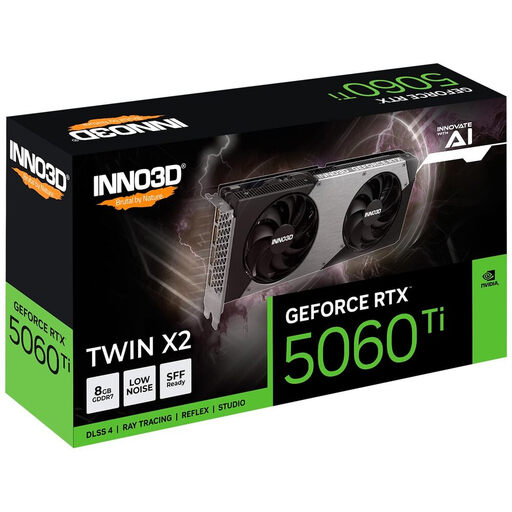
Why this choice suits this profile : This RTX 5060 Ti provides a well-balanced foundation for Full HD gaming or a move to QHD with suitable settings.
Its dimensions of 250 × 116 × 41 mm and recommended power supply of 650 W make it easier to check compatibility with a standard desktop case.
8 GB of GDDR7, PCIe 5.0 x8 interface, two fans, four heat pipes and 0 dB mode according to the product specifications.
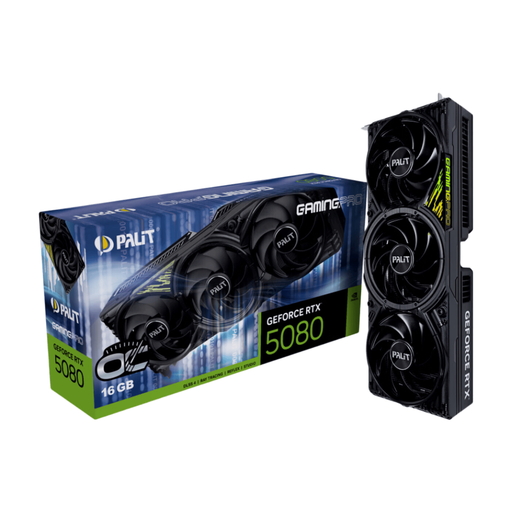
Why this choice suits this profile : It is aimed at gamers with a QHD or 4K monitor, as well as creators who need more generous video memory.
Its 16 GB of GDDR7 and 256-bit interface help prevent you from hitting limitations too quickly at high resolutions, within the requirements of the software you use.
10,752 CUDA cores, three DisplayPort 2.1b ports, one HDMI 2.1b port and a recommended power supply of 850 W.
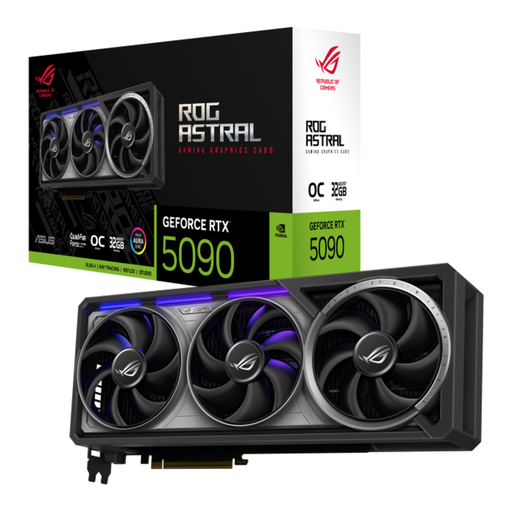
Why this choice suits this profile : This card is designed for systems dedicated to gaming, 3D rendering or artificial intelligence, with a case and power supply to match.
Its dimensions, 3.01 kg weight and recommended power supply of 1,000 W mean you need to check everything before buying, rather than attempting to install it in a case that is too small.
32 GB of GDDR7, 512-bit memory bus, 21,760 CUDA cores and DisplayPort 2.1b and HDMI 2.1b outputs.
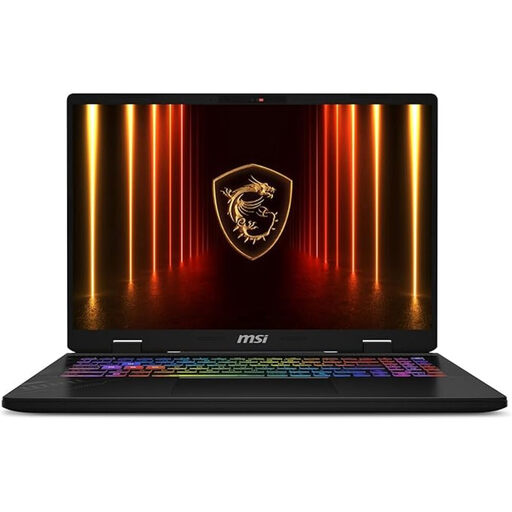
Why this choice suits this profile : This gaming laptop combines an RTX 5060 Laptop GPU, 32 GB of RAM and a QHD+ 240 Hz display for gaming and creative work on the go.
The specifications clearly distinguish between the laptop GPU, QHD+ resolution and 240 Hz refresh rate. This helps you assess the system as a whole, rather than focusing solely on the screen.
Intel Core Ultra 7 255HX processor, 32 GB of DDR5, 1 TB NVMe SSD, Wi-Fi 6E and Windows 11 Pro.
We have put together a complete, real-time-updated list of products that meet these strict selection criteria and European safety regulations.
It can be a great choice for a high-performance Full HD gaming PC, depending on the game, processor, RAM and the GPU’s configured power. In a laptop, always check for the “Laptop GPU” designation and the associated maximum power.
It depends on the exact model and the rest of the system. The specifications consulted recommend 850 W for certain RTX 5080 models and 1,000 W for the ASUS RTX 5090 featured here. Also check for a compatible 12V-2x6 connector and make sure it is fully inserted.
No. It can display up to 240 frames per second, but only if the computer and game are capable of producing them. This refresh rate makes sense for competitive games. With story-driven games or a more modest system, a lower refresh rate may be more appropriate for the overall budget.