
Livraison le jour même ou le lendemain

Qualité garantie

Débloquez vos offres de bienvenue: Livraison GRATUITE | Jusqu'à -80 % | 30 jours d'essai gratuits à JoyPlus
Téléchargez l'application
The arrival of the Nintendo Switch 2 is just around the corner, and with it, the promise of bigger, more immersive games. The catch? Its internal storage is already expected to be limited and will likely fill up in no time. Investing in a memory card is therefore essential. But before diving in headfirst, it's wise to be aware of the common pitfalls that can turn a simple purchase into a real headache (and a waste of money).
To help you avoid any nasty surprises, here are the 3 biggest mistakes to avoid when choosing a microSD card for the Nintendo Switch 2:
You don't need to be an expert to make the right choice: just keep an eye on a few technical specifications. Once you've mastered these points, you'll be able to select the perfect memory card for the Switch 2 to match your gaming habits.
The big new feature expected with the Nintendo Switch 2 is compatibility with the microSD Express standard. Unlike traditional microSD cards (UHS-I), this technology is directly inspired by the NVMe SSDs found in our PCs, using the same PCIe protocol.
The question "which SD card for Nintendo Switch 2?" often comes down to one thing: capacity. Here are a few guidelines to help you find the sweet spot for your Nintendo Switch 2 storage expansion:
An officially licensed Nintendo product, like those offered by SanDisk for the Switch 2 or Samsung for the Switch 2, has been tested and approved by Nintendo to ensure flawless compatibility and reliability. It's much more than just a logo on the packaging; it's the assurance that your card will work in perfect harmony with your console. This helps you avoid nasty surprises like data corruption or inconsistent performance.
Because every gamer is unique, we've selected several cards that fit different user profiles, helping you find the perfect match.
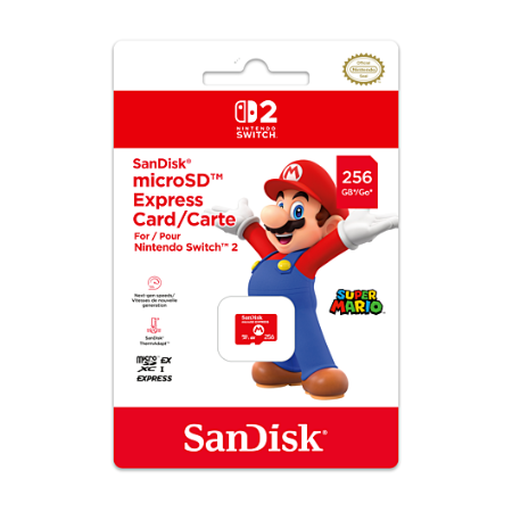
Why we chose it: This user profile prioritizes simplicity and security above all. This card checks all the boxes: the new microSD Express standard for cutting-edge performance, a versatile 256 GB capacity, and, the cherry on top, the official Nintendo license for complete peace of mind.
Specifically designed for the Switch 2, it eliminates the risk of buying a card that's too slow or incompatible. Its official license is the best safeguard against nasty surprises.
Optimised performance thanks to the Express standard and 100% guaranteed compatibility from Nintendo.
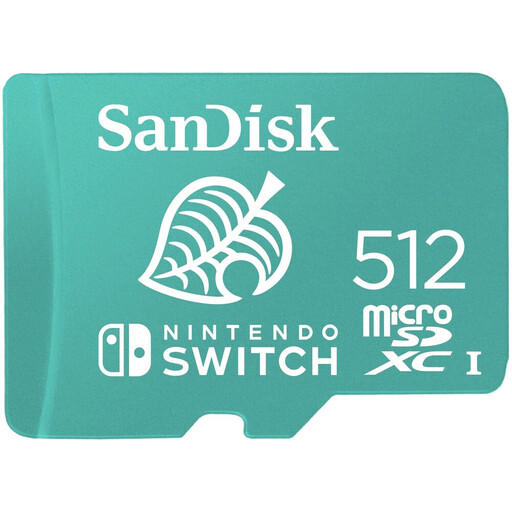
Why we chose it: For this type of gamer, storage space is the name of the game. With 512 GB, they can download dozens of digital games without ever worrying about running out of room. Even though it's a UHS-I card, its official Nintendo license ensures a reliable and smooth experience on the Switch 2.
It directly solves the problem of limited space. By choosing a licensed product, you avoid compatibility issues, even if it means sacrificing the extreme speeds of the Express standard.
A colossal amount of storage for a 100% digital library, with the added reliability of an official license.
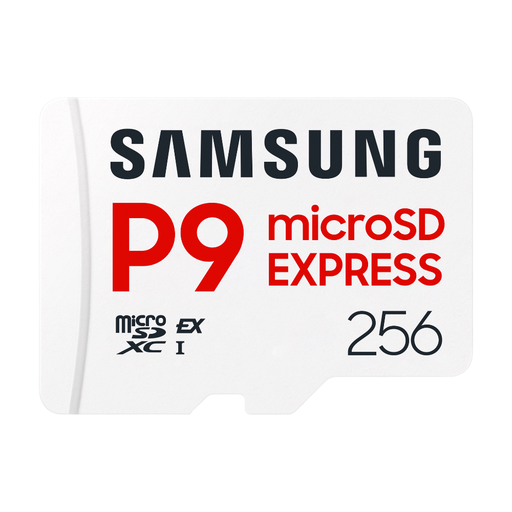
Why we chose it: This user profile is all about raw performance. This microSD Express card from Samsung promises staggering theoretical speeds (up to 800 MB/s advertised), ideal for those who want to shave every possible second off their loading times.
It leverages the latest standard to break free from the bottleneck of older cards. It's a bet on the future, even without Nintendo's seal of approval.
Maximum speed potential thanks to the PCIe/NVMe interface, for uncompromising responsiveness in-game and during file transfers.
We've compiled a complete, up-to-date list of products that meet our strict selection criteria.
For most gamers, a 256 GB card offers the best price-to-capacity ratio. If you're an all-digital enthusiast, a 512 GB card (or larger) will be a more future-proof investment to avoid juggling your storage space.
Yes, the Nintendo Switch 2 will very likely be backward compatible with the previous generation of microSD cards (UHS-I). This means you can reuse your current card. Be aware, however, that you won't benefit from the blazing-fast loading speeds offered by the new microSD Express standard.
No, it's not mandatory. Standard UHS-I cards will work without any issues. However, to unlock the console's full potential and reduce loading times to an absolute minimum, a microSD Express card is highly recommended, especially for the most demanding games.