
Livraison le jour même ou le lendemain

Qualité garantie

Débloquez vos offres de bienvenue: Livraison GRATUITE | Jusqu'à -80 % | 30 jours d'essai gratuits à JoyPlus
Téléchargez l'application
Whether you're eagerly awaiting the Nintendo Switch 2 or are already the proud owner of a Switch or Switch OLED, choosing the right carrying case is a critical step. A poorly chosen case isn't just impractical: it puts your precious console at risk. To avoid buyer's remorse, it's best to know the most common mistakes.
As a product expert at Joybuy, my mission is to help you navigate your options. Let's break down the pitfalls to avoid and the essential criteria for finding the perfect case for your travels.
The market is flooded with all kinds of models, but be warned: not all are created equal. Here are the three classic mistakes that can turn a great deal into a real disappointment.
To make the right choice, focus on objective features. Here are the three essential points to scrutinize.
The first thing to check is the internal dimensions of the case. They must match your console model (Switch, Switch OLED carrying case, or the presumed dimensions of the Switch 2). Ideally, the main compartment should be lined with a soft fabric (like microfiber) and equipped with a securing strap. The presence of padded dividers or dedicated pockets for Joy-Cons, cables, and games is a true hallmark of quality for preventing scratches.
The choice of material directly affects durability and protection.
Above all, your console travel bag must be comfortable to carry. A Nintendo Switch shoulder bag is often the best compromise between capacity and bulk. Make sure the strap is adjustable and, if possible, padded for better comfort on your shoulder. The empty weight of the case is also an important factor, especially if you plan on walking with it for a long time.
Rather than a long, random list, we've selected cases tailored to specific gamer profiles, based on the criteria we've just discussed.
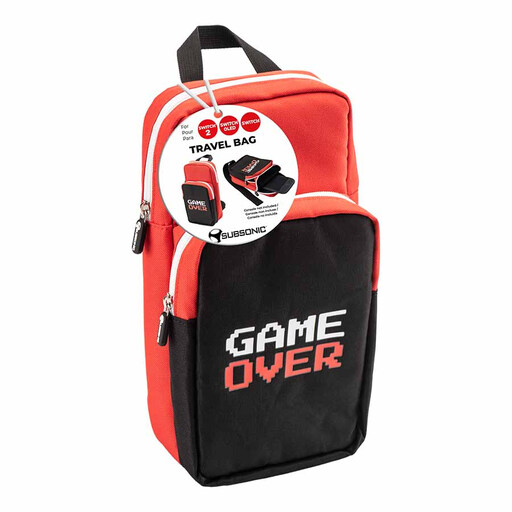
Why this choice? Designed specifically for the Switch ecosystem, this bag was made for those who take their console everywhere and demand flawless organization.
It directly addresses compatibility and storage issues with its 2 dedicated compartments, ensuring the console and its accessories don't knock against each other.
Its advertised compatibility with the Nintendo Switch 2, Switch, and Switch OLED makes it a future-proof investment. Its 120g weight and adjustable strap guarantee optimal carrying comfort.
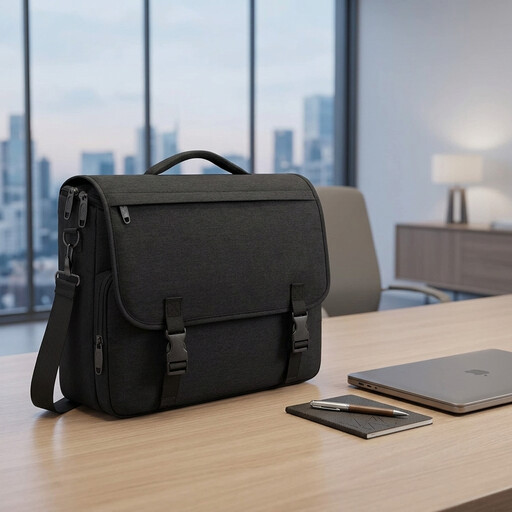
Why this choice? For those who juggle gaming sessions with professional commitments. This bag allows you to carry a laptop, documents, and the console in a single bag with a sleek and functional design.
It solves the problem of clutter with its multiple compartments, including a padded laptop section (up to 15.6 inches) that's perfect for holding and protecting the console.
Its versatility and professional appearance. The water-repellent nylon fabric and a structure that holds its shape even when fully loaded make it a reliable companion for any trip.
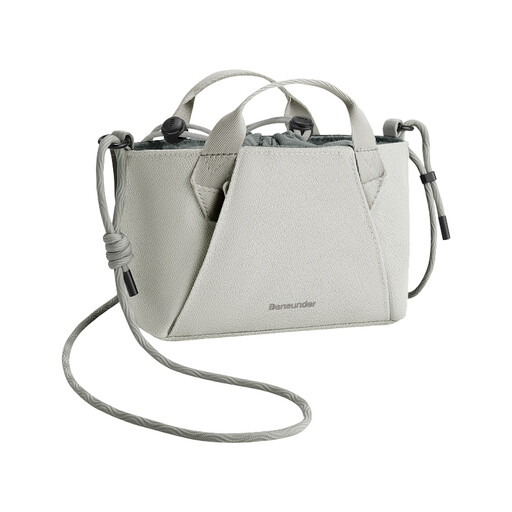
Why this choice? Ideal for those who carry only the bare essentials: the console and maybe a cable or a pair of Joy-Cons. Perfect for short trips and outings where lightness and discretion are key.
It avoids the bulk of oversized bags. Its water-repellent fabric provides a first line of defense against the elements, and its snug size (24.8 cm long) limits the console from jostling around.
Its feather-light weight (around 100g) and its expandable capacity that triples in volume (from 1.2L to 3.6L) offer stunning modularity for such a small bag.
These recommendations are a starting point. If you want to explore other styles or formats, we've compiled a broader selection of products that tick all the boxes for quality and practicality.
Is a Switch OLED case compatible with the Nintendo Switch 2? It will all depend on the final dimensions of the Switch 2. However, smarter manufacturers often design their new accessories to be backward-compatible. Choosing a bag with flexible dimensions or one where compatibility is clearly stated, like the Subsonic case for Switch, remains the safest bet.
How can I properly store Switch accessories to avoid scratching the screen? The golden rule: always separate the console from everything else. Opt for a case with a dedicated and padded main compartment. Use the internal pockets or elastic bands to secure cables, cartridges, and Joy-Cons. Never place hard, unprotected accessories, like the power adapter, in direct contact with the screen.
What's the difference between a sleeve and a carrying case? A sleeve is typically a thin, form-fitting pouch designed to protect the console from scratches inside a larger bag (like a backpack). A case or carrying bag is a standalone piece of luggage, with a strap and dedicated compartments for accessories, allowing you to carry your entire setup in an organized way.