
Livraison le jour même ou le lendemain

Qualité garantie

Débloquez vos offres de bienvenue: Livraison GRATUITE | Jusqu'à -80 % | 30 jours d'essai gratuits à JoyPlus
Téléchargez l'application
The Apple ecosystem is expanding in 2026, and choosing a new portable Mac can be a complex decision. Between the highly anticipated MacBook Air M5 and the surprising MacBook Neo, it's easy to get lost. Should you prioritise raw power, portability, or the new artificial intelligence features?
This guide is here to help. As a Product Specialist at Joybuy, I'll break down the technical jargon so you can find THE MacBook that truly fits your needs and budget.
Before diving into the comparison, let's review the key criteria for choosing your future MacBook.
The chip is the heart of your Mac. It dictates its speed, power efficiency, and the full range of its capabilities.
The screen size directly impacts your user comfort and the machine's portability.
The price of a MacBook in 2026 can vary significantly depending on the configuration. It's therefore crucial to identify your priorities. A MacBook for a student has different requirements than a workstation for a graphic designer. There's no need to over-invest in power you'll never use. Ask yourself the right question: is it for taking notes, coding, editing 4K video, or just browsing the web?
Let's take a closer look at three flagship models from this year to help you decide.
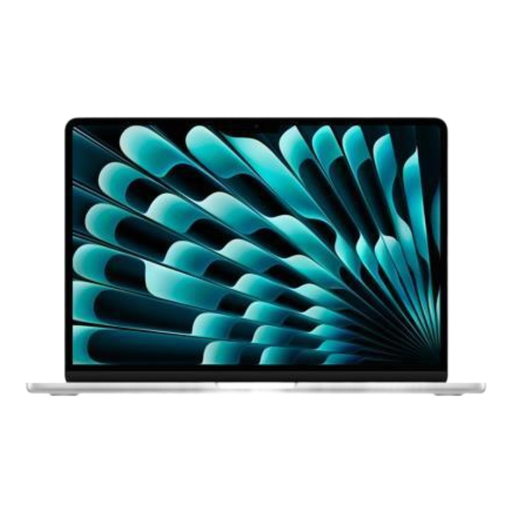
Why it stands out: This model is the ideal and well-balanced entry point into the 15-inch world. It combines a large Liquid Retina display with the already proven power of the M4 chip, all in a thin chassis with the absolute silence of a fanless design.
Highlights:
Who is it for? Ideal for mobile professionals and students who want the comfort of a large screen for work and entertainment, without needing the firepower of the M5 chip.
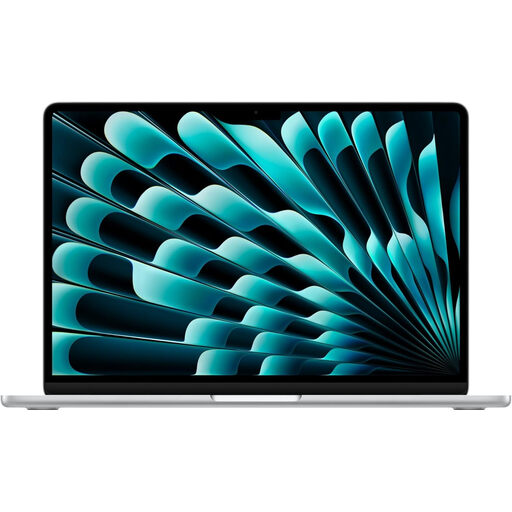
Why it stands out: This is the supercharged version of the MacBook Air. It features the next-generation Apple M5 chip, which promises high-end performance in AI and graphics processing, while retaining the thin and light design that is the DNA of the range.
Highlights:
Who is it for? Creatives, developers, and demanding users looking for a powerful, future-proof machine capable of handling heavy workloads and upcoming AI applications, without having to switch to a bulkier Pro model.
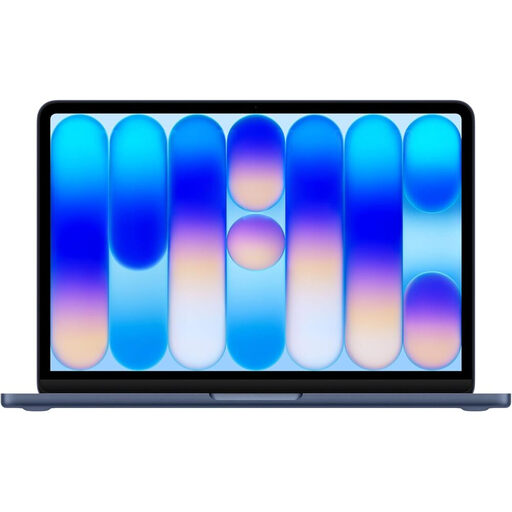
Why it stands out: This is the newcomer to the family, a model that focuses on mobility, efficiency, and a more accessible price point. It features the A18 Pro chip, optimised for AI and marathon battery life, in an ultra-light 1.23 kg chassis available in several colours.
Highlights:
Who is it for? The smart choice for students, young professionals, and anyone looking for a Mac for everyday tasks (productivity, web, email, streaming) who prioritises light weight, battery life, and a controlled budget.
Having a great laptop is good. Having an optimised workspace is even better. To improve comfort and productivity, don't overlook a good ergonomic stand to raise the screen to eye level.
Discover our selection of laptop stands and perfect your setup.
It's all a matter of philosophy. The MacBook Air M5 is a powerhouse in a sleek body: it aims for raw performance for creative tasks and heavy computing, without sacrificing thinness. The MacBook Neo, on the other hand, is all about ultra-portability, endurance, and a more accessible price. It's the champion of everyday use and mobility.
Absolutely. A MacBook remains a solid choice for students. The MacBook Neo is particularly suitable thanks to its light weight, battery life, and affordable price. For more demanding courses (design, architecture, engineering), a MacBook Air M4 or M5 will provide the extra power needed for specialised software.
In 2026, the MacBook price structure has expanded. The introduction of the MacBook Neo offers a more accessible entry point into the Apple ecosystem. The MacBook Air models, especially with the M5 chip, are positioned a step above, a price justified by increased performance. The final price will always depend on the chosen configuration (SSD size, amount of unified memory). It is therefore essential to carefully assess your needs to only pay for what you will actually use.