
Livraison le jour même ou le lendemain

Qualité garantie

Débloquez vos offres de bienvenue: Livraison GRATUITE | Jusqu'à -80 % | 30 jours d'essai gratuits à JoyPlus
Téléchargez l'application
With the arrival of the Apple M4 and M5 chips, Apple's laptop lineup takes a major leap forward. Faced with an ever-expanding range of options, choosing the new MacBook that truly fits your needs can be a daunting task. Between the ultimate portability of the MacBook Air and the raw power of the MacBook Pro, the lines have never been more blurred.
This guide is here to break down the 2026 lineup and help you make the right choice. We'll review the flagship models to help you find the ideal configuration, whether you're a creative professional, a student, or a demanding user looking for a high-performance Apple laptop that's built to last.
Before diving into the spec sheets, it's crucial to define your priorities. Here are the key criteria to consider to guide your decision before you buy a MacBook.
The MacBook Air vs MacBook Pro debate often comes down to a trade-off between mobility and peak performance.
With applications becoming ever more demanding, the question of RAM is central. While 8GB is still sufficient for basic use, opting for a MacBook with 16GB of RAM is a way to future-proof your investment for several reasons:
The price of a MacBook Pro will always be higher than that of a MacBook Air with equivalent storage and RAM. This gap is justified by higher-end components: a superior display (Liquid Retina XDR with ProMotion), a faster chip, active cooling, and more comprehensive connectivity. It's therefore essential to ask yourself if these advantages meet a genuine need in your daily workflow and justify the investment.
Here is a selection of models that stand out for their balance and performance, each tailored to a specific user profile.
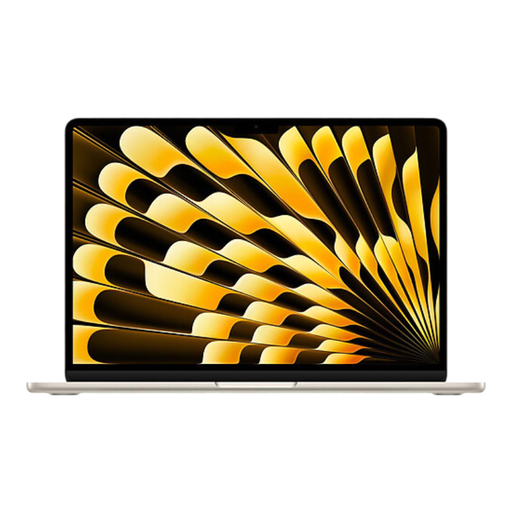
What sets it apart: This is the benchmark for ultra-portability, without compromising on power. The MacBook Air M4 chip delivers remarkable power efficiency, ensuring extended battery life in a chassis weighing just 1.24 kg.
Highlights:
Who is it for? The quintessential student MacBook, but also the perfect tool for writers, consultants, and any professional who travels frequently and needs a reliable, long-lasting machine.
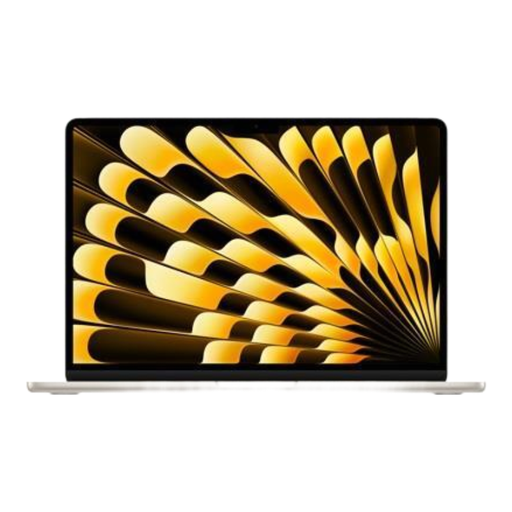
What sets it apart: It takes all the strengths of the MacBook Air and adds the visual comfort of a large 15.3-inch screen. Its enhanced audio system makes it a much more immersive work and entertainment station.
Highlights:
Who is it for? Users who prioritise the comfort of a large screen for working on spreadsheets, editing photos, or watching movies, but don't want the extra weight and cost of a MacBook Pro.
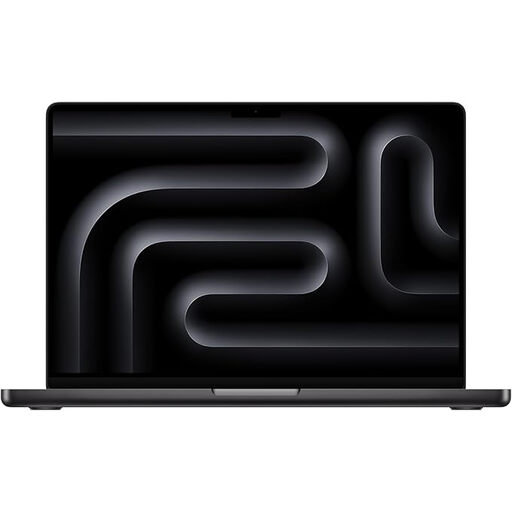
What sets it apart: This is the entry ticket into the world of professional performance. The MacBook Pro M5 chip and the Liquid Retina XDR ProMotion (120Hz) display make it a beast of fluidity and power for the most demanding creative workflows.
Highlights:
Who is it for? Developers, photographers, video editors, musicians, and all creatives who need constant computing power, a top-tier display, and comprehensive connectivity.
A high-performance laptop is the centrepiece of your setup, but the experience can be greatly enhanced with quality accessories. For full audio immersion—whether for video editing, music production, or simply listening to your favourite tracks—good audio equipment is an excellent addition.
Discover our selection of audio systems to complement your new MacBook.
The fundamental difference lies in the ability to sustain high performance over long periods. The MacBook Pro M5 is equipped with an active cooling system that allows it to handle very heavy tasks for extended durations without throttling its power. It also features a superior quality display (mini-LED technology and ProMotion 120Hz) and more extensive connectivity (HDMI, SD card reader). The MacBook Air M4, on the other hand, prioritises thinness, silence, and absolute portability.
Yes, for the vast majority of users, including many professionals. A configuration with 16GB of RAM provides an optimal user experience for multitasking, content creation, and running demanding software. It also ensures your machine will remain responsive and capable for years to come. Only very specific use cases, such as handling complex 8K video projects or large 3D models, might require 32GB or more.
The choice comes down to a trade-off between your need for mobility and your desire for visual comfort. If you are constantly on the go and every gram counts, the 13-inch model is the obvious choice. If you primarily use your laptop at a fixed station (home, office) or do a lot of multitasking with side-by-side windows, the visual comfort of the 15-inch screen more than justifies the difference in size and weight.