
Livraison le jour même ou le lendemain

Qualité garantie

Débloquez vos offres de bienvenue: Livraison GRATUITE | Jusqu'à -80 % | 30 jours d'essai gratuits à JoyPlus
Téléchargez l'application
Turning your living room into a movie theatre is the dream! But choosing the right projector often turns into a headache, especially when you just want to launch Netflix effortlessly. Between the technical jargon and compatibility pitfalls, it's easy to feel overwhelmed.
Don't worry! This guide is here to cut through the noise, explain the criteria that really matter, and present our selection of the best models for a smooth and immersive Netflix experience.
To avoid nasty surprises (like the app refusing to launch or a pixelated image…), here are the crucial points to check.
The biggest pitfall to enjoying Netflix on a projector is often software-related. To stream content in high definition, Netflix requires a certification (DRM Widevine L1) that not all devices have.
Image quality rests on two pillars: resolution and brightness.
Recent models come packed with technologies that make setup child's play.
We've selected two models with different approaches, but both embody a modern vision of cinema at home.
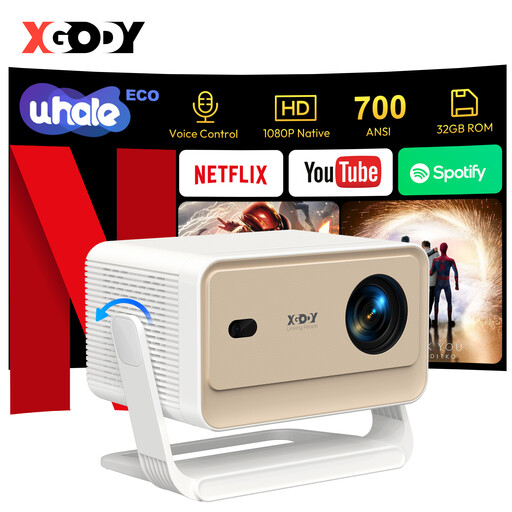
Why it stands out The XGODY N6 Pro is designed for those who prioritise simplicity above all else. Its main selling point is its official Netflix license integrated into its WhaleOS 3.0 operating system. Just turn it on, connect to Wi-Fi, and launch the app. Its automation technologies (autofocus, keystone correction, obstacle avoidance) make it a truly “?plug-and-play?” device.
Pros
Who is it for? Ideal for families and home cinema projector enthusiasts who want a high-performance, hassle-free solution that can replace a TV in the living room. Its ease of setup, often praised in user reviews, makes it a real joy to use every day.
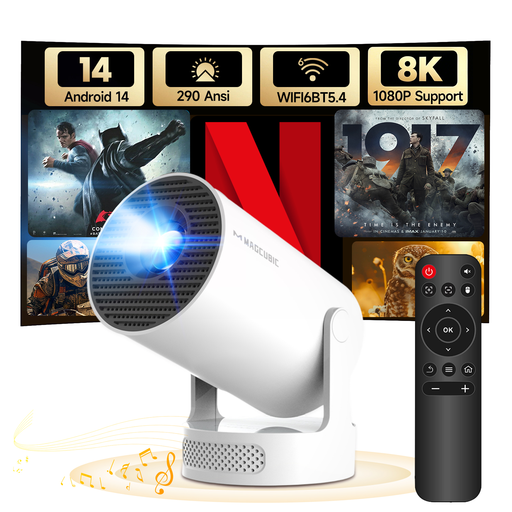
Why it stands out The MAGCUBIC HY300Pro+ focuses on versatility and portability. Its compact design and 180° rotating stand allow you to project an image anywhere, including on the ceiling. Equipped with Android 14, it provides access to a vast catalogue of apps via the Play Store. It's a mini projector designed for spontaneous, on-the-go use.
Pros
Who is it for? Perfect for young people, city dwellers in apartments, or anyone looking for a second projector that's easy to move from room to room, or even take on vacation. Its flexibility makes it an excellent choice for impromptu movie nights.
Is your setup almost complete, but missing that final touch? Or are you simply looking for other high-tech gems to treat yourself?
Discover our selection of top-rated accessories to perfect your setup or find other gift ideas.
The absence of Netflix on some projectors comes down to a certification issue. To stream protected content in high definition, Netflix requires hardware and software protection (DRM Widevine L1). Manufacturers must obtain a license from Netflix to integrate this technology. Without this certification, the app may be missing from the app store or only work in low resolution (480p).
The native resolution is the actual number of pixels the projector can display. This is THE number that matters for image sharpness. For example, a native 1080p projector has a grid of 1920x1080 pixels. The supported resolution (or input resolution) indicates the maximum video signal resolution the projector can accept. A native 1080p projector that supports 4K can therefore play a 4K source, but it will downscale it to display it in its native 1080p resolution.
Absolutely! For screen sizes up to 120 inches (about 3 meters diagonally), a native 1080p portable projector offers a stunning visual experience with a sharp, detailed image. It represents an excellent balance of quality and price for a home cinema setup in a living room or bedroom. Native 4K is mainly justified for very large screen sizes or for the most discerning cinephiles.