
Livraison le jour même ou le lendemain

Qualité garantie

Débloquez vos offres de bienvenue: Livraison GRATUITE | Jusqu'à -80 % | 30 jours d'essai gratuits à JoyPlus
Téléchargez l'application
By Joybuy, your source for high-tech gemsPublished July 10, 2026
Tired of the cable jungle under your desk? Does every device demand its own power brick? Between your laptop, smartphone, tablet, and headphones, juggling chargers has become a real headache. To simplify your setup, free up outlets, and charge all your devices at full speed, the multi-port GaN charger is the solution you need.
These compact powerhouses leverage Gallium Nitride (GaN) technology to deliver formidable efficiency in a pocket-sized form factor. We'll guide you in choosing the perfect model for your needs, whether you're organising your desk or lightening your travel bag.
Before you dive in, let's review the key technical criteria that will make all the difference in your daily use.
The total wattage, proudly displayed on the box (e.g., 100W charger), indicates the charger's maximum capacity. But be careful—what matters most is the distribution of this power across the different ports. A charger might promise 100W in total but only allocate 65W to a single USB-C port. For a laptop like a MacBook, you should aim for at least 45W to 65W from a single port. So, be sure to check the maximum power per port, especially if you plan to charge a MacBook and a smartphone simultaneously. The Power Delivery (PD) standard is also a must-have: it ensures fast, safe charging by intelligently adjusting the power output for each device.
Take stock of the devices you charge daily. The ideal configuration often combines USB-C and USB-A ports.
A charging hub with 3 or 4 ports is often the sweet spot for versatile use.
GaN chargers come in two main forms:
We've selected three models that check all the boxes, from the travelling professional to the demanding user who wants maximum power at their desk.
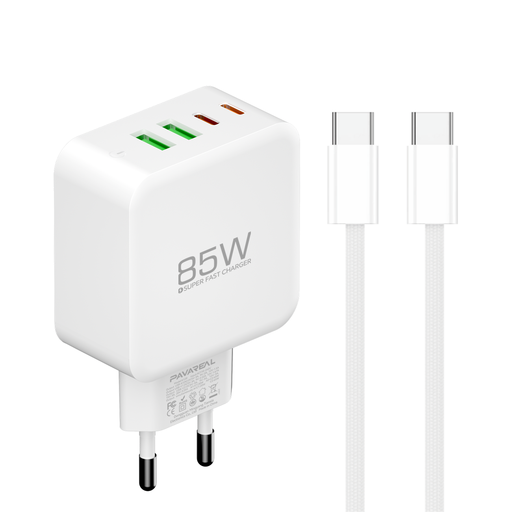
Key Feature: This model is the champion of value and versatility. With 85W of total power and four ports, it meets the needs of most users.
Highlights:
Who is it for? For those seeking a high-performance, affordable, all-in-one solution that can handle a laptop, a smartphone, and accessories without breaking the bank.
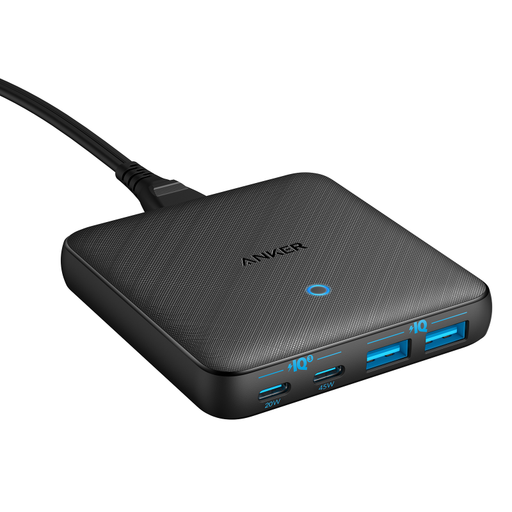
Key Feature: Its ultra-slim design and power cord make it the ideal desktop charging station for a clean, minimalist workspace.
Highlights:
Who is it for? The professional or remote worker who wants to declutter their desk and keep all their devices within reach with a charger that is as stylish as it is efficient.
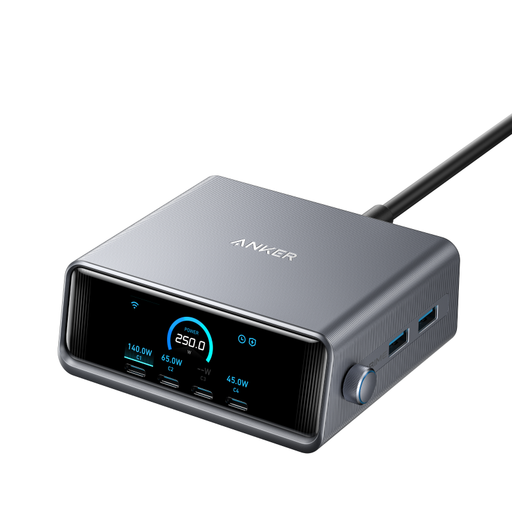
Key Feature: A true powerhouse. With a colossal 250W of power and six ports, this beast is built for power users who juggle multiple power-hungry devices.
Highlights:
Who is it for? The tech enthusiast, content creator, or professional with multiple powerful devices (two laptops, a tablet, a smartphone, etc.) who is looking for the ultimate charging solution with no compromises on speed or control.
Our selection is just a glimpse, and the GaN charger market is full of hidden gems. If these models aren't right for you in terms of power, ports, or price, don't worry.
? Explore our complete collection of USB-C chargers to find the perfect model for your setup.
GaN (Gallium Nitride) is a semiconductor material that is replacing the silicon in our old-school chargers. Its superpower? It conducts electricity much more efficiently and generates significantly less heat. The result: manufacturers can create chargers that are much smaller, lighter, and more powerful than their silicon-based equivalents.
No, and this is a common pitfall to avoid! The total power (100W, for example) is always shared across the ports when multiple are in use. A 100W charger might deliver 100W from a single port, but if you plug in a second device, the power will be split (e.g., 65W for the first port and 30W for the second). It is therefore crucial to read the fine print on the spec sheet to understand this power distribution.
Of course! That's the whole point of a multi-port GaN charger. You just need to verify that the USB-C port dedicated to your laptop delivers enough power (usually 45W or more) to continue charging it efficiently, even when other devices are plugged in.