
Livraison le jour même ou le lendemain

Qualité garantie

Débloquez vos offres de bienvenue: Livraison GRATUITE | Jusqu'à -80 % | 30 jours d'essai gratuits à JoyPlus
Téléchargez l'application
Laptops, smartphones, tablets, earbuds… Our desks and backpacks are overflowing with devices, and with them, a tangled mess of cables and chargers that are as slow as they are bulky. Finding a free power outlet has become a real challenge. The obvious solution? A multi-port fast charger. The problem is, the market is saturated with technical promises, and it's easy to get lost.
As a product expert at Joybuy, my mission is to help you cut through the noise. Before you dive in, it's best to be aware of a few pitfalls that can turn a great deal into a disappointing purchase.
You don't need an engineering degree to make an informed choice. Just focus on a few essential technical specifications that determine the performance, compatibility, and convenience of your future charger.
Power, expressed in watts (W), is the first criterion to consider. But be careful, it's not the whole story! It's crucial to verify that the charger is compatible with the Power Delivery (PD) standard. This protocol allows the charger to "communicate" with your device to provide the right amount of power, safely.
The USB-C port has established itself as the standard for fast charging, thanks to its reversible design and ability to handle high power levels.
The acronym GaN stands for gallium nitride, a semiconductor that is replacing silicon in modern chargers. In practical terms, a GaN charger offers undeniable advantages?:
Instead of an endless catalogue, here is a selection of three products tailored to specific user profiles, always keeping performance and practicality in mind.
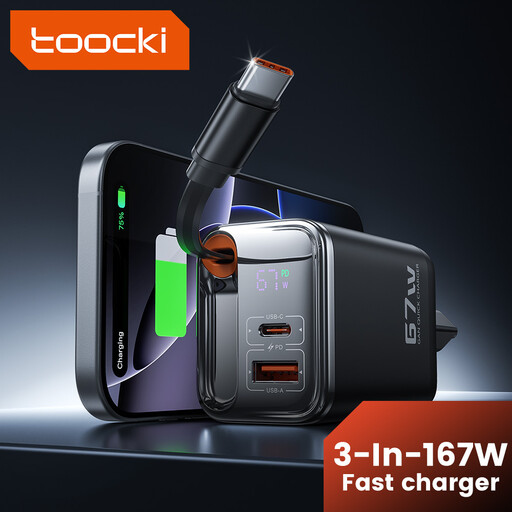
Why we chose it : Perfect for those who juggle work between the office, home, and cafés. It powers a laptop, a smartphone, and accessories simultaneously, while taking up minimal space in your bag thanks to its integrated cable.
Its 67W output is sufficient for an ultrabook, and its smart power distribution ensures that each device receives an optimal charge without penalising the others.
The built-in retractable USB-C cable is a major plus : no more digging for your main cable at the bottom of your bag.
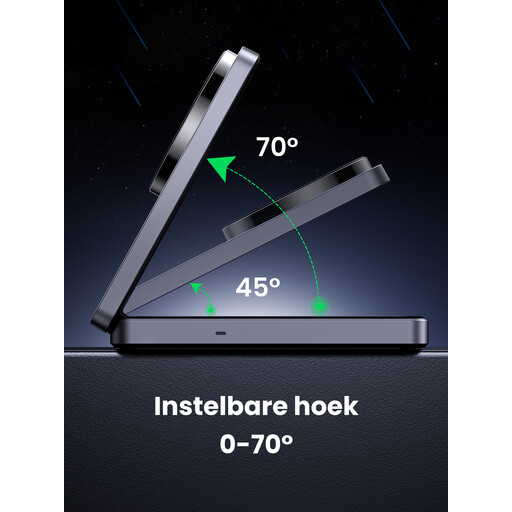
Why we chose it : The perfect solution for a minimalist desk. This charging station powers an iPhone via MagSafe charger and AirPods simultaneously, putting an end to cable clutter. Its foldable design makes it just as practical for travel.
Qi2 certification guarantees fast and reliable 15W wireless charging, a far cry from slow and unreliable wireless chargers. It's a dedicated and optimised solution for the Apple ecosystem.
The stand can be tilted up to 70°, perfect for keeping an eye on notifications or watching a video in landscape mode while charging.
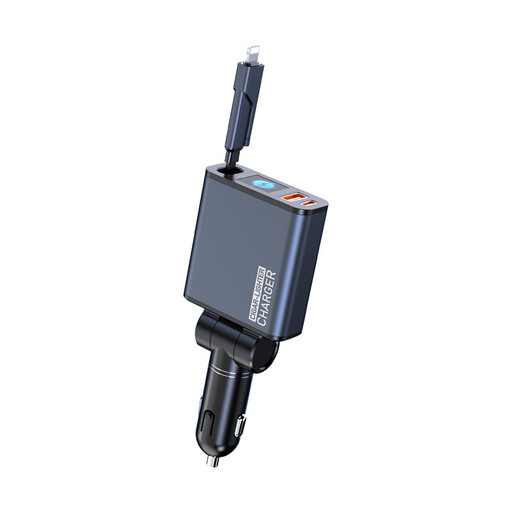
Why we chose it : Essential for those who use their car as a second office. This car charger is a true mobile powerhouse, capable of powering a computer, a tablet, and a smartphone at full speed.
With 160W of total power and QC5 certification, it puts an end to slow in-car charging. Its compatibility with major fast-charging protocols ensures optimal performance for all devices.
The two 90 cm retractable cables keep the car's interior tidy and enhance safety by preventing you from fumbling with wires while driving.
Discover our full range of chargers and charging stations, all rigorously selected for their performance and compliance with European safety standards.
It all depends on your devices. To charge an ultrabook and a smartphone at the same time, a charger of at least 67W is a good starting point. The key is to check that one of the USB-C ports can deliver between 45W and 65W on its own. If you only charge smartphones and tablets, a 40W model may be sufficient.
Absolutely. GaN (gallium nitride) technology allows for chargers that are more compact, lighter, and generate much less heat than older silicon-based models. This better heat management is also a guarantee of longevity. It's a major advantage for a fast power adapter that you carry everywhere.
Yes, as long as you use a quality charger. Modern models, especially those compatible with Power Delivery, integrate multiple protections (overcharge, overheat, short-circuit). Once the battery is full, the charger switches to a "trickle charge" mode to avoid damaging it. For complete peace of mind, always choose certified products (CE, RoHS).