
Livraison le jour même ou le lendemain

Qualité garantie

Débloquez vos offres de bienvenue: Livraison GRATUITE | Jusqu'à -80 % | 30 jours d'essai gratuits à JoyPlus
Téléchargez l'application
A mobile phone tripod can be used for filming a vlog, going live, following a remote class or taking a group photo. But some models focus mainly on a long list of features that don't necessarily match everyday needs. So before you place an order, it's best to check the stability, compatibility and intended use.
A very tall tripod isn't necessarily more practical. A selfie stick with tripod that extends well over a metre can become prone to vibrations, especially outdoors or on uneven ground. Look at the leg width, the material used and the maximum load capacity, rather than just the stated height.
A large phone, a thick case or a model with a magnetic ring won't necessarily fit every mount. For a MagSafe magnetic tripod, check compatibility with your iPhone and whether you might need to add a magnetic plate. If you plan to attach a camera or a projector, having a 1/4-inch thread and a suitable adapter can make all the difference.
A Bluetooth tripod is mainly used to trigger a photo or video remotely. It doesn't replace a smartphone stabiliser. For filming while walking, it's better to go for a phone gimbal or 3-axis video stabilisation. As for face tracking, it often depends on an app and its compatibility with your operating system.
A model made from aluminium alloy generally offers a good balance between lightness and rigidity. Non-slip feet and locks that hold properly help limit unwanted movement. For a camera, light or projector, check the maximum load as well as the centre of gravity: a heavy device placed high up can tip over a lightweight tripod.
On a table or any other household surface, a small stand may be sufficient. For sports filming or prolonged use, however, go for a wider structure with sections that lock firmly. Wind, soft ground and stairs remain the enemies of all portable tripods.
When comparing a foldable tripod, look at two dimensions: its height when extended and its length when folded. An adjustable model from 60 to 160 cm can switch from tabletop use to ground-level shooting. Conversely, a mini-tripod is very easy to carry but offers less distance and height.
For a vlog tripod, also check the vertical and horizontal orientations. A 360° rotation makes framing easier, but doesn't on its own guarantee smooth footage: the head also needs to be lockable firmly.
A smartphone stabiliser with 3-axis video stabilisation compensates for pan, tilt and roll movements. Face or object tracking can be useful for a live stream, a class or a demonstration, but these features sometimes require a dedicated app.
Before buying, check the stated battery life, charging time, remote control range and any app restrictions. A Bluetooth remote can work on both iOS and Android, while some advanced features may be reserved for a specific app.
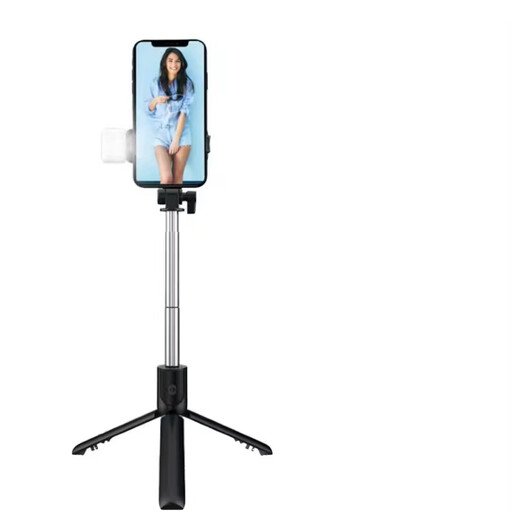
Why this choice suits this profile: Its adjustable length from 100 to 150 cm, tripod function and Bluetooth remote make it a handy companion for selfies, video calls and your first social media content.
The stated remote range is under 20 m and the device works with both iOS and Android. However, you do need to spread and stabilise the three legs properly before each shot.
A stated weight of 200 g, horizontal or vertical shooting, built-in lighting and Bluetooth connection.
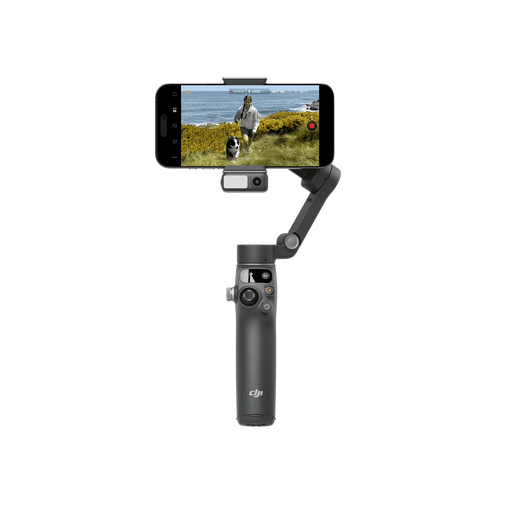
Why this choice suits this profile: This phone gimbal is aimed at creators who want to refine their framing for YouTube, TikTok or their videos on the go.
The 3-axis stabilisation clearly sets it apart from a simple tripod. Remember to check the DJI Mimo app's compatibility before using it, especially on Android.
A tracking module, built-in extension bar, included tripod and a stated battery life of up to 10 hours.
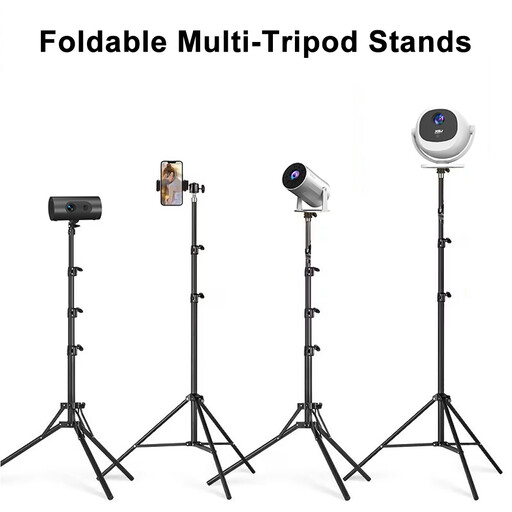
Why this choice suits this profile: It's suitable for live streams, home projections, photo sessions and setups that need a mount for a phone, camera or light.
Its adjustment range, from 60 to 160 cm, is clearly stated, as is its folded length: 60 cm. The 1/4-inch thread and supplied adapter let you vary your uses without needing multiple mounts.
An aluminium alloy structure, 360° horizontal rotation, non-slip feet and tool-free assembly.
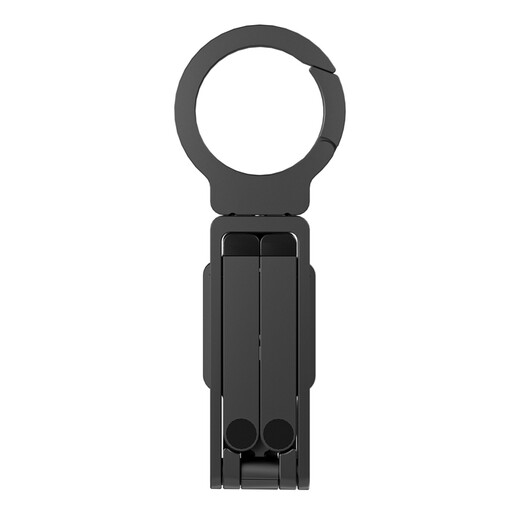
Why this choice suits this profile: Its compact, foldable design slips into a bag for quick framing while travelling or out and about.
MagSafe compatibility is stated for several generations of iPhone. Check the grip with your case and always use the mount on a stable surface.
An aluminium mount, mini selfie stick function, quick attachment and an easy-to-carry format.
We've put together a comprehensive list, updated in real time, of products that fully meet these strict selection criteria and European safety regulations.
Place the legs on a flat surface, tighten the clamp without forcing it and check that the phone stays well centred. If the tripod is extended to height, avoid unstable surfaces and check the locks before stepping away. With a magnetic mount, make sure the magnet adheres properly and that the phone's weight remains compatible with the mount.
A tripod keeps the device still for photos, live streams or projections. A smartphone stabiliser accompanies movement and reduces shaking thanks to its motors, particularly on three axes. A selfie stick with tripod can combine handheld use and fixed positioning, but it doesn't necessarily replace a gimbal.
A mechanical tripod generally incurs no cost after purchase. A Bluetooth model or a gimbal mainly requires recharging its battery and, depending on the features offered, installing an app. Also check whether accessories — remote batteries, clamp or adapter — are included.