
Livraison le jour même ou le lendemain

Qualité garantie

Débloquez vos offres de bienvenue: Livraison GRATUITE | Jusqu'à -80 % | 30 jours d'essai gratuits à JoyPlus
Téléchargez l'application
Published July 19, 2026 by the Joybuy Editorial Team
Say goodbye to bulky, noisy, and power-hungry desktop towers! Whether you want to optimise a cramped desk, build a discreet media centre under your TV, or simply travel light, the mini PC has emerged as the clear solution. But with an overwhelming number of options, how do you make the right choice?
This guide is here to decode the spec sheets and help you choose the mini-computer that truly meets your needs, cutting through the marketing jargon.
Before you dive in, let's review the three components that determine the power and versatility of your future machine.
For an office mini PC dedicated to web browsing, the Office suite, and video streaming, a processor like an AMD Ryzen 3 or an Intel Core i3 is an excellent entry point.
For more demanding tasks (occasional video editing, photo retouching, intensive multitasking), you should aim for an AMD Ryzen mini PC with a Ryzen 5 or 7. Finally, for power users looking for a gaming mini PC or a compact workstation, the Ryzen 7 or 9 processors from the H or HS series are a must-have.
RAM determines how smoothly your machine runs when juggling multiple applications.
As for storage, modern mini PCs almost always include an SSD (Solid State Drive), guaranteeing near-instant boot times and application launches. There are two main types: SATA SSDs, which are reliable and perfect for office work, and NVMe SSDs, which offer much higher speeds and are essential for handling large files or reducing game loading times.
A mini PC has to be practical. Be sure to check the number and type of available ports:
To help you see things more clearly, we've reviewed three models from the SOYO range, each tailored for a specific use case.
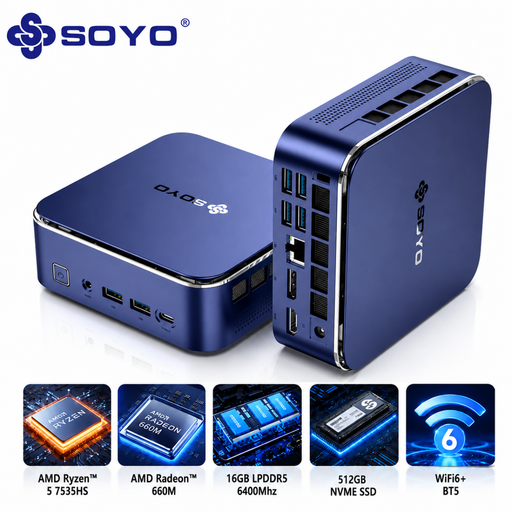
Its Strong Suit
The SOYO S5Air is the ultimate Swiss Army knife. Its AMD Ryzen 5 7535HS processor (6 cores, 12 threads) handles intensive multitasking and light creative applications without breaking a sweat. With 16 GB of LPDDR5 RAM and a 512 GB NVMe SSD, responsiveness is guaranteed. Add modern connectivity (Wi-Fi 6E, 8K support), and you get a machine that's ready for the future.
Key Features
Who is it for? For remote workers, students, and anyone looking for a versatile and powerful machine that is equally at home with advanced office work, multimedia, or occasional creative tasks.
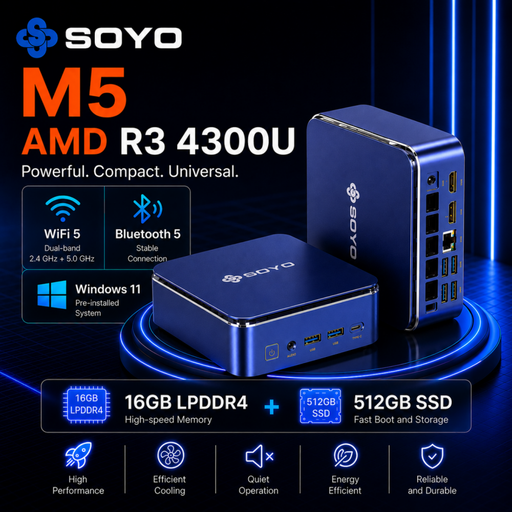
Its Strong Suit
The SOYO M5 gets straight to the point: everyday efficiency at an accessible price point. Its AMD Ryzen 3 4300U processor, backed by 16 GB of RAM and a 512 GB SSD, ensures perfect fluidity for web browsing, office work, and 4K video playback. It's the quintessential office mini PC, with no frills.
Key Features
Who is it for? For users with standard needs, students on a budget, or as a secondary PC or a discreet media centre connected to a TV.
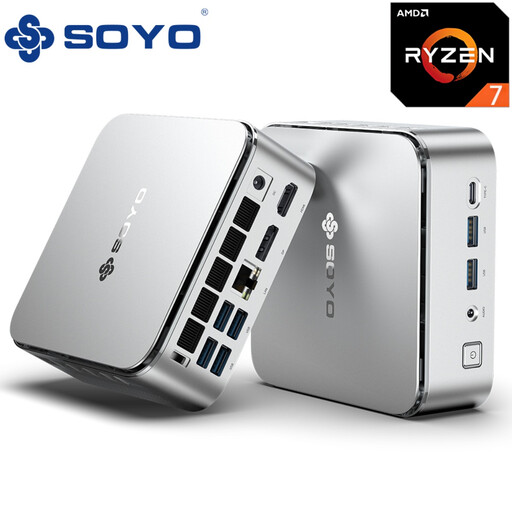
Its Strong Suit
The S4PLUS is built for those who refuse to compromise on power. It packs a formidable AMD Ryzen 7 H255 processor (8 cores, 16 threads) and, most notably, an AMD Radeon 780M graphics chip capable of running recent games in excellent conditions. With 24 GB of LPDDR5 RAM and an NVMe SSD, it's a true pocket-sized workstation and a gaming mini PC that holds its own.
Key Features
Who is it for? For content creators (video editing, 3D), developers, and gamers who want maximum power in a minimal footprint.
If these models don't check all your boxes or if you're simply curious, feel free to explore our full selection of computers.
Discover Our Range of Personal and Desktop Computers
Yes, provided you choose the right one! The most powerful models, like the SOYO S4PLUS, feature a processor/graphics chip combo (for example, a Ryzen 7 and a Radeon 780M) capable of running many AAA games. You may need to adjust the graphics settings sometimes, but the experience remains thoroughly convincing.
Upgradability is more limited than on a traditional tower. Generally, you can easily change or increase the storage (SSD) and sometimes the RAM, as long as it isn't soldered to the motherboard. However, the processor and graphics chip are fixed and cannot be replaced.
In fact, that's one of their biggest advantages! A compact desktop PC is incredibly light on your electricity bill. Expect between 15 and 40 watts for office tasks, compared to 100 to 300 watts (and much more) for a conventional tower. Less consumption also means less heat, and therefore, much quieter operation.