
Livraison le jour même ou le lendemain

Qualité garantie

Débloquez vos offres de bienvenue: Livraison GRATUITE | Jusqu'à -80 % | 30 jours d'essai gratuits à JoyPlus
Téléchargez l'application
Choosing an SD or microSD memory card isn’t just a matter of picking the largest capacity. A high-capacity card won’t necessarily be compatible with your camera, action camera, smartphone or games console. The wrong card can slow down transfers, interrupt 4K recording or simply go unrecognised.
Here are the main pitfalls to avoid before you buy.
A rating such as “up to 200 Mo/s” usually refers to read speed, which is useful for transferring files quickly to a computer. For recording video or taking photos in quick succession, write speed is what matters most.
So a card with very fast read speeds may still be unsuitable for video if its minimum write speed is too low.
Not all devices support SDHC, SDXC, microSDHC and microSDXC formats. An older camera may only support SDHC cards, while a recent smartphone or 4K camera will generally accept microSDXC cards.
Always check the maximum capacity listed in your device’s manual. A 256 GB microSDXC card won’t automatically work with every phone, drone or camera.
A 512 GB memory card offers plenty of space, but it’s no substitute for a backup. Cards used in a dash cam, security camera or device you use every day should also be designed to withstand repeated writes.
For everyday photography and video, an SD card 128 GB or a microSD card 256 GB often offers a good balance. The right choice will depend on your recording resolution, how often you use the device and whether you can transfer files regularly.
The usable capacity is always lower than the advertised capacity, particularly after formatting and installing the file system.
The UHS-I memory card label mainly refers to the bus used for data transfers. U3 and V30 ratings are more directly relevant to video recording: V30 indicates a stated minimum sequential write speed of 30 Mo/s under the conditions set out by the standard.
A U3 V30 memory card is generally better suited to 4K recording than a U1 model. However, device compatibility is still key. Maximum speed also depends on the card reader, phone, camera and file type.
A1 and A2 classes relate to app performance, mainly on compatible Android devices. On their own, they don’t guarantee faster video recording.
SD Express and microSD Express cards use a different interface designed to deliver faster transfers. To benefit from these speeds, both your device and card reader must support the interface. Otherwise, the card may work using a backward-compatible interface, but performance will be more limited.
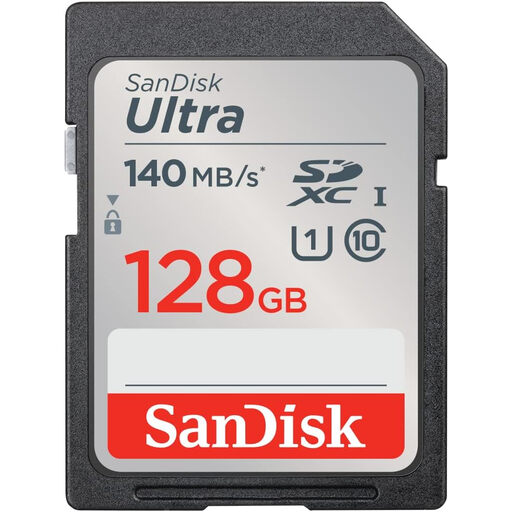
Why it’s a good match for you : This 128 GB SDXC card is suitable for compact cameras and camcorders that support the SDXC format, and is ideal for photos and Full HD videos.
Its capacity and format are clearly stated. However, don’t use it in a device limited to SD or SDHC cards.
128 GB capacity, read speeds of up to 140 Mo/s and a design that, according to the product listing, is resistant to water, extreme temperatures, X-rays and shocks.
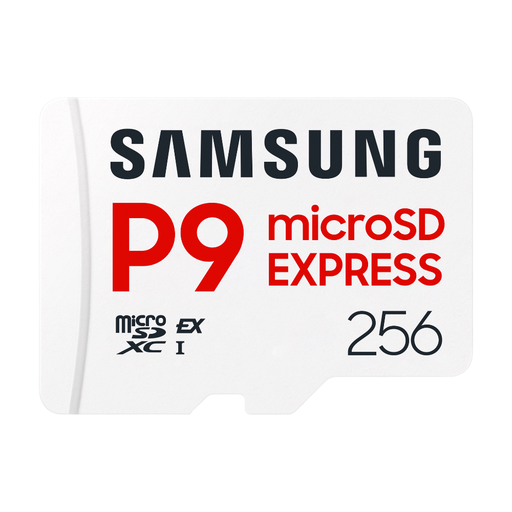
Why it’s a good match for you : This card is designed for photographers and videographers with a device and card reader that support SD Express.
The product listing distinguishes between the advertised SD Express speed of up to 800 Mo/s and UHS-I operation, rated at up to 90 Mo/s.
256 GB capacity, PCIe Gen3 x1/NVMe 1.3 interface and stated UHS-I compatibility for devices without SD Express support.
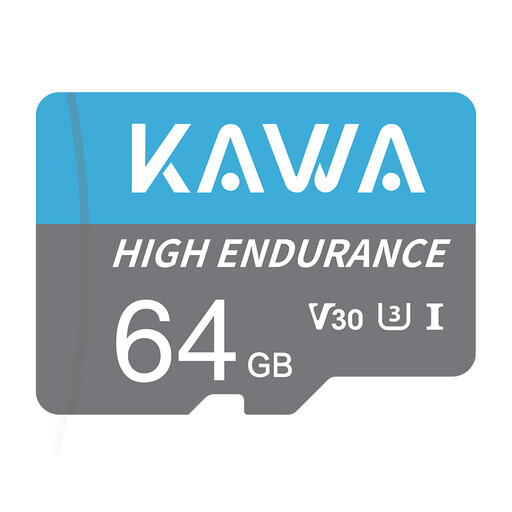
Why it’s a good match for you : It’s well suited to dash cams, security cameras, video baby monitors, drones and devices that record frequently.
The product listing specifies U3, V30 and A1 ratings, making it better suited to repeated video writes than a card designed only for occasional storage.
64 GB capacity, read speeds of up to 100 Mo/s, write speeds of up to 60 Mo/s and stated resistance to water, extreme temperatures, magnets and X-rays.
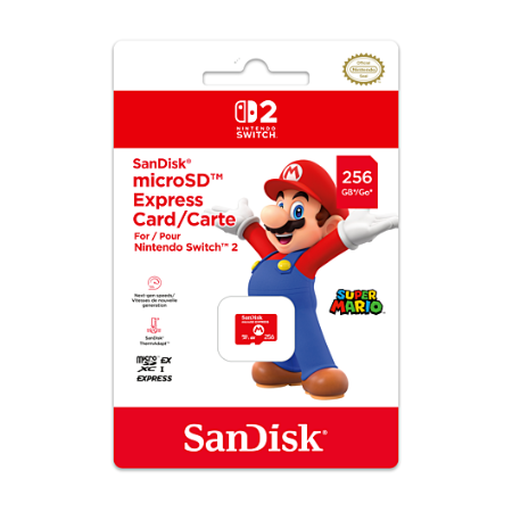
Why it’s a good match for you : This microSD card for Nintendo Switch 2 gives you more space for games, downloadable content and screenshots.
Its microSDXC Express format is explicitly listed as compatible with the console. It’s still best to switch the console off completely before inserting or removing the card.
256 GB capacity, microSD Express interface and a straightforward installation process on a compatible console.
We’ve put together a comprehensive, real-time updated list of products that meet these strict selection criteria and European safety regulations.
Before using the card for the first time, format it in the device itself if the manufacturer recommends doing so. This will erase any data already stored on it.
To reduce the risk of problems:
A microSD card for a smartphone can also be used in some cameras with an adapter. Performance will depend on the camera’s interface and card reader.
Look for at least U3 and V30 ratings, then check the camera manufacturer’s recommendations. For heavy use, a 128 GB or 256 GB card can mean fewer card changes, but it’s no substitute for backups.
Some models are backward compatible, but they’ll be limited by the UHS-I interface. To achieve the advertised Express speeds, you’ll need a device and card reader that support the technology.
Lifespan depends on the number of writes, temperature, card reader quality and conditions of use. A card used for CCTV or in a dash cam will handle far more writes than one used occasionally to store photos. Regular backups are essential, whatever capacity you choose.