
Livraison le jour même ou le lendemain

Qualité garantie

Débloquez vos offres de bienvenue: Livraison GRATUITE | Jusqu'à -80 % | 30 jours d'essai gratuits à JoyPlus
Téléchargez l'application
At first glance, one microSD card may look much like another. However, a model designed for a smartphone will not necessarily be suitable for a dashcam, security camera or modern games console. An ill-matched card can lead to interrupted recordings, extremely long loading times or even outright rejection by the device.
Before placing your order, three mistakes are particularly common:
Cards up to 32 GB generally use the microSDHC format. Above that, they are usually microSDXC cards. A 128 GB or 256 GB memory card will therefore suit many modern devices, but the manufacturer’s technical specifications remain the only reliable reference.
For a security camera or dashcam, the capacity required depends on the video resolution and how loop recording works. A 64 GB card may be enough for occasional use, while a 128 GB memory card provides more breathing space. However, check the camera’s maximum supported capacity: for example, the JOOAN model included in this selection supports up to 256 GB.
These markings do not all refer to the same thing:
When choosing a high-speed SD card, also consider the reader’s interface. A UHS-I card advertised at up to 180 MB/s may be limited by a slower smartphone or card reader. Maximum speeds should therefore be understood as values measured under specific conditions, rather than speeds guaranteed on every device.
A dashcam or security camera continuously writes and deletes data for long periods. A high-endurance microSD card is specifically designed to withstand this type of intensive use, in line with the manufacturer’s specifications. It is still essential to check the resolution being used, recording duration, supported temperature range and maximum supported capacity.
For a camera, drone or video camera, choose a card with a suitable video speed class. With a smartphone or tablet, compatibility, capacity and the A1/A2 class may be more important than chasing the highest possible transfer rate.
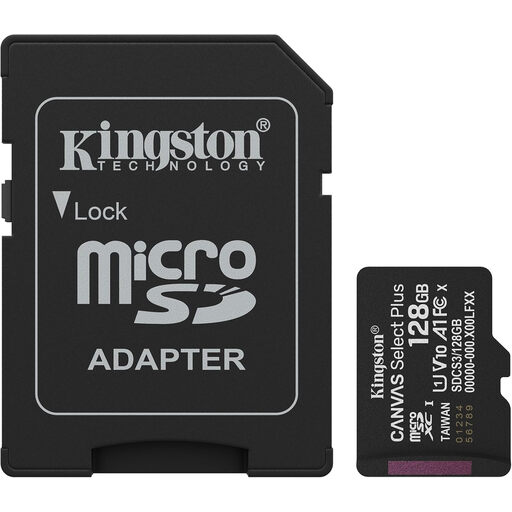
Why this choice suits this profile : Its 128 GB capacity makes it easy to expand the storage of a compatible smartphone, tablet or camera. The included SD adapter also lets you use it with a computer or reader featuring a standard SD slot.
The specifications mention Class 10, UHS-I and A1. You are therefore not choosing this card solely for its capacity without knowing which uses it is designed for.
Advertised read speed of up to 150 MB/s, A1 class and SD adapter included.
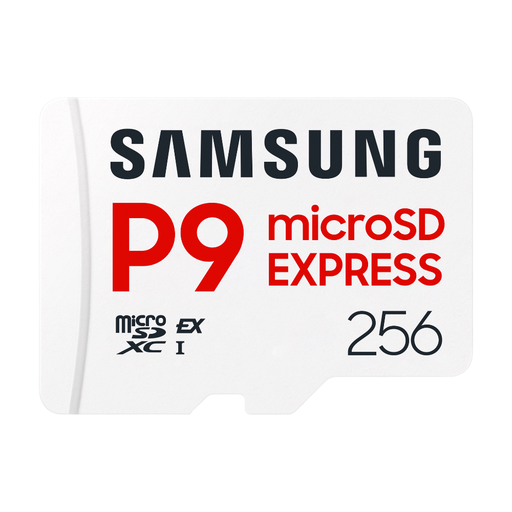
Why this choice suits this profile : This card is aimed at photographers and videographers using an SD Express-compatible device who want to transfer large files quickly.
The specifications distinguish between speeds of up to 800 MB/s with SD Express and up to 90 MB/s with a UHS-I host. This makes it easier to estimate performance according to your hardware.
256 GB capacity, PCIe Gen3 x1/NVMe 1.3 interface and advertised backwards compatibility with UHS-I.
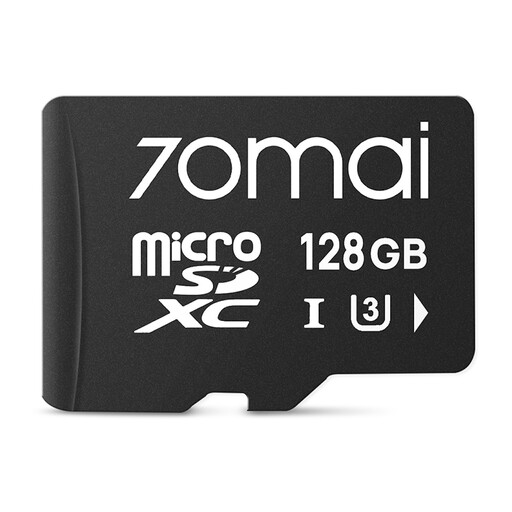
Why this choice suits this profile : It is designed for drivers using certain 70mai dashcams who want enough capacity to record their daily journeys.
Compatibility is limited to the specified 70mai models, including the A810, A510, A410, X800, M310, A200 and A800SE. Be sure to check your dashcam model before ordering.
128 GB capacity and a design advertised for compatible 70mai cameras.
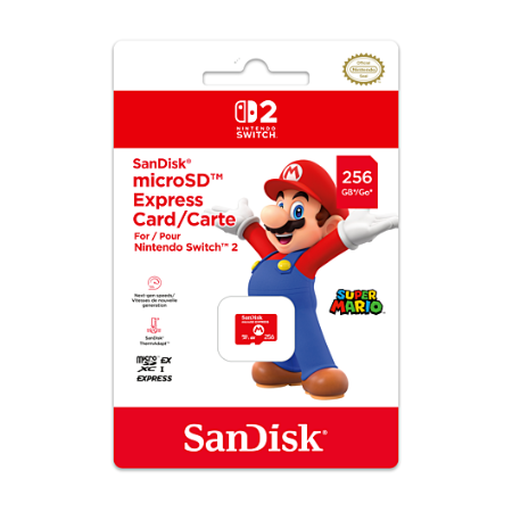
Why this choice suits this profile : Its format and microSD Express standard are designed for the Nintendo Switch 2. With 256 GB, you have plenty of space for downloaded games, expansions and screenshots or video captures.
The specifications clearly state compatibility with the Nintendo Switch 2 and the microSD Express standard. So you cannot assume that a standard microSD card will automatically be suitable.
256 GB capacity, microSDXC format and microSD Express standard specified.
We have put together a complete, real-time updated selection of products that meet these demanding criteria as well as European safety standards.
When recommended by the manufacturer, format the card directly in the device. This ensures that it uses the file system expected by the camera, console or phone. Before removing it, stop recording and switch off the device if instructed to do so in the manual.
A memory card is no substitute for making backups. Regularly copy your important photos, videos and documents to a computer or online storage. Also avoid extreme temperatures, moisture and impacts. With a dashcam, check from time to time that loop recording is working correctly and that the files can be played back properly.
64 GB may be enough for moderate use or certain specialist devices. 128 GB is a versatile choice for a smartphone, dashcam or camera. 256 GB is better suited to game libraries, high-definition video and devices that explicitly support this capacity.
The V30 class guarantees a minimum sustained write level suitable for many video applications. However, that does not mean it is sufficient on its own for 4K recording. Also check the video stream rate, recording format and the manufacturer’s specific requirements.
“microSD” refers to the compact physical format, while microSDXC corresponds to a capacity and file-system category generally used above 32 GB. Device compatibility should always be confirmed before buying.