
Livraison le jour même ou le lendemain

Qualité garantie

Débloquez vos offres de bienvenue: Livraison GRATUITE | Jusqu'à -80 % | 30 jours d'essai gratuits à JoyPlus
Téléchargez l'application
By the Joybuy team, your product experts
Is the "Storage Space Full" notification constantly popping up on your smartphone, camera, or gaming console? The message is clear: it's time for an upgrade. But with a jungle of different models, speed classes, and capacities, choosing the right microSD memory card can quickly become a headache.
This guide is here to help you make sense of it all. We'll break down the technical jargon and present our selection of the best cards for every use case. Our goal is to help you make the right choice, one that fits both your devices and your budget.
Before diving into our top picks, let's review the key criteria to ensure you make the right decision.
This is often the first factor that comes to mind, but aiming for the biggest size isn't always the best strategy. It all depends on how you'll use it:
The symbols etched onto the cards aren't just for show: they indicate absolutely crucial performance levels.
First things first: check the maximum capacity supported by your device (smartphone, camera SD card, console, etc.). Most recent devices support the microSDXC format, which includes all cards larger than 32 GB.
Opting for a microSD card with an adapter is also an excellent idea. This clever accessory allows you to use your card in a standard SD port (on a laptop, camera, etc.), making file transfers much simpler.
We've selected models that stand out for their balance of performance, reliability, and price for the most common uses.
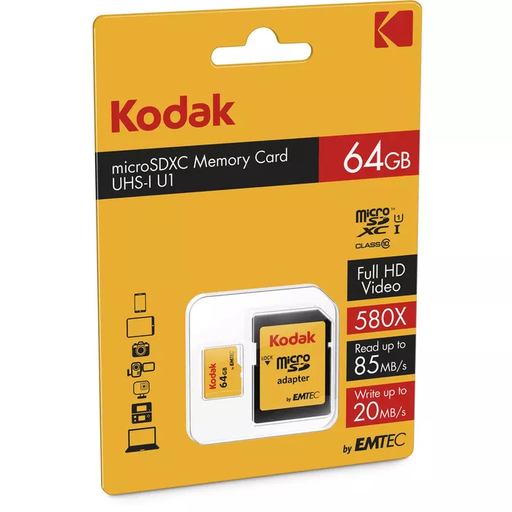
Why it stands out: This Kodak card is a simple and effective solution for expanding storage that's become too limited. Its A1 certification makes it especially appealing for Android smartphone owners who want to install apps without worrying about slowdowns.
Pros:
Who is it for? For those looking for an affordable solution to give their smartphone or tablet a boost for storing photos, Full HD videos, and everyday apps.
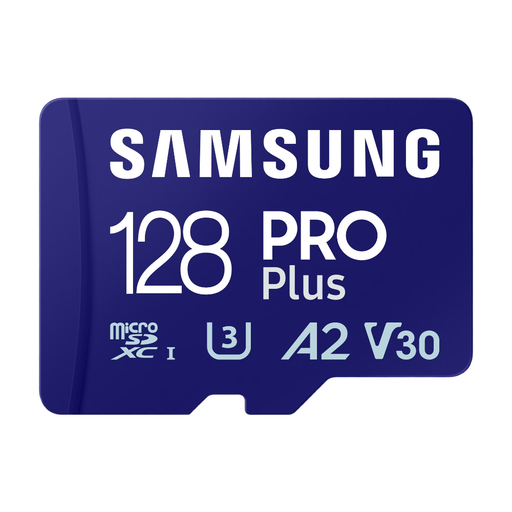
Why it stands out: The Samsung PRO Plus is all about high speeds. With its U3 and V30 certifications, it's built for recording 4K UHD video without a single stutter. Its A2 class also ensures excellent responsiveness for demanding apps and games.
Pros:
Who is it for? The top choice for videographers, drone pilots, athletes with action cams, and mobile gamers who demand a 128 GB microSD card that is both fast and reliable.
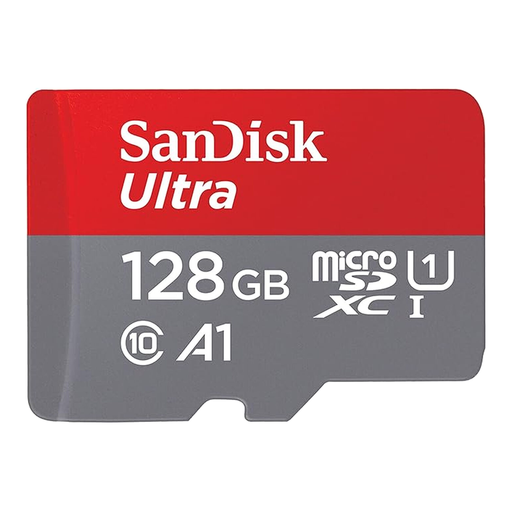
Why it stands out: The SanDisk Ultra line is a trusted choice, known for its excellent value for money. This 128 GB model offers high read speeds, allowing you to transfer your holiday photo albums and videos to a computer in the blink of an eye.
Pros:
Who is it for? The perfect companion for Android smartphone and compact camera users looking for a reliable and affordable card for everyday use.
Our selection covers the most common needs, but your situation may be unique. Whether you need a different capacity, specific performance for professional use, or are simply looking for a microSD card PC adapter to make your transfers easier, other solutions are available.
Discover our full range of memory cards and adapters
The main difference is size: a microSD card is much smaller than a standard SD card. Consequently, it's typically found in more compact devices (smartphones, tablets, action cams). However, with a simple adapter, a microSD card can be used in any standard SD port.
The easiest way is to check your device's manual or technical specifications. There you will find the supported card type (microSD, microSDHC, microSDXC) and, most importantly, the maximum capacity it can handle (for example, "up to 256 GB").
To shoot smooth, flawless 4K video, you should aim for a card certified at a minimum of UHS Speed Class 3 (U3) and Video Speed Class 30 (V30). These labels guarantee a minimum write speed of 30 MB/s, which is essential to handle the high data rate generated by 4K.