
Livraison le jour même ou le lendemain

Qualité garantie

Débloquez vos offres de bienvenue: Livraison GRATUITE | Jusqu'à -80 % | 30 jours d'essai gratuits à JoyPlus
Téléchargez l'application
Is the "Insufficient storage" message popping up on your Android smartphone again? Your Nintendo Switch won't install the latest hit game? Your 4K camera stops recording mid-session? The solution seems obvious: a microSD card. But faced with a jungle of options, making a choice can quickly become a headache.
Between the multitude of models, technical acronyms, and marketing promises, it's easy to make the wrong choice. As a product expert at Joybuy, my role is to clear the path for you. Let's break down the pitfalls to avoid so you can choose THE memory card that truly fits your needs, without throwing your money away.
The memory card market is a jungle of confusing specifications. Focusing on the wrong criteria is a perfect recipe for disappointment. Here are the two most common mistakes.
Choosing a 256?GB or 512?GB microSD card thinking "bigger is better" is the classic mistake. However, capacity says nothing about how fast the card reads or writes data. The result: a card that's too slow will lead to slowdowns when launching apps on an Android smartphone, stuttering during 4K video recording, or endless loading times on a Nintendo Switch. Speed is just as crucial a criterion as storage space.
Not all cards are created equal when it comes to intensive use. A memory card for a security camera or a dashcam records data continuously, 24/7. Using a standard microSD card for this type of use means exposing it to premature wear and certain failure, often at the worst possible moment. For these scenarios, "high-endurance" models aren't an option—they're essential.
To avoid these pitfalls, you just need to know how to read three key indicators printed on the cards themselves.
These letters and numbers aren't just for decoration. They indicate the card's performance for specific uses:
Check that your device is compatible with the card's format and capacity.
Instead of searching for a non-existent one-size-fits-all card, it's better to find the one that perfectly matches your profile.
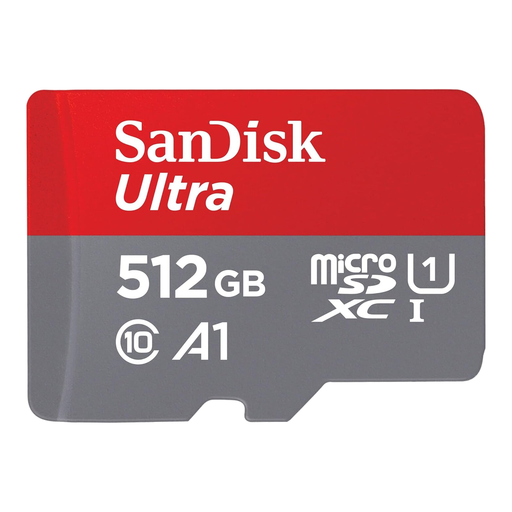
Why we recommend it: For those who juggle everything on their Android smartphone (photos, videos, apps, music), this card is the perfect balance. Its generous 512 GB capacity lets you archive years of memories, while its A1 certification ensures smooth performance for the apps installed on it.
It doesn't bet everything on capacity. Its A1 class specifically addresses the need for app responsiveness on a smartphone, thus preventing frustrating slowdowns.
An excellent capacity-to-performance ratio for versatile use. The included SD adapter is a real bonus for easily transferring files to a computer.
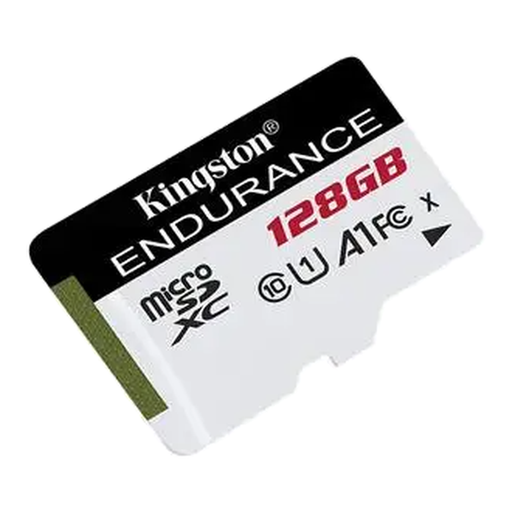
Why we recommend it: This card was designed for devices that record continuously, like security cameras or dashcams. Its high-endurance technology allows it to handle thousands of hours of recording without breaking a sweat.
It directly tackles the problem of premature wear. Designed to withstand relentless write cycles, it holds up where a standard card would fail.
Rock-solid reliability for continuous recording. It's also designed to operate in extreme temperatures, a major advantage for a dashcam.
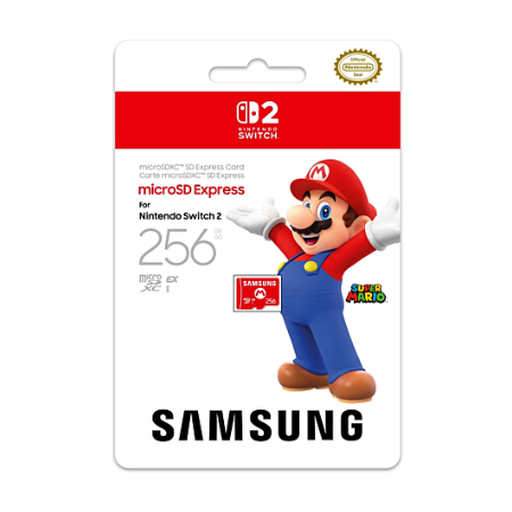
Why we recommend it: As an officially licensed Nintendo product, this card guarantees flawless compatibility and performance optimised for the console. A 256 GBmicroSD card for Nintendo Switch is the ideal starting point for building a solid digital game library without ever worrying about space.
It eliminates any risk of compatibility or performance issues, as it is specifically designed and validated for the console. Zero unpleasant surprises, just a perfectly smooth gaming experience.
The peace of mind of an official product. Its read speeds are optimised to minimise in-game loading times.
We have curated a complete and up-to-date selection of products that meet our demanding selection criteria.
The simplest and safest way is to consult your device's user manual (smartphone, camera, console) or the manufacturer's website. Look for the maximum supported capacity (e.g., "up to 1?TB") and the accepted card type (usually microSDXC for recent devices).
It's primarily a matter of size. The standard SD card, which is larger, is historically found in DSLR cameras or laptops. The much more compact microSD card has become the standard for smartphones, drones, action cameras, and portable consoles like the Nintendo Switch. In fact, many microSD cards are sold with an SD adapter to ensure compatibility with devices that use that format.
Yes, it's highly recommended. By formatting the card directly within the device that will use it (your camera, console, etc.), you ensure it uses the correct file system. This is the best way to avoid compatibility errors and optimise its performance.