
Livraison le jour même ou le lendemain

Qualité garantie

Débloquez vos offres de bienvenue: Livraison GRATUITE | Jusqu'à -80 % | 30 jours d'essai gratuits à JoyPlus
Téléchargez l'application
Choosing a memory card seems simple at first, but the market is a confusing maze of technical standards and often misleading marketing claims. The wrong card can not only bottleneck your device's performance but also lead to the loss of your precious memories. As a product expert at Joybuy, I'm here to demystify this world and give you the keys to a successful purchase.
Before we dive into specific models, it's crucial to know the most common mistakes that trap many buyers.
To make the right choice, forget the marketing slogans and focus on these three technical specifications. They are the real deciding factors.
This is the first basic step: check which format is compatible with your device.
As for capacity (expressed in GB or TB), bigger isn't always better. A 256?GB memory card currently represents an excellent sweet spot for most uses, whether for photos or 4K video. Just make sure your device supports the capacity you're aiming for.
This is where the jargon gets tricky, but it's crucial to understand it. These logos are your best guarantee: they certify a minimum and constant write speed.
For a security camera, a dashcam, or any device that records in a 24/7 loop, the high-endurance criterion is non-negotiable. These cards are specifically designed to withstand thousands of hours of rewriting without failing, whereas a standard model would give out in a few months.
Let's get practical. Here is our selection of memory cards for 2026, chosen to meet specific needs while avoiding the common pitfalls.
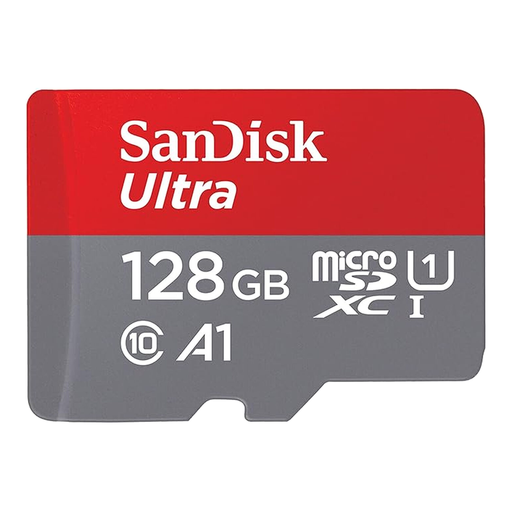
Why it's the right choice : Perfect for expanding the storage of an Android smartphone or tablet. Its 128 GB provides ample space for your photos, videos, and apps, all without breaking the bank.
Its A1 certification guarantees optimised performance for launching apps. For a smartphone, this is far more relevant than the maximum read speed advertised on the packaging.
Its transfer speed of up to 140 MB/s lets you quickly offload files to a computer. The included SD adapter makes it even more versatile.
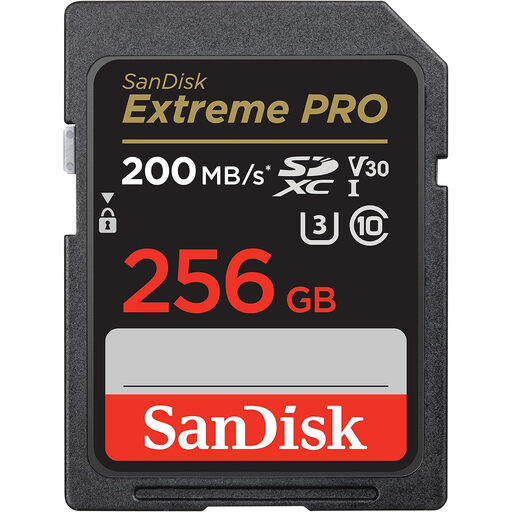
Why it's the right choice : This is the go-to card for owners of mirrorless or DSLR cameras. With 256 GB and high write speeds, it's built for RAW burst shooting and 4K video.
It doesn't just rely on a marketing number. Its U3 and V30 labels are a promise kept: a guaranteed minimum write speed of 30 MB/s, essential for filming in 4K without any interruptions.
Speeds of up to 140 MB/s write and 200 MB/s read accelerate your entire workflow, from shooting to transferring files to your computer.
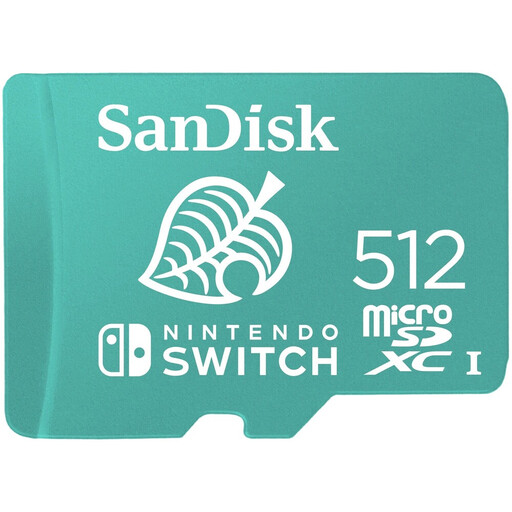
Why it's the right choice : Officially licensed by Nintendo, this 512 GB Nintendo Switch memory card is designed for the Switch. It's enough to store dozens of digital games and say goodbye to storage anxiety.
The Nintendo logo is more than just a marketing ploy: it's a guarantee of perfect compatibility and optimised performance for the shortest possible loading times.
Massive storage capacity and reliable performance, validated by Nintendo. In short, it's peace of mind for uninterrupted gaming.
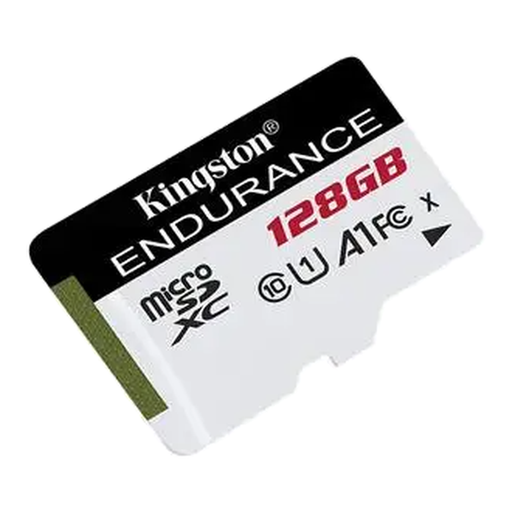
Why it's the right choice : Specially designed to endure intensive write cycles, it's the trusted solution for dashcams and security cameras that run non-stop.
It shatters the "one-size-fits-all" card myth. Its "high-endurance" design is built to last where a standard card would have already failed.
Built for extreme conditions: it's resistant to everything (temperatures from -25 °C to 85 °C, shock, water - IPX7) to ensure your recordings are always safe.
Explore our full selection of memory cards, all rigorously chosen for their performance and reliability.
1. What memory card capacity should I choose for my Nintendo Switch? For moderate use, 128?GB is a good start. But if you're a fan of all-digital games, aim directly for 256?GB or 512?GB. You'll have peace of mind and won't have to constantly juggle your game installs.
2. Is a V30 card really necessary for my camera? If your camera shoots in 4K, the answer is a resounding yes. The V30 certification guarantees a minimum write speed of 30?MB/s, the threshold required for smooth 4K recording without dropped frames or interruptions. For simple Full HD, a U1 or C10 card will suffice.
3. How do I format a new memory card? Yes, you should. It is crucial to always format a new memory card directly in the device that will use it (camera, console, etc.) and not on a computer. This process ensures a file structure that is perfectly optimised for the device, which prevents a host of compatibility and performance issues. You can find this option in your hardware's settings or setup menu.