
Livraison le jour même ou le lendemain

Qualité garantie

Débloquez vos offres de bienvenue: Livraison GRATUITE | Jusqu'à -80 % | 30 jours d'essai gratuits à JoyPlus
Téléchargez l'application
Choosing a memory card? It seems simple enough. But the market is a veritable jungle of models and technical jargon where it's easy to get lost. A poor choice not only hurts your wallet but, far more seriously, puts your precious data at risk. As the head of product selection at Joybuy, my mission is to guide you through this maze to find the card that's perfectly suited to your needs, while avoiding the marketing traps.
Before we even start dissecting spec sheets, let's review the most common mistakes that turn a purchase into a disappointment.
To avoid falling into these traps, focus on three key parameters that define a card's true performance and reliability.
First, the simplest step: check the physical format required by your device.
Next, check for capacity compatibility:
This is where things get complicated, but it's also where everything is decided. Several acronyms coexist, each with a very specific meaning.
For a dashcam, security camera, or even a video baby monitor, a high-endurance memory card isn't an option—it's a requirement. These cards feature much more robust flash memory, specifically designed to withstand thousands of hours of recording and rewriting flawlessly. They are also generally reinforced to resist extreme temperatures.
To help you see more clearly, here is our selection of memory cards, categorised by user profile.
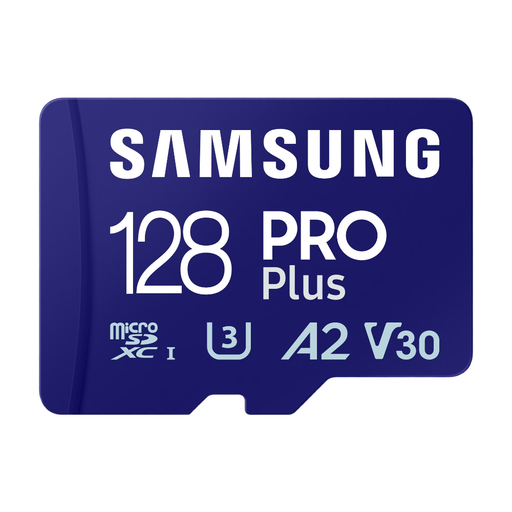
Why we chose it: The perfect card to give your Android smartphone's storage a boost. It combines a comfortable capacity with the speeds required for apps and 4K video capture.
This card doesn't just offer 128 GB. Its A2 certification ensures responsive app launching, and its V30 class guarantees smooth 4K recording, thus avoiding the capacity-without-speed trap.
Its versatility: it's equally at home with apps and 4K video, and its high speeds (up to 180/130 MB/s) accelerate your file transfers.
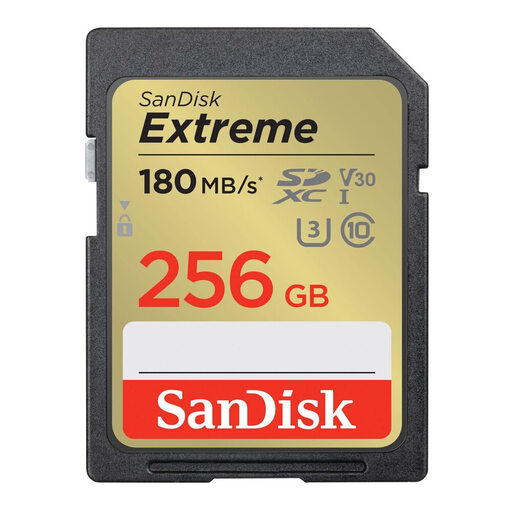
Why we chose it: The excellent balance for owners of mirrorless or DSLR cameras. It offers generous capacity and the performance needed for burst photography and 4K video.
This UHS-I card is V30 certified—the golden ticket for 4K—without the premium price of a UHS-II card. It saves you from paying for speed that most enthusiast cameras can't use anyway.
Its unbeatable price-to-performance ratio. Its write speeds (up to 130 MB/s) are fast enough to quickly clear the camera's buffer in burst mode.
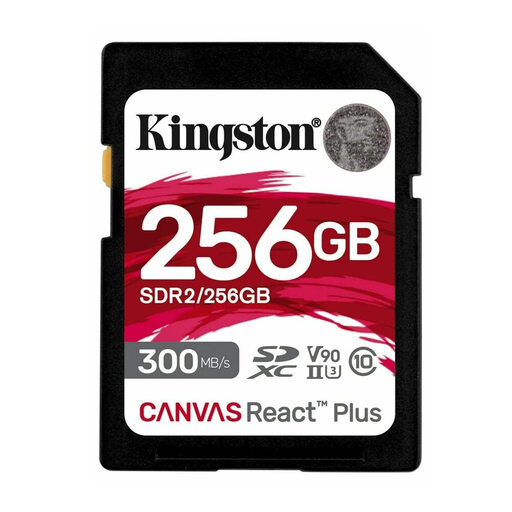
Why we chose it: Built for professionals and content creators who accept no compromises. It's perfect for 8K video, high frame rate (HFR) 4K, and RAW burst shooting.
This card is a precision investment. Its UHS-II interface and V90 class are meant for high-end cameras that can take advantage of them. Every dollar spent here translates into a tangible performance gain.
Extreme speeds (up to 300 MB/s read and 260 MB/s write) that slash offload times and radically streamline your post-production workflow.
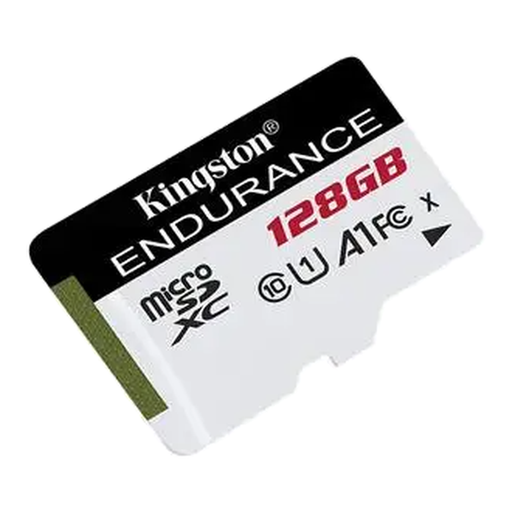
Why we chose it: Specifically engineered for rock-solid reliability under the intensive, continuous write conditions of dashcams and video surveillance systems.
This high-endurance memory card is the direct answer to the premature wear-and-tear pitfall. It's built to go the distance where a standard card would fail in a matter of months, thus ensuring the security of your recordings.
Reliability and durability. Designed to run 24/7, it's shockproof, waterproof, and resistant to extreme temperatures. It's the guarantee that your security footage will be there when you need it.
We have curated a complete, up-to-date selection of memory cards that meet our demanding selection criteria and current security standards.
It is crucial to format any new memory card directly inside the device that will use it (camera, console, dashcam, etc.). This operation, accessible from the settings or storage menus, ensures a perfectly compatible file structure and optimises the card's performance.
Yes, backward compatibility is assured. A UHS-II card will work in a UHS-I port, but it will be throttled to the maximum speed of that interface. You will not benefit from the performance gain you paid for. Therefore, the investment is only worthwhile if you plan to upgrade your device in the near future.
The difference is purely physical. The SDXC card is the standard (larger) format, while the microSDXC card is the miniature format. The "XC" designation refers to the same capacity technology (beyond 32?GB). The choice, therefore, depends solely on your device's port. An adapter allows a microSDXC card to be used in an SDXC port, but the reverse is, of course, impossible.