
Livraison le jour même ou le lendemain

Qualité garantie

Débloquez vos offres de bienvenue: Livraison GRATUITE | Jusqu'à -80 % | 30 jours d'essai gratuits à JoyPlus
Téléchargez l'application
A mechanical gaming keyboard can improve typing comfort and in-game accuracy. But product listings do not always tell you everything. Spectacular RGB lighting will never make up for an unsuitable layout, while a compact format can quickly become frustrating for everyday use if certain keys are only accessible with the Fn key.
Before placing your order, there are three pitfalls worth watching out for.
The format determines both the keyboard’s footprint and how easily you can access the functions you use most often.
In France, check carefully for the AZERTY designation. US QWERTY models remain perfectly usable on PC and Mac, but their legends do not match the French layout. If you plan to switch between devices, also check compatibility with Xbox, PlayStation, Android or iPad.
The type of switch directly affects noise, travel and the feedback beneath your fingers.
The internal construction also affects the final feel. A gasket structure, dampening foam or a flexible plate can alter the typing feel and sound level, but they will not make the keyboard silent in every situation.
A wired gaming keyboard connects via USB and does not require recharging. It is particularly well suited to a fixed setup and avoids the issues associated with interference or battery life.
A wireless mechanical keyboard can communicate via Bluetooth, 2.4 GHz or both technologies. A tri-mode model generally adds a wired USB-C connection. Before buying, check the advertised battery life, charging time, whether a wireless receiver is included and whether you can continue gaming while the keyboard is charging.
Anti-ghosting refers to the ability to register several keys pressed at the same time. When specified, the NKRO designation provides a more complete indication of how combinations are handled. A mechanical RGB keyboard, or a backlit model, may offer preset effects, per-key customisation or simple fixed multicolour lighting. These differences matter if you want to coordinate the look of your setup.
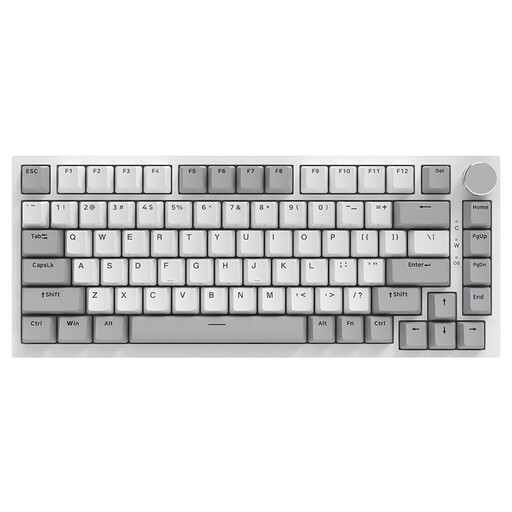
Why this choice suits this profile : Its 75% format retains useful functions in an 82-key chassis, while its Type-C connection fits easily into a fixed setup.
The listing describes a genuine hot-swappable mechanical keyboard, rather than a simple membrane imitation. Its format is also less restrictive than a 60% model for office work.
PBT keycaps, RGB lighting, volume dial, gasket structure and NKRO support according to the supplied specifications.
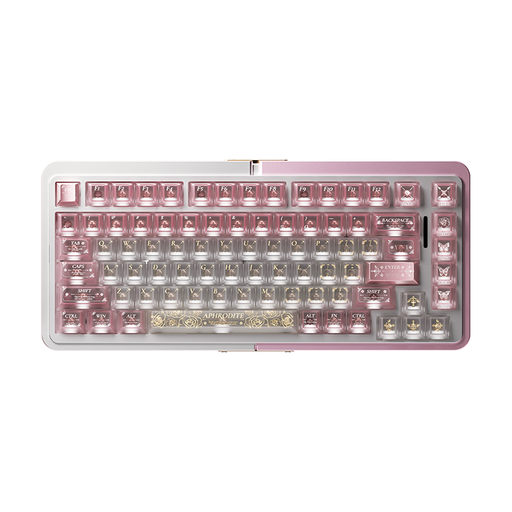
Why this choice suits this profile : This 75% keyboard is aimed at gamers looking for advanced adjustments and a more refined build for creating a personalised setup.
The listing highlights TTC magnetic switches, adjustable actuation point, rapid trigger and interchangeable sockets.
CNC-machined aluminium case, US ANSI layout, RGB and advertised SOCD functions.
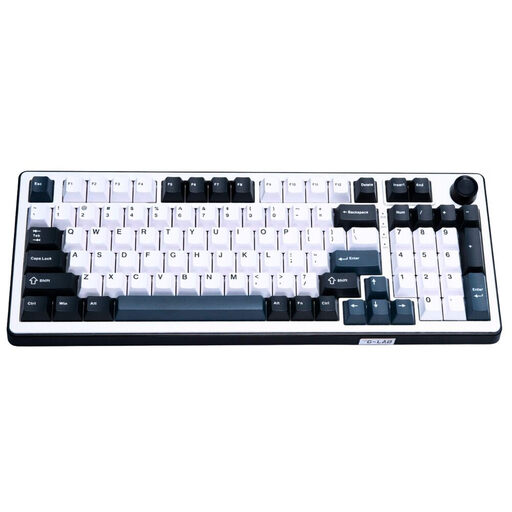
Why this choice suits this profile : Its 96% format retains the number pad, while its advanced settings are designed for gamers and creators who use their keyboard for long periods.
It does not sacrifice the number pad just to save a few centimetres and advertises 100% NKRO anti-ghosting.
Hot-swappable Hall Effect magnetic switches, adjustable polling rate of up to 8 000 Hz, double-shot PBT keycaps and multimedia dial.
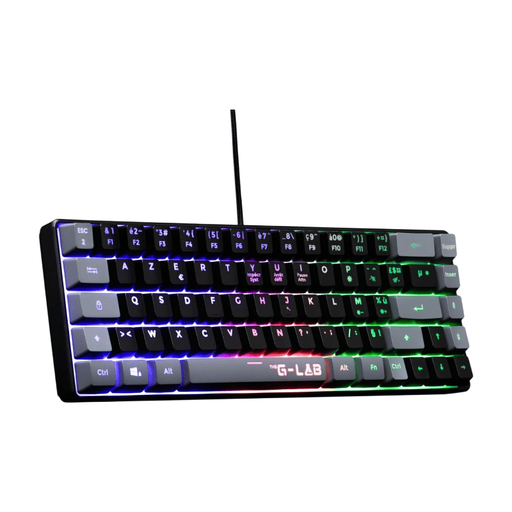
Why this choice suits this profile : Its USB connection and advertised compatibility with PC, PS4, PS5 and Xbox make it suitable for gaming setups used across several platforms.
The AZERTY layout is clearly indicated, while the 60% format reduces the footprint without requiring a wireless connection.
19 anti-ghosting keys, fixed multicolour backlighting, reinforced cable and an advertised weight of 430 g.
We have put together a complete, real-time updated selection of products that meet these demanding criteria and European safety standards.
Yes, provided you choose the right format and a suitable noise level. Linear switches are generally quieter than clicky switches. If you regularly enter figures, a 96% or full-size model will be more practical than a 60% keyboard. Adjustable tilt, well-stabilised keys and regular breaks also help improve comfort.
It depends on the type of switch, the keyboard’s build quality, how it is used and how well it is maintained. Some listings advertise up to 50 million keystrokes, but this figure is a design specification and does not guarantee the same lifespan for every user. A hot-swappable model may remain functional for longer because it allows worn switches or keycaps to be replaced easily.
For a desktop computer or console, a wired gaming keyboard is easy to set up and does not require recharging. A wireless mechanical keyboard is better suited to tidy desks and users who regularly switch between devices. In this case, check for Bluetooth and 2.4 GHz connectivity, the advertised battery life, the included receiver and whether the keyboard can be used via USB-C.