
Livraison le jour même ou le lendemain

Qualité garantie

Débloquez vos offres de bienvenue: Livraison GRATUITE | Jusqu'à -80 % | 30 jours d'essai gratuits à JoyPlus
Téléchargez l'application
A high-performance keyboard is a key asset for any gamer, whether competitive or casual. With a multitude of models, technologies, and form factors, choosing the right mechanical gaming keyboard can quickly become overwhelming. Between the different switch types, compact layouts, and connectivity options, it's easy to get lost.
This guide is designed to demystify the topic and empower you to make the right choice. Our mission: to decode the spec sheets for you and present reliable models that meet specific needs, whether you're gaming on a PC or a console.
Before diving into our selection, let's review the key factors to consider to make the right choice.
The size of your keyboard directly impacts your ergonomics and the amount of space available on your desk.
The switches under each key determine the typing feel and responsiveness of the keyboard. For gaming, linear models are often the top choice.
A mechanical keyboard with red switches is a reliable choice. These switches offer smooth travel with no tactile bump or audible click. Their rapid actuation and low actuation force allow you to chain actions at high speed, a decisive factor in competitive games.
Now for our selection of models that have particularly caught our eye.
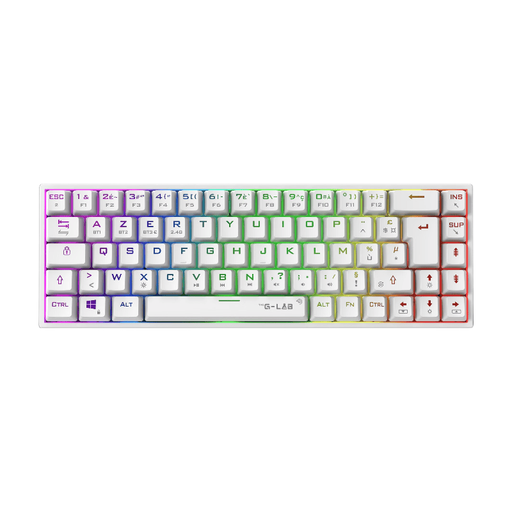
THE G-LAB Keyz Titanium Mechanical Gaming Keyboard Red Switch Triple Mode RGB 65% - AZERTY - White
Why it stands out: This model brings together today's winning trifecta: a compact 65% layout, Red mechanical switches, and triple connectivity (wired, Bluetooth, 2.4 GHz). It offers formidable versatility for gamers who want a clean setup without sacrificing performance.
Pros:
Who is it for? For the gamer looking for a compact wireless gaming keyboard to optimise their setup while retaining the responsiveness of a mechanical one. Its multi-platform compatibility is a real asset for those who switch between PC and console.
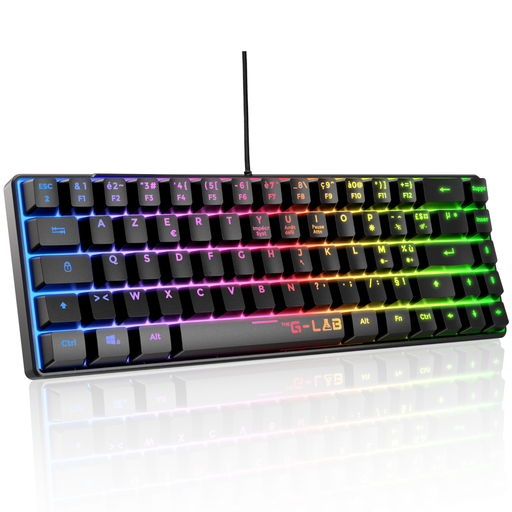
THE G-LAB Keyz Mercury Wired Mechanical Gaming Keyboard Red Switch RGB TKL - AZERTY - Black
Why it stands out: The Keyz Mercury is a wired TKL gaming keyboard built for e-sports. It gets straight to the point: responsiveness, durability, and a form factor that frees up mouse movement.
Pros:
Who is it for? For competitors on PC, PS4, or PS5 who prioritise the stability of a wired connection and a TKL format to maximise their gaming space. A practical choice for those who value performance above all else.
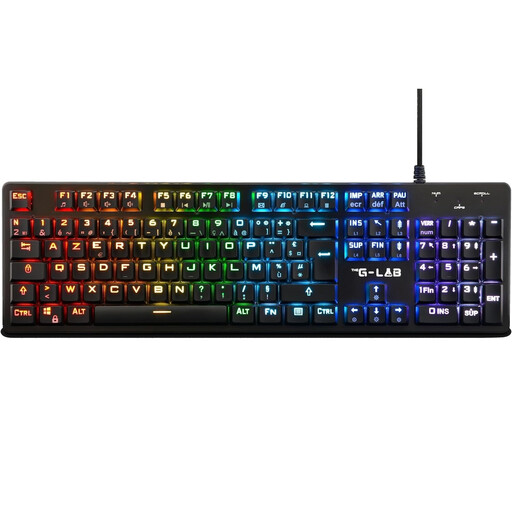
Why it stands out: This model stands out for its low-profile (extra-slim) design. Its mechanical switches are thinner, with a reduced actuation distance. The result: extremely fast keystrokes that combine the benefits of a mechanical keyboard with the comfort of a laptop keyboard.
Pros:
Who is it for? For gamers seeking maximum typing speed and a sleek aesthetic. It's also an excellent gateway for those accustomed to laptop keyboards who want to make the switch to mechanical.
If you want to take your keyboard customisation further or explore other configurations, take a look at our selection of components and accessories. For example, discover our range of UK Keycaps to create a setup that's uniquely yours.
1. What type of switch is best for a mechanical gaming keyboard?Red switches (linear) are generally the top choice for gaming due to their fast and smooth actuation. Brown switches (tactile) offer a slight bump for feedback and are an excellent compromise between gaming and typing. Finally, Blue switches (clicky), which are very loud, are particularly satisfying for typing but can be less than ideal for intense gaming.
2. Is a gaming keyboard compatible with a PS5 or Xbox? Yes, most USB keyboards, including The G-Lab keyboard models featured here, are compatible with modern consoles like the PS5 and Xbox Series X/S. The connection is usually Plug & Play for essential functions (movement, typing). However, be aware that customisation software (for RGB or macros) generally only works on a PC.